When Should You Actually Close an Incident?

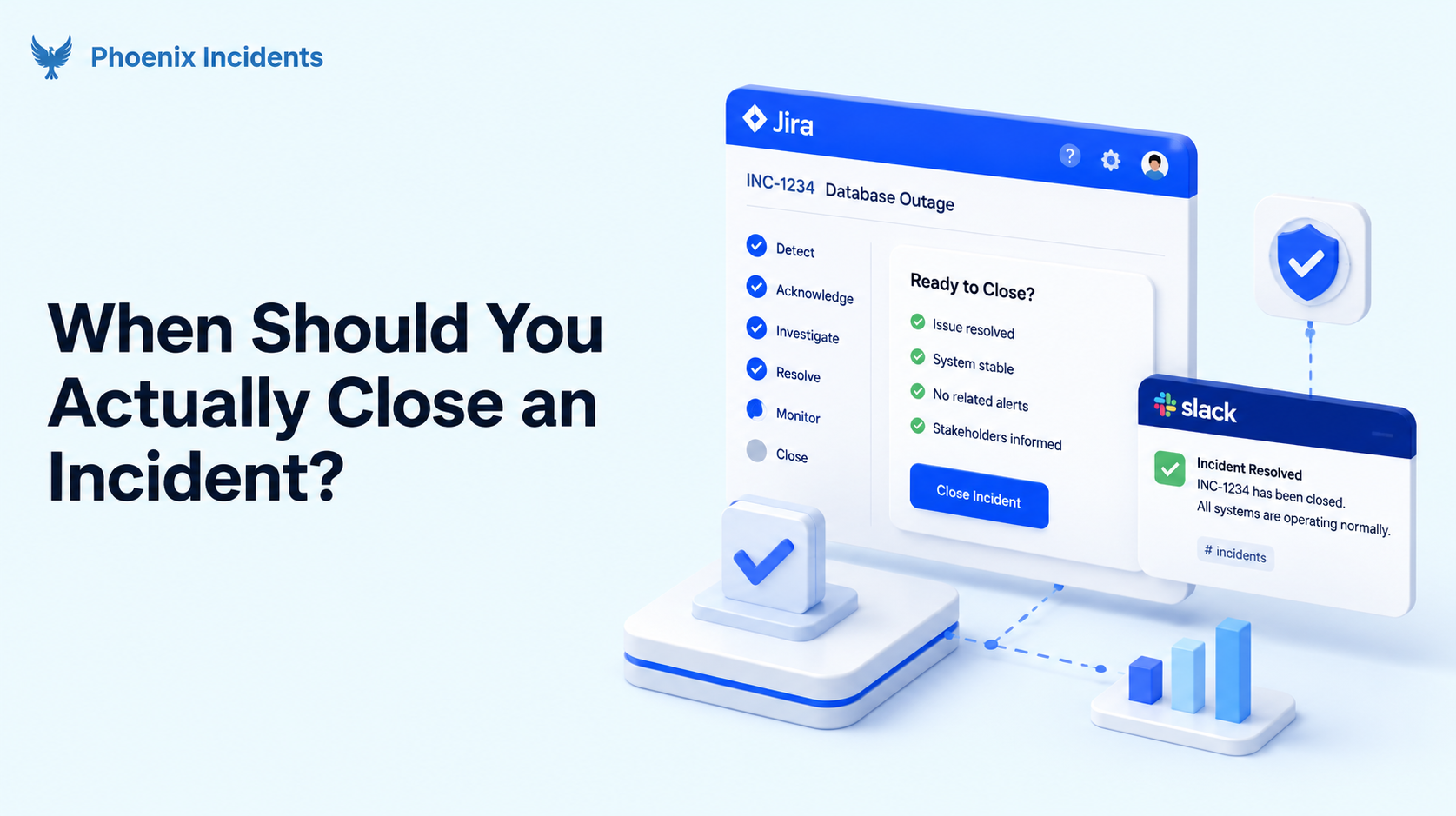
An incident is ready to close when three things are true: service is verified stable, the cause is written down clearly enough that someone could recognise it again, and the remediation work has a named owner. Everything else in this post is about why it's those three, and what happens when you close before you have them.
Most teams never agree on this, but closing an incident feels like a small act, so it gets done by whoever reaches the ticket first, and usually while they're relieved. The problem, however, shows up later.
- Close too early and your recovery times look excellent until the same failure comes back.
- Close too late and the number stops measuring your recovery, and ends up measuring how long the follow-up work sat in your backlog.
If you're running incidents in Jira and Slack, this decision shapes your workflow. Because it tells you what your final status should be, and what has to happen before an incident is allowed to reach it.
What this guide covers: why the standard answer to incident closure leaves a gap for engineering teams, the three states every production incident passes through, what each closure point does to your numbers, and the criteria to agree on before your next incident rather than during it.
Why "Resolved" Doesn't Mean "Closed"
If you go looking for guidance on closing incidents, almost everything you find comes from IT service management, and it all says roughly the same thing.
Resolved is not the same as closed. An engineer fixes the problem and moves the record to resolved. Then the person who reported the issue confirms the fix worked for them, and only after that does the incident move to closed. If they never reply, most service desks close the record automatically after a set period.
That model deserves credit. It's been running service desks for decades and it holds together well, because it puts a deliberate gap between someone believing the problem is fixed and someone confirming it. The confirmation is the whole point.
It's also more flexible than most engineers assume. Current ITIL 4 guidance says the service desk closes the incident after confirming with users or monitoring systems that service has fully returned to normal. That second option is the one almost nobody builds a process around.
What ITIL Requires Before Closure
- Service has been restored to its normal operating state
- The fix is confirmed, either by the person who reported the issue or by monitoring
- Any temporary workaround has been checked and is holding
- The details of the incident are documented for future reference
- The timing of closure lines up with the relevant SLA
Now picture that list during a real outage at 2am where there's no user to ask, because nobody reported it.
Who Confirms the Fix in Production?
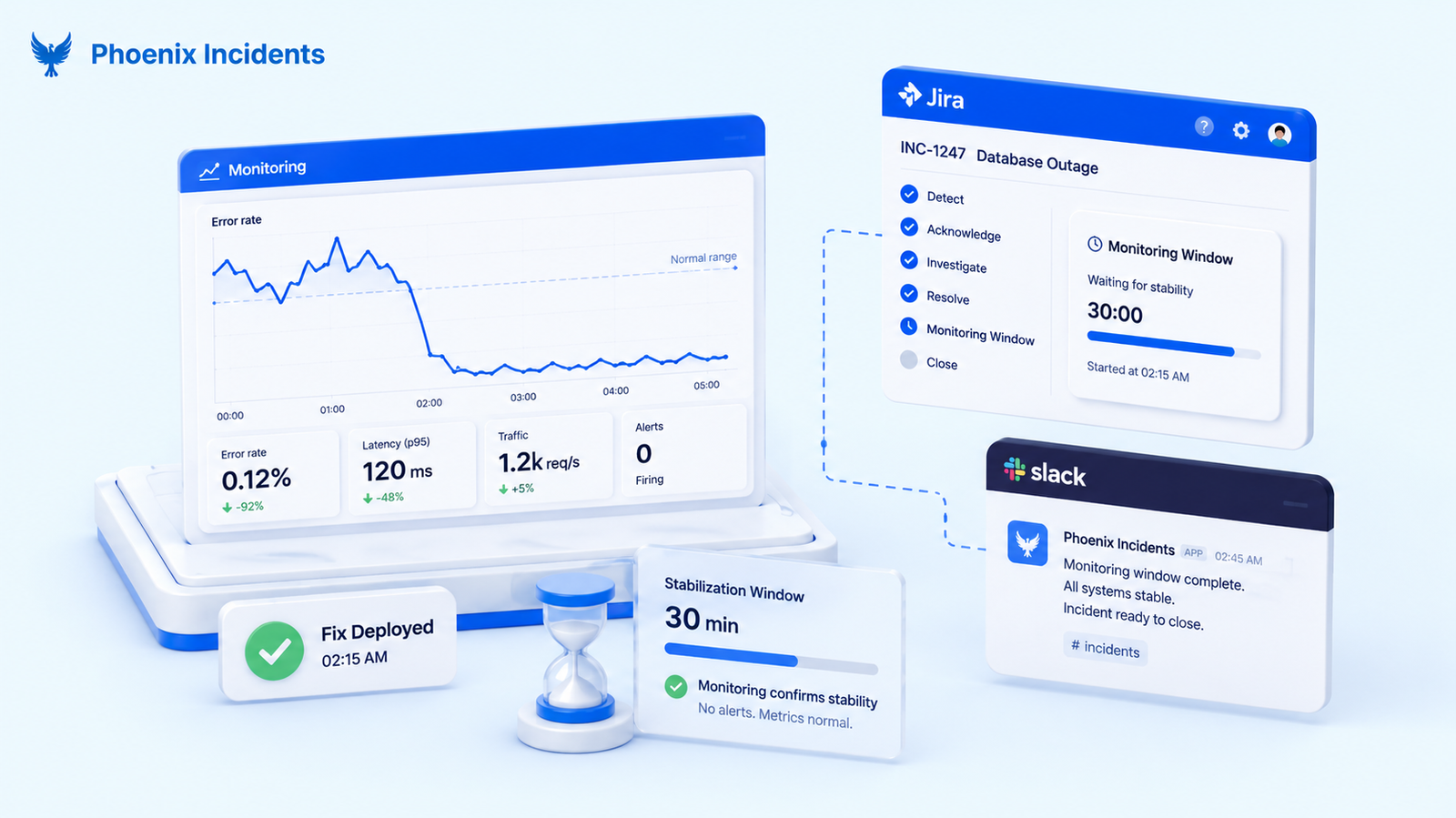
In a service desk, someone reported the problem, so there's someone to ask at the end. “Is it working now?” They say yes, and the ticket closes. That “yes” is your proof.
Production doesn't give you that because nobody reported the outage. Your monitoring caught it, or a few hundred people retried and gave up. The fix goes in, and there's nobody waiting to tell you it worked.
So what happens instead is that someone tired reads the error rate at 3am, sees it back where it should be, and closes the incident. That's a guess. It's usually a good guess, and every so often it isn't, which is how a fix that held for ten minutes turns into a second outage at breakfast. You need something to give you the “yes”.
In production, the only thing that can, is your own monitoring, and only if you give it time to speak.
Leave the incident open for a set period after the fix goes in and watch what happens. If nothing breaks in that window, that's your confirmation.
| Service desk incident | Production incident | |
|---|---|---|
| Who reported it | A named person | Monitoring, or a customer signal |
| Who confirms the fix | The person who reported it | Monitoring, if you've defined how |
| Fallback with no confirmation | Automatic close after a set period | Someone closes it and moves on |
| What confirmation looks like | A reply saying it's working | A monitored window with no regression |
That's a workflow decision more than a policy one, which is why it belongs in how you set up your Jira incident workflow rather than in a document nobody opens.
Your Incident Has Three States, Not Two
Service management gives you two states, which is where a lot of the confusion comes from.
Production incidents pass through three, and most engineering writing collapses them into one word.
| State | What's true | What isn't true yet | Usual trigger |
|---|---|---|---|
| Mitigated | Customer impact has stopped | The cause may still be unknown, and the fix may be temporary | Rollback, feature flag, failover |
| Resolved | The real fix is deployed and holding | The learning isn't captured, follow-up work has no owner | Fix verified across a monitored window |
| Closed | Cause documented, action items owned and tracked | Nothing. The record is final | Review complete, remediation assigned |
The difference matters because these three moments can be hours apart, and teams routinely treat them as one.
There's a fair objection to this. ITIL says a workaround can close an incident, and that makes sense in the world it was written for. A workaround stops the damage without fixing the cause, so service management hands what's left to a separate ticket called a problem record, and someone owns chasing the cause from there. The incident closes because the risk moved somewhere else.
Most engineering teams don't have that second ticket. Close on a rollback and the leftover risk doesn't move anywhere, it just stops being tracked. That's the difference, and it's why mitigation shouldn't be your closing point unless you've got somewhere else for the risk to live.
The Three Most Common Mistakes
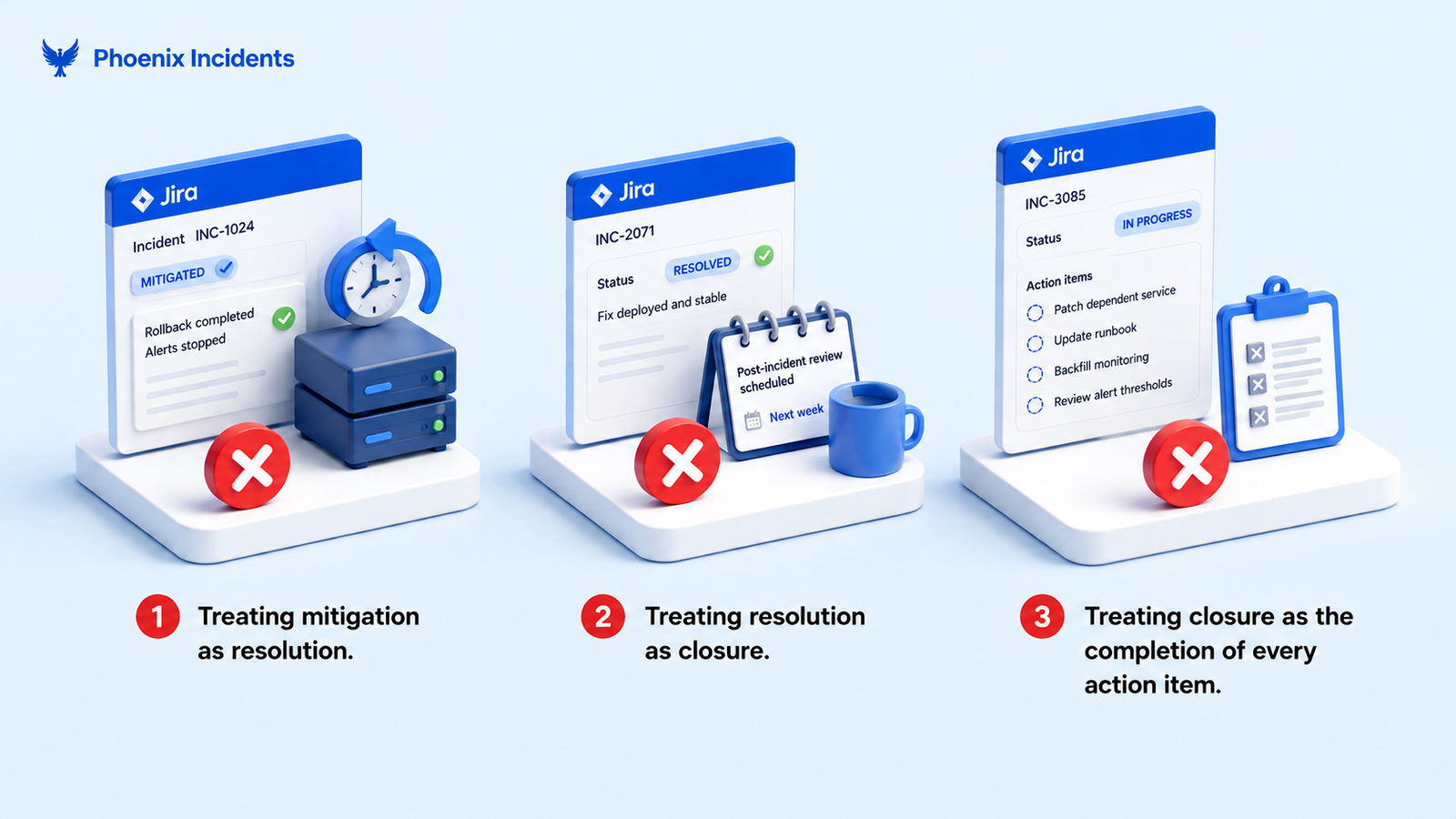
- Treating mitigation as resolution: You rolled back and the alerts stopped firing. That's impact stopping, not a fix. If you close here, you've recorded a solved problem you don't understand yet, and unless the remaining risk is being tracked somewhere else, it's the single biggest source of repeat incidents.
- Treating resolution as closure: The fix is in and holding, so the incident goes to closed and everyone logs off. The post-incident review gets scheduled for next week, by which point nobody remembers why major decisions were made.
- Treating closure as the completion of every action item: The incident should stay open until all the remediation work is done.
Why Verified Resolution Is the Right Place to Close
Whichever of those three moments you pick, your recovery metric will report it faithfully.
- Close at mitigation and your recovery times look excellent. They also hide whether any of those fixes held, so recurrence disappears from exactly the data you'd use to spot it.
- Wait for every action item before closing and you get the opposite problem. An incident you recovered from in forty minutes shows up as three weeks, because one fix sat in the backlog waiting for someone's time. You're measuring how fast you ship fixes, not how fast you recover.
- Close at verified resolution and the number stays honest. The fix is confirmed, the follow-up work is owned somewhere else, and your recovery metric describes recovery.
There's a second reason to get this right. When people feel measured on a number they can move by closing a ticket sooner, some of them will close the ticket sooner.
That's a design problem and it's covered in more depth in our guide to which incident KPIs actually change behaviour.
| You close at | Recovery time reads | What it hides |
|---|---|---|
| Mitigation | Very fast | Whether the fix held, and how often failures repeat |
| Verified resolution | Accurate | Nothing, as long as follow-up is tracked separately |
| All action items complete | Weeks long | Your real recovery performance |
What Has to Be True Before You Close an Incident
The useful version of this decision is a short list your team agrees on in advance. Nobody makes good policy at 3am, they make good policy with clear heads and then follow it strictly when the pressure is on.
- Impact has demonstrably ended: Not assumed because the deploy went through. It is confirmed from the same signal that told you something was wrong in the first place.
- The fix has held through a monitored window: Long enough to catch a fix that works for ten minutes and then quietly stops working. The length should be set by severity and agreed beforehand.
- The cause is documented well enough to recognise again: Written while people still remember what they checked, what they suspected, and why they moved on from it. Not reconstructed from a Slack channel a week later.
- Action items exist as real work with named owners: A list inside a document that nobody reopens is not follow-up. Work in your tracker with a person's name on it is.
- Stakeholders have been told it's over: Support, sales and leadership found out when it started. Closure that only exists inside the ticket isn't closure to them.
How Long Should the Monitoring Window Be?
Long enough for the failure to come back if it's going to. There's no universal number, but severity gives you a sensible starting frame.
- SEV-1: Several hours of clean signal, ideally spanning a normal traffic peak
- SEV-2: One to two hours of clean signal
- SEV-3: Close at verification, no extended window needed
Treat these as a starting reference and adjust them against your own recurrence data.
A team whose SEV-1 fixes reliably hold can shorten the window. A team seeing repeat failures within a day should lengthen it before changing anything else.
This is the same principle behind the idea that an incident isn't truly closed until the remediation risk is mitigated. The window is how you find out whether it is.
How This Works Inside Jira
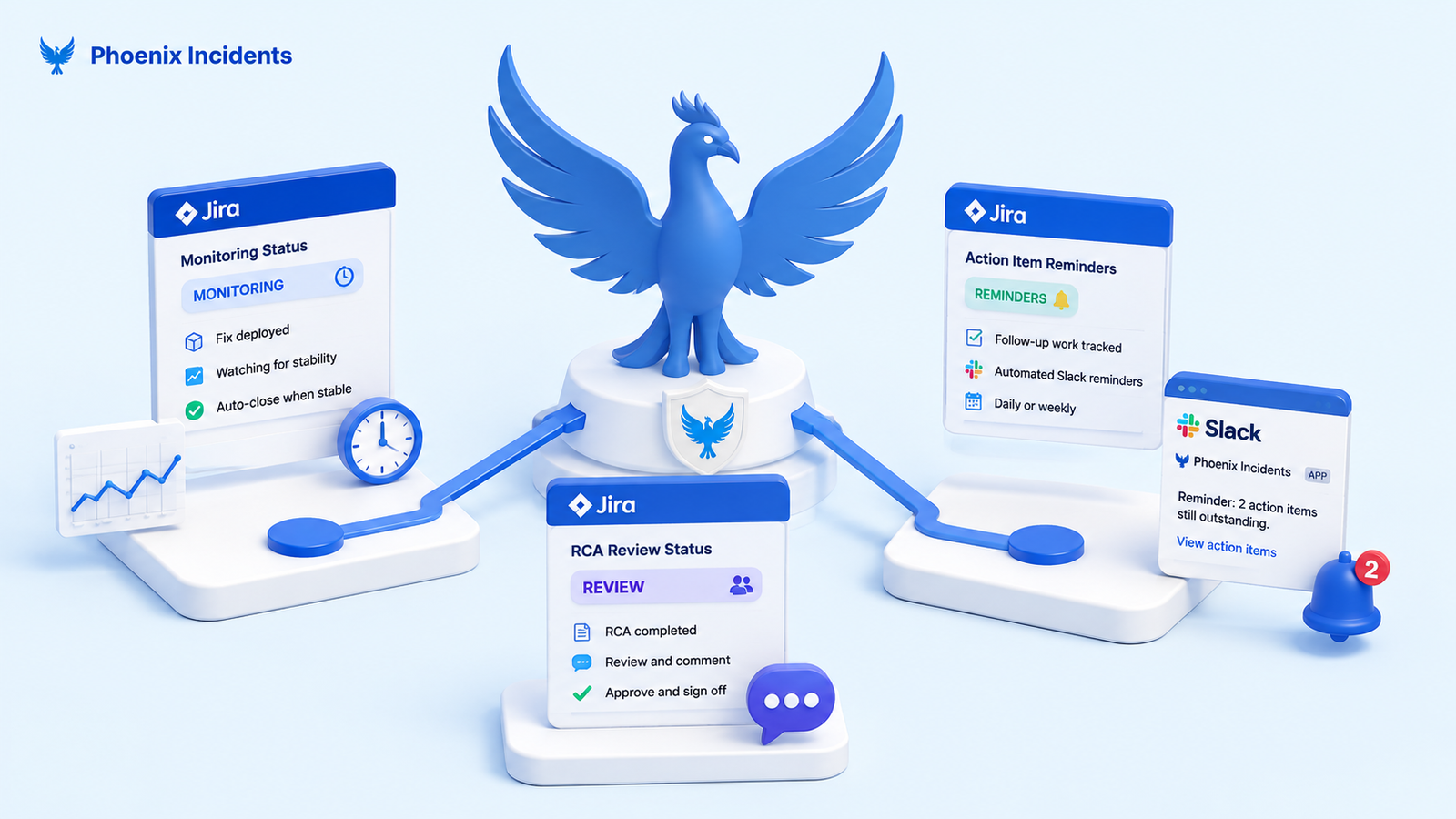
None of this needs a new platform. It needs the steps to exist as real statuses that your team moves through, so the decision gets made the same way every time instead of depending on who's awake.
Monitoring Status
Phoenix Incidents Monitoring Status is a workflow stage that sits between the fix going in and the incident closing. The incident isn't open in the sense of anyone still firefighting, and it isn't closed either. It's being watched.
This is the yes you don't get in production. Instead of asking a person whether things feel better, you give the system a defined period to disagree with you. If the failure returns during that window, the incident was never resolved and you find out while the context is still fresh. If it doesn't, you close with evidence rather than optimism.
It also protects the metric. The window is a deliberate, visible part of the workflow rather than an incident that someone forgot to close, so your recovery data stays readable.
RCA Review Status
The other reason teams hold incidents open is sign-off. Security wants to read the RCA, Compliance needs a record, and a director wants to add context before it goes out. So the incident stays open for another week while a document gets reviewed, and your recovery time absorbs the delay.
Phoenix RCA Review Status separates those two things. The completed RCA stays editable for review and comment without reopening the incident and without distorting the resolution timestamps.
The people who need to sign off get the time they need, and the incident record reflects what happened during the incident.
Action Item Reminders
Follow-up work is chased after closure, not by holding the record open. Phoenix sends automated Slack reminders, daily or weekly, for any action items still outstanding, so remediation stays visible without keeping an incident artificially alive.
There's more on why follow-up work goes missing in our guide to running post-incident reviews in Jira and Slack.
Decide What a Closed Incident Means Before You Need It
The teams that get this right aren't more disciplined than everyone else. They've just decided in advance what closed means, written it down, and built it into the workflow so nobody has to make the call under pressure.
- Verified stable
- Cause understood
- Remediation owned
Three conditions, agreed once, and applied every time.
If you want those steps to exist as real workflow stages rather than as a document your team is supposed to remember, Phoenix Incidents runs the whole thing inside Jira and Slack.
Install it free from the Atlassian Marketplace and see how it fits your existing setup.
Frequently Asked Questions
1. What's the difference between mitigating and resolving an incident?
Mitigating means the damage has stopped. Resolving means the cause is fixed and the fix has held. A rollback mitigates. It doesn't resolve.
2. Who should close an incident?
Whoever owned the response, usually the incident commander. Anyone can raise a concern before it closes, but the call belongs to one named person.
3. What's the difference between an incident and a problem?
An incident is the outage customers are feeling now. A problem is the cause sitting behind it. Service desks track them as two records, so the incident can close while the problem stays open. Most engineering teams only have one record, which is why the cause has to be captured before closing.
4. How do you close an incident in Jira?
Move it through a status that represents verification instead of going straight to done. Confirm impact has ended, give the fix a monitored window, write up the cause, and create the remediation work as its own issues with owners.
5. If the same failure happens again, do you reopen the incident or open a new one?
Open a new one and link it to the original. Reopening rewrites the timeline of an incident that did recover, which makes your historical data harder to trust. If it keeps happening, our post on why postmortem action items quietly disappear covers where the follow-up work tends to go.