How to Design a Jira Incident Workflow: From Alert to Post Incident Review

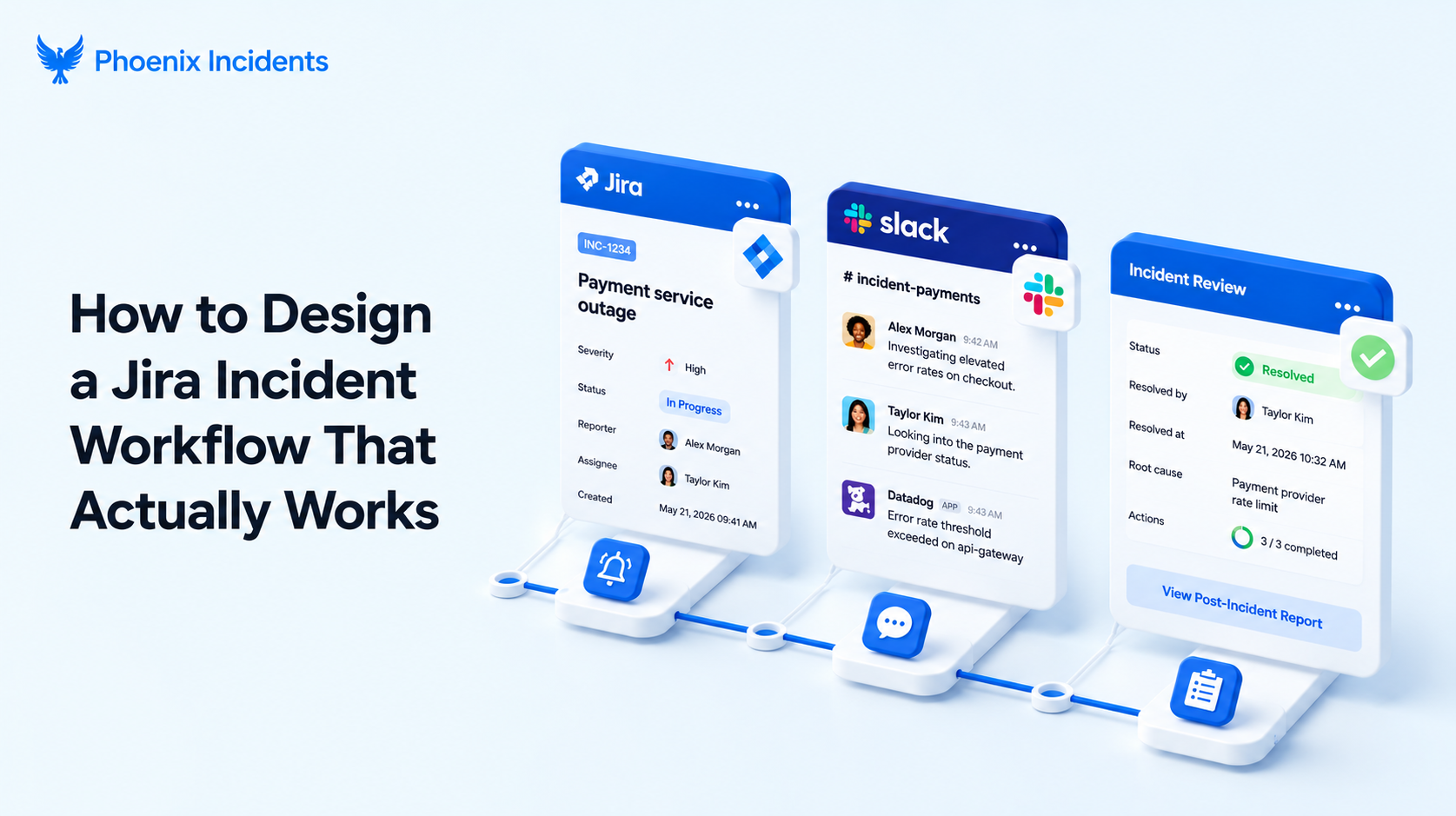
Most incident workflows are designed for a whiteboard. They assume the right person is watching the dashboard, that everyone knows who owns what, and that the team will calmly work the steps in order. Then a real outage hits at 2 a.m.
There’s a tension at the center of every incident workflow, and it shows up in the first thirty seconds. You have two choices:
- Start fixing the problem: Get the right people moving on the actual issue right away.
- Stop to categorize it first: Set the severity, tag the affected service, and fill in the fields before anyone proceeds.
Most teams quietly optimize for getting the labels right. They build forms, taxonomies, and approval gates that feel responsible on paper, and slow everyone down. The teams that recover fast do the opposite. They start moving on the fix and let the categorization catch up later.
This is a practical guide to designing an incident workflow in Jira that matches how engineers actually behave when systems are degraded and time pressure is high.
It covers what an incident workflow is, why most of them break, design principles to settle before you build, and a step by step walkthrough you can implement.
What Is an Incident Workflow? (And How It Differs From an Incident Process)
An incident workflow is the agreed sequence a team follows when handling a production incident, from alert to the post-incident review. It’s the set of day-to-day decisions and coordination steps that guide people through:
- Who gets paged
- Where coordination happens
- Who owns the call
- And what has to happen before anyone says the incident is over.
People use "process" and "workflow" interchangeably, but the distinction matters when you sit down to build it. A process defines the broader objectives and standards, while a workflow focuses on the practical, executable steps that carry an incident from detection to learning documentation.
PagerDuty frames it cleanly: the process establishes the structure, while the workflow ensures that structure gets executed consistently and effectively.
| Dimension | Incident Process | Incident Workflow |
|---|---|---|
| Purpose | Defines objectives, standards, and policy | Defines the executable day-to-day step |
| Question it answers | What do we care about and commit to? | What happens next, right now? |
| Changes | Reviewed occasionally, fairly stable | Lived in during every incident |
| Audience | Leadership, process owners | On-call engineers, incident leads |
| Example | "We run a blameless post-incident review for every Sev-1" | "Resolving the incident creates the PIR ticket and assigns the lead" |
Why Most Incident Workflows Break Down
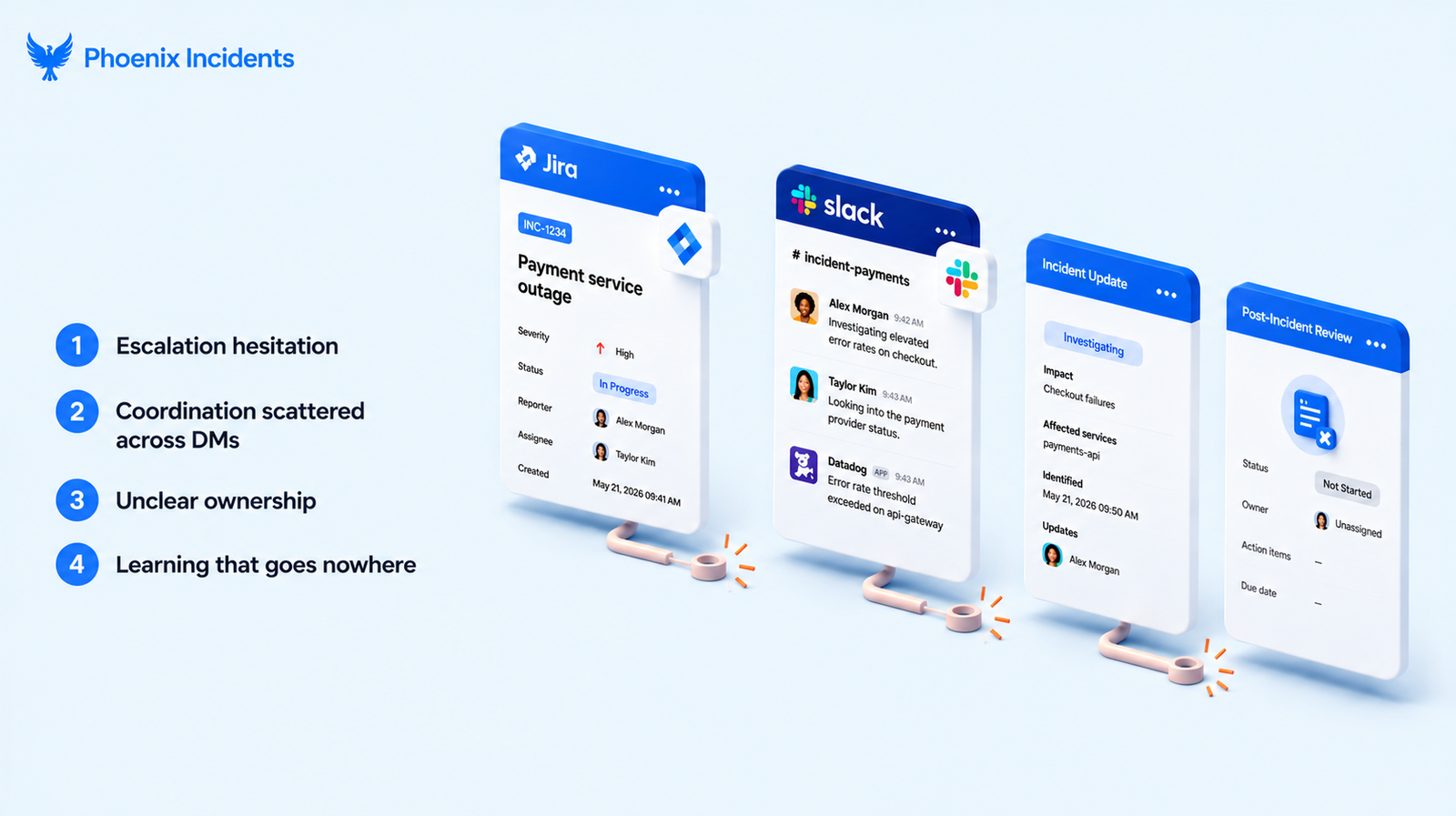
When a workflow fails, it’s usually due to one of these four:
- Escalation hesitation: An engineer notices something is off but cannot tell whether it counts as a real incident, so they hesitate from declaring. They keep digging into it on their own and hope it clears up, while the problem keeps growing the whole time.
- Coordination scattered across DMs: When there’s no single, obvious place for the team to respond, the conversation splits apart. People open separate threads, two engineers end up debugging the same thing without realizing it, and afterward nobody can piece together what actually happened or when.
- Unclear ownership: The channel is full of busy people, but no one is actually leading the response.
- Learning that goes nowhere: The problem gets fixed, everyone relaxes and moves on, and by the next sprint the lesson is forgotten. So the same failure returns later, and the team begins solving again from scratch.
All four come from the same root cause: the workflow was designed for perfect conditions. It assumes the signals are clear, the roles are obvious, and everyone has time to think. But real incidents are nothing like that. The information is incomplete, people's attention is split across several things at once, and the clock is running loudly in the background.
A workflow built only for the ideal case makes that uncertainty worse under pressure, because it expects a calm that is not there. A workflow built for how people actually behave does the opposite. It carries the procedural load itself, which frees the engineers to put their full attention on the real problem.
Design Principles Before You Build
Getting them right up front will save you from tearing the workflow apart and rebuilding it three months later.
- Optimize for speed, not perfect labeling. You can always go back and refine the severity and category. What you can’t get back is the twenty minutes a team loses to debating whether something "really" counts as an incident. Make it cheap and quick to raise one, and easy to correct the details afterward.
- Make being wrong safe. If raising a false alarm carries social risk, people will wait until they are certain before escalating, and by then the damage is usually done. Treat raising early, and cleanly canceling when it turns out to be nothing, as completely normal outcomes rather than mistakes anyone has to apologize for.
- Let the system carry the coordination, not the people. Remembering to post status updates, keep the ticket current, and ping stakeholders is real mental work, and it pulls directly against the work of actually fixing the problem. Anything you can automate is time you hand straight back to the responder.
- Keep your states minimal. Too many workflow states create confusion at the exact moment you need things to be simple. A small set of states that match the real transitions your team makes will always beat an elaborate model nobody can figure out at 3 a.m.
Hold these four in mind as you read the steps below. Every step is really just one of these principles made concrete in Jira.
How to Design an Incident Workflow in Jira: Step by Step
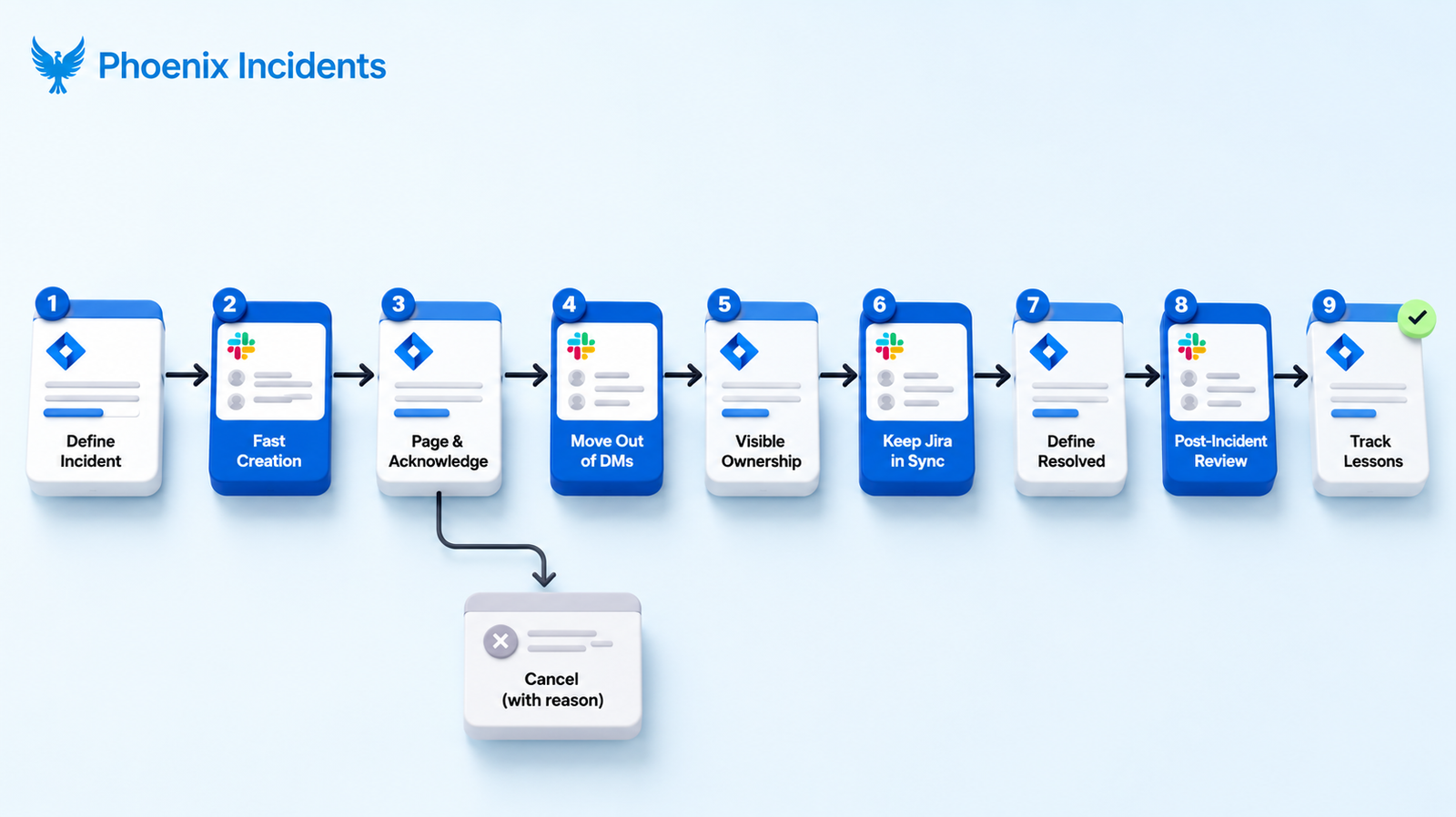
| Step | Goal | What it looks like in Jira |
|---|---|---|
| 1. Define what counts as an incident | Removes the "does this even qualify?" hesitation | A dedicated incident issue type with deliberately broad criteria |
| 2. Make creation fast | Makes raising the alarm quick and low-effort | A short form with sensible defaults that a person can fill in directly |
| 3. Page and acknowledge | Confirms who owns it and starts the MTTA clock | The paging tool syncs the responder into the incident lead field when they acknowledge |
| 4. Move coordination out of DMs | Gives the team one place to respond and stakeholders one place to watch | An auto-created Slack channel, plus a status summary pushed to a public channel |
| 5. Make ownership visible | Ensures one person is always driving | Required incident lead field, set early, easy to reassign |
| 6. Keep Jira in sync | Builds the timeline as you go, not from memory later | Evidence capture that flags Slack messages and logs it into the record |
| 7. First-class cancellation | Makes it safe to escalate early and be wrong | An explicit canceled state that requires a reason |
| 8. Define what "resolved" means | Stops incidents from being closed while users are still affected | A resolved state that depends on customer impact ending, not on a root-cause theory |
| 9. Run the post-incident review | Turns a resolved incident into something the team learns from | The PIR set up as the next state after resolved |
| 10. Convert lessons into tickets | Stop repeat incidents | Action items captured as owned, time-bound tickets in the backlog |
Here is the full build. Each step pairs the behavior you want with the specific way to wire it in Jira.
Step 1: Define What Counts as an Incident
Start by deciding what an incident actually is, but don’t over-engineer the definition. Your criterion needs to let people raise incidents early. In Jira, this means creating a dedicated incident issue type rather than overloading a bug or a task. The issue type is what tells everyone that, "this is a coordinated response now, not a normal ticket." If your engineers hesitate to create one because they are not sure their problem qualifies, the definition is already too tight and the workflow has failed before it started.
Step 2: Make Incident Creation Fast and Low-Risk
Creating an incident should take under a minute. The longer the form, the more it punishes the very behavior you want, which is raising the alarm early. And make sure humans open an incident directly rather than a tool doing it. You can enrich severity, affected services, and root cause as you go.
Step 3: Page the Right Team and Capture Acknowledgment
Every incident needs a clear answer to, "who is paged?" Whether you use PagerDuty, Splunk On-Call, or Opsgenie (now winding down, with end of sale in June 2025 and end of support in April 2027), the paging tool is your alarm. The workflow does not stop at the ping, though. Your Jira record has to capture the acknowledgment, because that moment is your MTTA, or Mean Time to Acknowledge. If the page goes out but the Jira ticket never reflects who picked it up, you have a coordination vacuum where everyone assumes it is handled. Wire it so the acknowledged responder syncs automatically into the Jira incident lead field.
Step 4: Move Coordination Out of DMs
Coordination dies in private messages. Pick one primary place for the real-time response, usually a dedicated Slack channel for the engineers working the problem, and make that the single source of truth for the active fix.
You also need a stakeholder path. If the rest of the company has no self-serve place to see what is going on, they will come hunting for your engineers one DM at a time, and answering them becomes a tax paid by the exact people you need heads-down on the fix. The answer is to let the workflow handle it by: automatically creating the technical channel when the incident opens, and pushing a periodic status summary to a public stakeholder channel or an internal status page. When the process delivers updates, the direct messages stop because nobody needs them anymore.
Step 5: Make Ownership Visible
Every incident needs one person who owns the response. In Jira, that means a required incident lead field, set this as early in the workflow as possible, with reassignment that takes seconds. Ownership has to be able to move, because the right lead during initial triage is often not the right lead two hours in. The rule is simple: no owner means no structure, and an incident without structure loses momentum.
Step 6: Keep Jira in Sync as Reality Changes
As an incident happens, the Jira record should keep up with the live changes. And the way you keep records current is evidence capture: letting responders flag a Slack message, a log snippet, or a graph straight into the incident record the moment it matters, without breaking away from the work to do it.
The real result shows up later, at the review. If your engineers have to rebuild the timeline from memory, the record is already unreliable, because nobody remembers the exact sequence clearly once the pressure is off. But when the timeline is captured live, as a byproduct of the coordination the team is doing anyway, writing things down stops being a separate chore; because the documentation is already there.
Step 7: Make Cancellation a First-Class State
Cancellation should be an explicit state in your Jira workflow. Require a cancellation reason, and review those canceled incidents regularly, monthly works well. Treating cancellation as data pays off in three ways:
- Engineers escalate earlier because being wrong is safe.
- False alarms turn into signals about where your alerting is too noisy.
- Alerting thresholds and on-call training improve over time because you can see the pattern.
A canceled incident is not a wasted incident. It’s a free lesson about your detection and your team's instincts, and the only way to collect it is to make canceling respectable.
Step 8: Define What "Resolved" Means
Resolved needs a real definition, the same way Step 1 gave "incident" a real definition. For most teams, resolved means customer impact is over and the system is stable, not that someone has a theory about the root cause. Be explicit about the bar, because a vague resolved state leads to incidents that get quietly closed while users are still affected. This is also the handoff point: crossing into resolved is what moves the work from response mode into learning mode.
Step 9: Run the Post-Incident Review
Most teams drop off right here, but the best teams don’t. Your Jira workflow should move from resolved into a post-incident review as a natural next state, and keep it blameless. As Google's SRE practice puts it, a postmortem is a learning opportunity for the whole company, and it works by focusing on the contributing causes of an incident without pointing fingers at any individual.
A good review documents:
- The timeline
- Impact
- Root causes
- And what the team will change.
When the PIR is wired into the workflow as the step that follows resolution, it happens consistently instead of only after the incidents with the most severity.
Step 10: Convert Lessons Into Tracked Jira Tickets
A workflow does not end when someone clicks resolved. It ends when the lessons become tracked Jira tickets with owners and due dates. Don’t let your post-incident review produce a list of good intentions in a Google Doc. Google's SRE teams are blunt about this: incomplete action items make a recurrence far more likely, so action items need to be specific, owned, prioritized, and fed back into the team's actual backlog. Closing this loop is the single highest-leverage habit in the entire workflow.
A Workflow in Action: Walking a Sev-1 Through Jira
Principles are easier to trust when you can watch them run. Here is a single Sev-1 moving through the workflow from the first alert to the follow-up tickets. The time stamps on the left are the timeline; the step references on the right tie each beat back to the build above.
The incident: error rates on the checkout service start climbing on a Tuesday morning.
| Time | What happens | Steps |
|---|---|---|
| 9:14 | A monitoring alert fires into the paging tool and the on-call engineer gets paged. | ___ |
| 9:16 | Instead of quietly poking at a dashboard alone, the engineer opens a Jira incident in under a minute using the dedicated issue type, with defaults already filled in. | 1, 2 |
| 9:16 | They acknowledge the page. The paging tool syncs them into the incident lead field, and the MTTA clock stops. | 3 |
| 9:18 | Opening the incident auto-creates a Slack channel for responders and posts a status summary to the company-wide channel, so support and the on-duty manager can follow along without DMing anyone. | 4 |
| 9:20 | The responder sees the issue, pulls in the engineer who owns that service, and reassigns the incident lead in two clicks. Ownership stays clear even as the team changes. | 5 |
| 9:22 to 9:40 | As they debug, they flag the key Slack messages and the error-rate graph into the incident record, so the timeline builds itself while they work. | 6 |
| 9:40 | They trace it to a recent config change, roll it back, and watch error rates drop to baseline. Customer impact is over, so they move the incident to ‘resolved’. | 8 |
| 9:41 | Crossing into resolved opens the post-incident review off the same record. Because the timeline was captured live, the review is fast and factual instead of a memory-digging exercise. | 9 |
| Next sprint | The review surfaces two fixes: a guardrail on the config change and a missing alert. Both become owned, due-dated Jira tickets before anyone leaves the room. | 10 |
With this workflow, the same failure does not get a second chance. And if this had turned out to be a non-incident, the responder would have canceled the incident with a reason instead of closing it silently, which feeds the cancellation review in Step 7.
Common Incident Workflow Mistakes to Avoid
Most broken workflows share the same handful of mistakes. Here are the ones worth designing against from the start.
| Mistake | Why it hurts | The fix |
|---|---|---|
| Too many workflow states | Responders waste decision cycles on navigation during the worst possible moment | Keep states minimal and mapped to real transitions |
| Punishing early escalation | People raise incidents late, so you find out when the damage is already done | Make cancellation a first-class, blameless outcome |
| Long creation forms | Friction at creation discourages raising the alarm at all | Short form with pre-filled defaults |
| Coordinating in DMs | The response fragments and the timeline is unrecoverable | One response channel plus an automated stakeholder path |
| No clear owner | Decisions don’t get made while everyone assumes someone else is leading | Required incident lead field set early |
| PIR action items in a doc | Good intentions with no owner leaves action items unfinished, and the incident repeats | Convert every action item into a tracked, time-bound ticket |
| Closing on a theory | Incidents marked resolved while users are still affected | Gate resolved on customer impact ending |
Strengthening Your Jira Incident Workflow With Phoenix Incidents
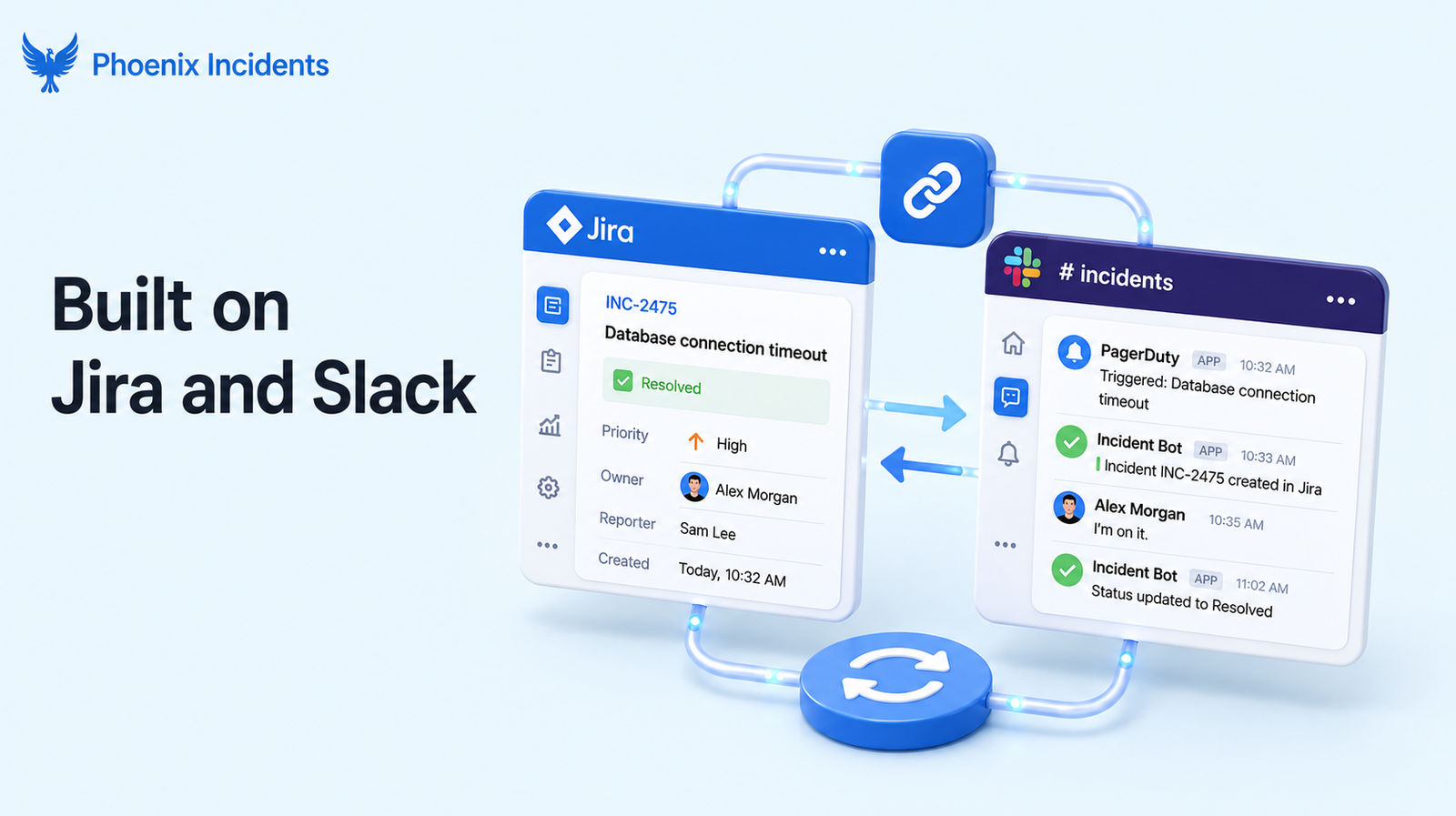
Everything above is buildable in plain Jira Software and Slack by hand. Wiring it all together and keeping it wired is where most teams run out of time, and that is the gap Phoenix Incidents fills.
Phoenix Incidents exist for one specific moment: when an incident happens, time is running out, and your engineers are already carrying too much. It doesn’t try to reinvent incident response or replace the tools your team relies on. It anchors the workflow inside Jira and Slack, so people raise incidents where they already work and coordinate where they already talk, while the system keeps both sides in sync as the incident evolves.
That is the whole idea: orchestrate the tools you have, rather than add another platform to learn on your worst day.
In practice, that looks like:
- Safe early escalation: Responders can cancel or downgrade an incident with a reason attached, so there is no penalty for raising one that turns out to be minor. Those canceled incidents then become useful signals, showing you where alerts are too noisy or where the criteria for escalating are unclear.
- Coordination that runs itself: The current owner is always visible, the workflow states reflect what the team is actually doing, and reminders in Slack tied to your SLAs take over the job of remembering when to post an update or follow-up.
- Reviews built off the record: Post-incident reviews are guided and assembled straight from the incident timeline, so the team works from evidence that was captured live rather than from memory, and ends each review with clear and time-bound action items.
- Follow-through that sticks. Reminders and reporting keep those action items moving after the review, so leaders can see not only what broke but whether the causes are getting fixed.
Design An Incident Workflow That Helps Your Team
When you design an incident workflow around how people really behave, with early escalation, safe cancellation, and coordination the system handles for you, teams recover faster and burn out less. A sustainable incident workflow is what holds its shape when everyone is under pressure, so the structure does the remembering and the humans do the fixing.
Stop asking your team to context-switch through a crisis. Build a workflow that holds.
If you want to build this in Jira step by step, here is our DIY guide to setting up incident management inside Jira for free.
Frequently Asked Questions
1. What is the difference between an incident workflow and an incident process?
The process defines your objectives and standards, the higher-level commitments about how your organization handles incidents. The workflow is the executable sequence of steps that carries a specific incident from detection to documentation. Think of the process as the policy and the workflow as the thing you actually run during an outage.
2. Can you build an incident workflow in plain Jira Software without JSM?
Yes. Everything in this guide, the dedicated issue type, the incident lead field, the cancellation state, the PIR transition, works in standard Jira Software. Jira Software's native incidents feature requires Jira Service Management access, but you do not need that feature, or a separate ITSM platform, to run a strong workflow for an engineering team built around Jira and Slack.
3. What incident workflow states do you actually need?
Fewer than you think. A workable minimal set is something like open, acknowledged, resolved, and a separate cancelled state, plus a post-incident review step after resolved. Too many states create confusion in the moment you most need clarity, so add a state only when it maps to a real transition your team makes.
4. How does making cancellation a first-class outcome improve incident response?
It removes the social cost of being wrong. When cancelling an incident is a respectable, documented outcome rather than an embarrassing deletion, engineers escalate earlier, while problems are still small. The cancelled incidents then become useful signals that show you where alerting is noisy or where escalation criteria need work.
5. What is MTTA and where does it fit in the workflow?
MTTA (Mean Time to Acknowledge) is the average time from when an alert fires to when a responder signals they are on it. It is the first checkpoint in incident response and it measures the human element of responsiveness rather than how long the fix takes. In your workflow it lives at Step 3, capturing the moment the paged responder acknowledges and syncs into the incident lead field.