How Phoenix Uses AI Across the Incident Lifecycle

Nearly every incident management tool is selling the same thing right now. An AI that picks up the alert before you do, reads through your logs and recent deploys, tells you what caused the problem, and hands you a fix to approve. A few even go further and offer to write the code change for you.
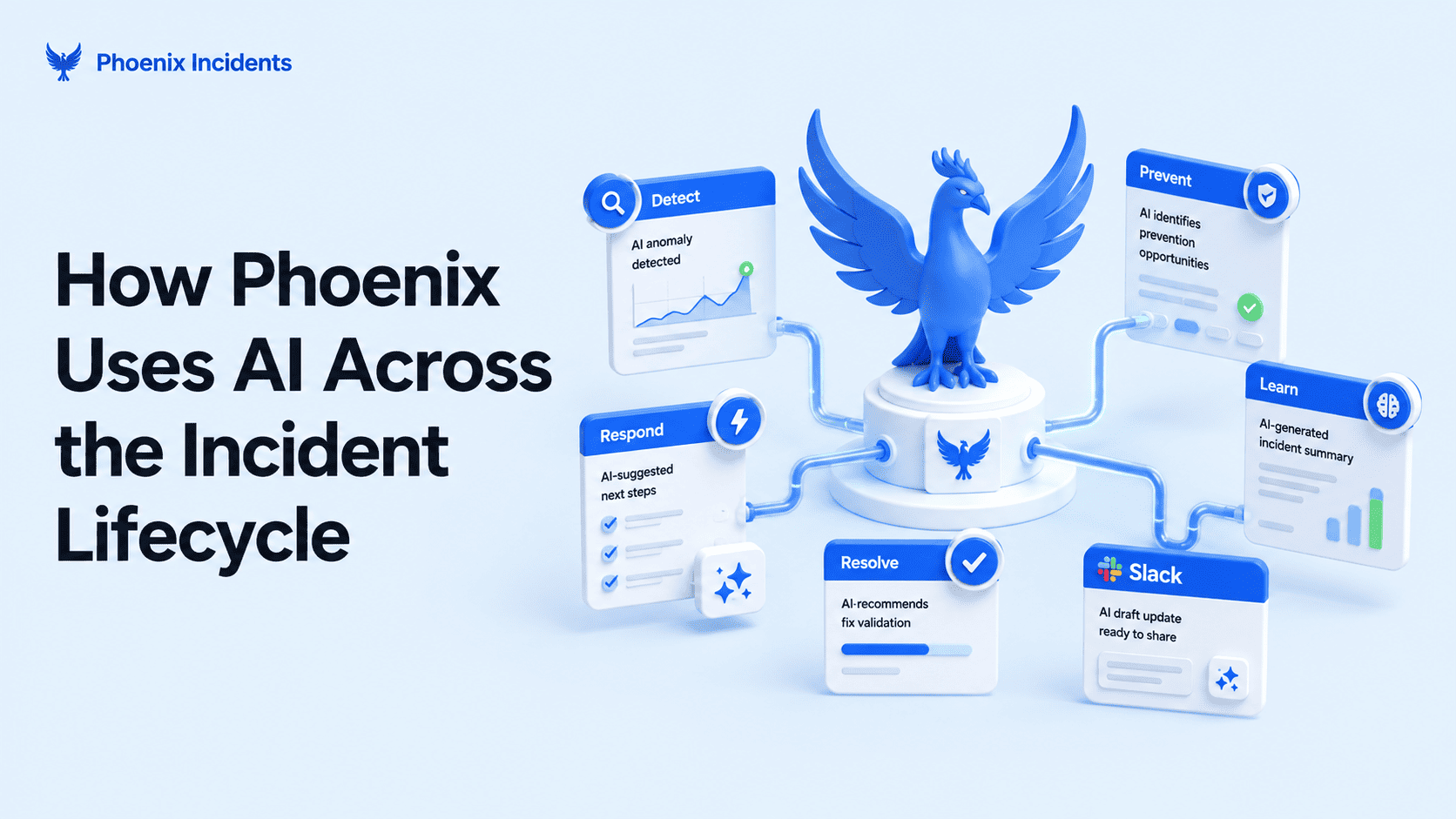
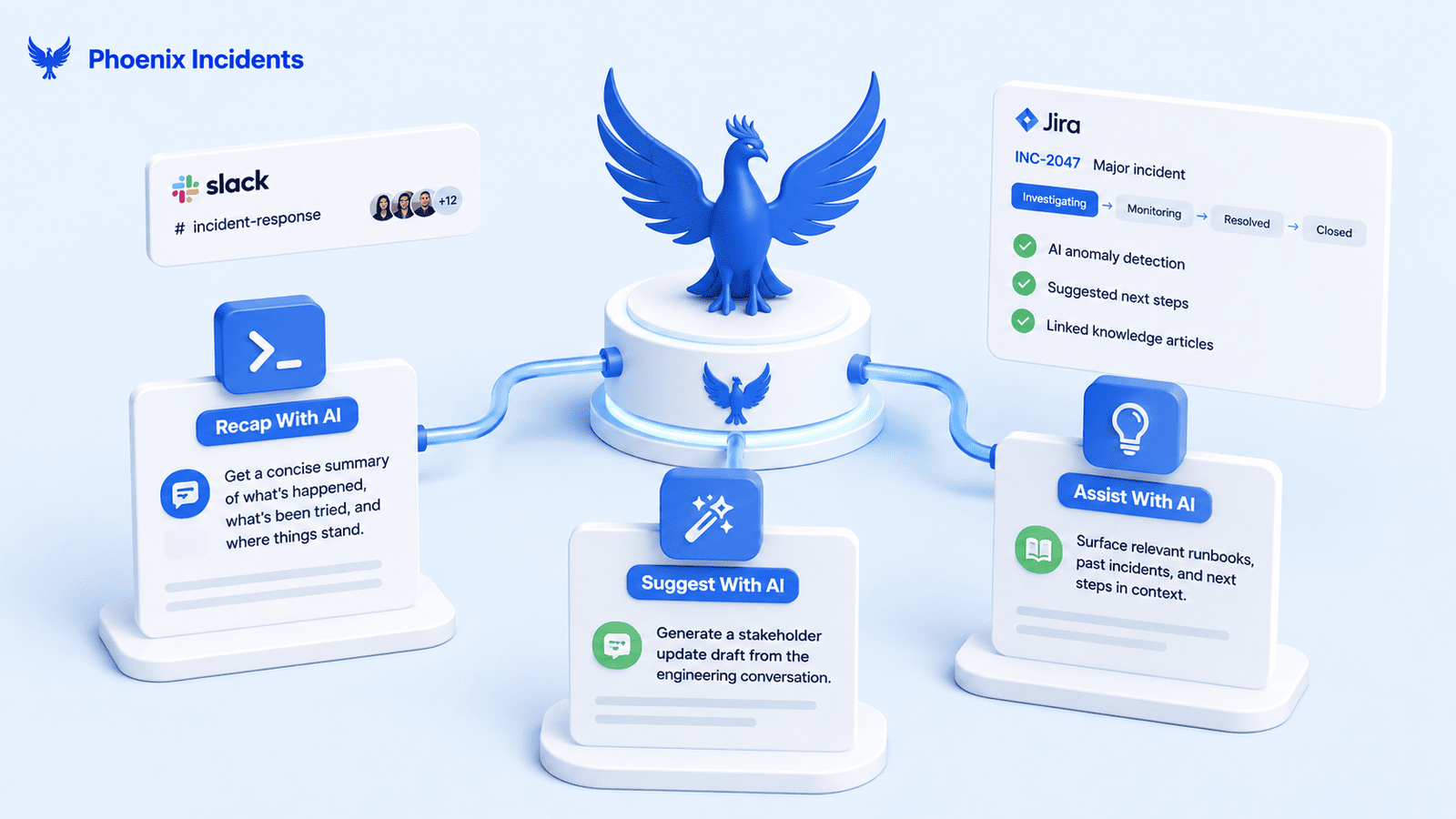
Phoenix does something more specific. We use AI in three places across an incident, and not one of them involves telling you what went wrong. "Recap" gives you a quick summary when you're paged in late. "Suggest With AI" drafts the stakeholder update while the incident is still running. "Executive Summary" turns your finished RCA into something leadership can read.
Phoenix won't decide which alert deserves a response, won't suggest a fix, and won't tell you what caused the problem. The reason is simple: when an AI gets any of that wrong, it sounds exactly the same as when it's right. And at two in the morning that costs you hours. Your team chases the wrong service, ignores the actual cause of the incident, and only finds out when the fix doesn't hold.
So the thinking process stays with your engineers. What Phoenix takes off them is the writing, because writing is the part of an incident that interrupts the fix.
The Three Moments Phoenix Uses AI
Every one of these features exists because of a specific moment in an incident where someone has to stop what they're doing and update or explain the current situation. It could be an engineer arriving late, an update for stakeholders and support, or a briefing for leadership. So these three moments that would otherwise pull someone away now have three features doing the work instead, and it all happens inside Jira and Slack.
| Moment | Feature | What it does | Where it runs |
|---|---|---|---|
| You're paged in late | /phoenix recap | Sums up what's happened, what's been ruled out, and where things stand | Slack incident channel |
| The incident is running | Suggest With AI | Drafts a stakeholder update from the engineering chat | Send Update modal in Slack |
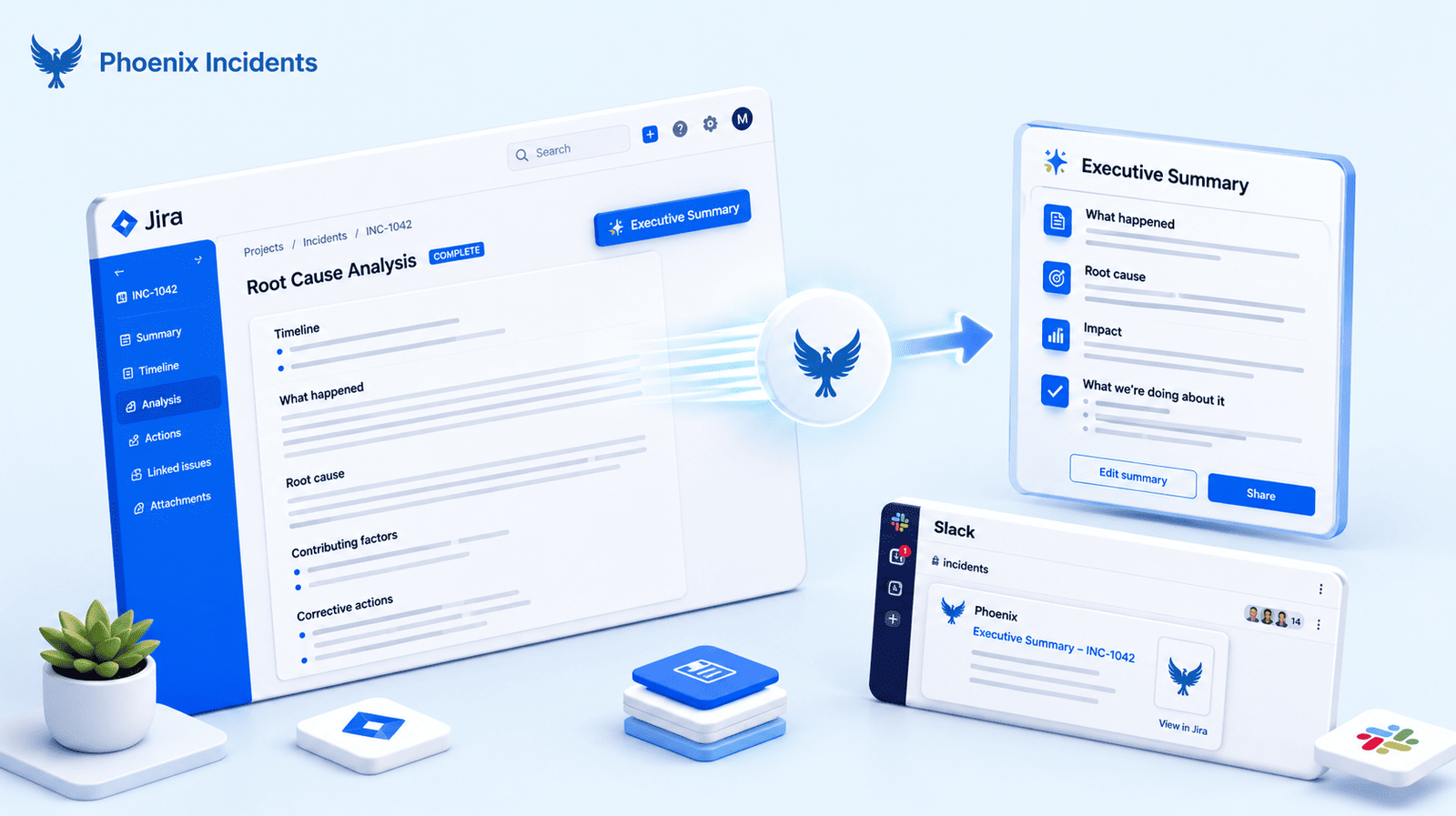
| The RCA is finished | Executive Summary | Rewrites the finished analysis as a clear, non-technical briefing | Inside the RCA in Jira |
All three are live for every Phoenix user. There's no waitlist and no separate plan.
Arrived Late? See What's Happened in Seconds
An incident escalates two hours in, and someone pages you because you own the service. You open the channel, and there are already four hundred messages waiting.
You can read them, but that takes fifteen minutes you don't have. Or you can ask for a short overview, which is what most people do, and then the three engineers working the fix have to stop and bring you up to speed. Either way the incident resolution slows down at exactly the point where more help was supposed to speed it up.
There's an even worse version, and it's the quiet one. You skip the four hundred messages, form a theory on your own, and spend twenty minutes testing something the team ruled out an hour ago.
How /phoenix recap Works
- Type /phoenix recap in any active Phoenix incident Slack channel
- Phoenix returns a short summary of the incident so far
The summary covers what's happened, what fixes the team has tried and moved on from, and where things currently stand. That middle part matters most, because ask a colleague and you'll get the current status, but the dead ends usually go unmentioned. Knowing them is what stops you wasting time that should be going into the fix.
Nobody has to write the recap, and nobody has to stop fixing things to deliver it.
Send the Stakeholder Update Without Leaving the Fix
During a serious incident, the best person to write the stakeholder update is the Incident Commander. That's also the person with the least attention to spare, and the problem usually plays out in one of two unhelpful ways.
- The update doesn't go out. Support, sales, and leadership start asking in other channels, and now someone's answering the same question five times in five places.
- The update goes out but the repair takes longer. Somebody spends ten minutes finding the right words for a non-technical audience while the incident sits there.
Neither one is anybody's fault. You can't draft carefully and troubleshoot at the same time, and asking people to do both during an outage is how updates end up either late or bad.
How Suggest With AI Works
- Open the Send Update modal in your Phoenix incident channel in Slack
- Click Suggest With AI to generate a summary of the engineering chat
- Review, edit if you need to, and send
The draft comes from what your engineers have been saying in the channel, so it reflects the actual state of the incident rather than a template with the severity swapped out. And if your team already coordinates incidents without leaving Slack, this fits the way you're working.
Nothing sends on its own, so the Incident Commander reads it, changes what needs changing, and presses send. A stakeholder update is a statement of record, and somebody accountable should be the one putting their name to it. What changes is that you're editing a draft instead of staring at an empty box. If you want a starting point for what those updates should contain, we've published a major incident communication template that holds up under pressure.
Turn a Finished RCA Into an Executive Briefing
A good root cause analysis is long and technical. It has to be, because it's written for the engineers who'll prevent the next one. Your VP of Engineering doesn't have twenty minutes to read all that, and your CEO has about ninety seconds to scan through.
So somebody rewrites it. Usually the same person who just spent a day on the analysis, now producing a second document that says the same thing with the technical detail taken out.
That's what Executive Summary does. Phoenix reads the finished analysis along with the incident context and drafts a clear, non-technical version right inside the RCA in Jira. You review it, change anything that needs changing, and share it.
One thing to be clear about is that this only runs after the analysis is complete. It doesn't write your RCA or help you write it. That stays a human process, and we go into why below. For the full walkthrough of the Executive Summary workflow, see the dedicated post.
What Phoenix AI Does Not Do
| Phoenix AI does not | What that means |
|---|---|
| Diagnose | No theories about what broke, no suggested root cause |
| Group or filter your alerts | It won't work out which alerts are the same problem, or quiet the repeats |
| Take action | No remediation, no pull requests, no closing incidents on its own |
| Write your root cause analysis | The guided RCA is a human process from start to finish |
That last row surprises people, so we'll explain. The only AI anywhere in the RCA workflow is the Executive Summary, and it runs after your analysis is done. Phoenix will not suggest a cause, propose a contributing factor, or fill in a Five Whys for you.
Why We Don't Let AI Write Your RCA
Start with what the first wave of AI has delivered. Traversal's 2026 review of the field found that most of it made teams quicker at grouping related alerts together, but no quicker at working out what caused the problem underneath them. The hours engineers lose to repetitive incident work haven't come down either. And during an outage, a wrong answer you reach in one minute costs you more than a right one that takes ten minutes to get.
Then there's what happens to your team over time. InfoQ covered a discussion from Uptime Labs' Incident Fest that explains it properly. If AI handles all the ordinary incidents, your engineers get less practice at handling them, so the only ones reaching a human are the strange and difficult ones. The people who can reason their way through an outage nobody has seen before got there by working through hundreds of ordinary outages first. When you take that practice away, the skill slowly fades until the night you need it most.
So it's best to use AI where the work is truly repeatable, like summarising a channel, drafting an update, or rewriting an analysis for a different audience. Those tasks look the same in every incident, they take an engineer away from the problem, and they're safe to automate because you review the output before anyone else sees it. But figuring out why the payment service stopped working doesn't look the same in every incident. That one stays with you, and so does everything you learn from it.
Where These Fit Across the Five Stages of an Incident
Phoenix measures incidents in five stages, plus what comes after, and this is where each AI feature lands.
| Stage | AI feature in play | What it gives back |
|---|---|---|
| Detect | None | |
| Ack | /phoenix recap | Onboarding time for responders joining late |
| Verify | /phoenix recap, Suggest With AI | Time spent explaining status instead of checking it |
| Fix | Suggest With AI | Drafting time during the worst possible window |
| Monitor | None | |
| After the incident closes | Executive Summary | The rewrite an engineer would do by hand after everything else is done |
You can check all of this against your own data. Lifecycle charts already track how long your incidents spend in each stage, so if recap and Suggest With AI are saving your team time, it shows up in your own numbers rather than in a case study. Pick a month before and a month after, then compare. More on how the stage view works in the Lifecycle post.
Keep Your Engineers Fixing, Not Explaining
Recap, Suggest With AI, and Executive Summary are live now for every Phoenix Incidents user. Install Phoenix Incidents from the Atlassian Marketplace, connect Jira and Slack, and you'll be running in minutes. 30 day free trial, and no credit card.
Prefer to see it on a real incident first? Book a demo and we'll walk you through all three.
Frequently Asked Questions
1. Does Phoenix AI decide what caused the incident?
No. It summarises what your team has already said and written. Working out what broke stays with your engineers.
2. Can you edit what the AI writes before it goes out?
Yes, for all three. Nothing publishes or sends by itself.
3. How is this different from an AI SRE agent?
An AI SRE agent does the investigating, while Phoenix does the writing that surrounds it. So if you already run one, these features sit alongside it rather than replacing it.
4. Does AI reduce the time it takes to resolve an incident?
It depends where you point it. The 2026 evidence shows AI made teams quicker at grouping alerts and gathering context, but not at finding the cause. So it saves you time around an incident, while the claims about shortening the investigation itself are still ahead of the results.
5. What parts of incident response is AI good at right now?
Anything where the material already exists and the job is making it readable, such as summaries, updates, timelines, and rewrites for a non-technical audience. These are safe because someone reviews them first. The risky uses are the ones nobody can easily check, like a diagnosis at three in the morning that sounds the same whether it's right or wrong.
6. Do the AI features cost extra?
No. All three ship with Phoenix Incidents for every user, including on the 30 day trial. There's no AI add-on or separate tier.