Executive Summary: Turn a Finished RCA Into an Executive Briefing in Jira

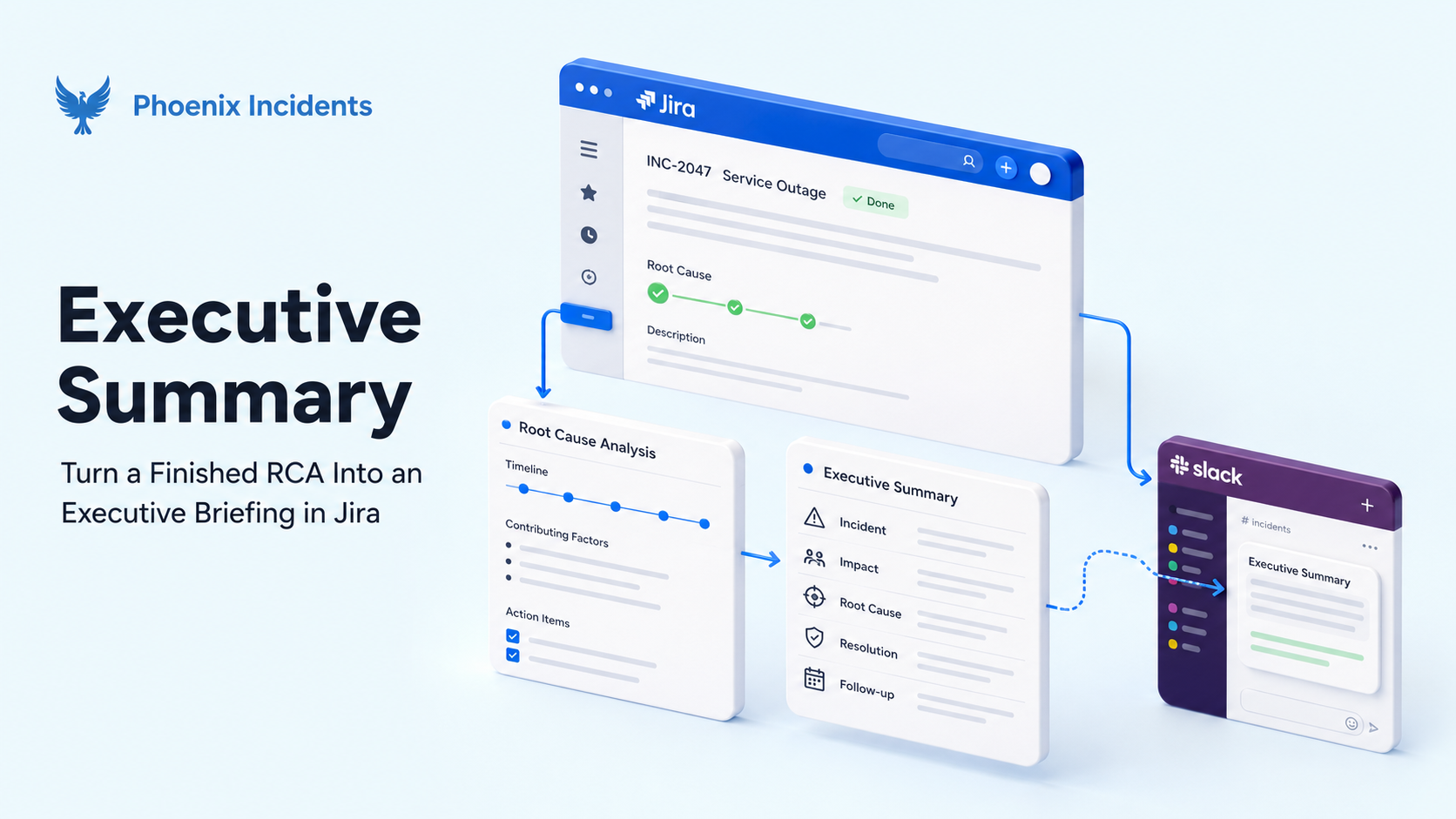
You finished the RCA. It has the timeline, confirmed cause, contributing factors, and six action items with owners against every one. It took you three hours and it's the best writeup your team has produced all quarter.
But your VP opens it, reads the first paragraph, and closes the tab. And no, that's not them being uninterested in the incident. They came in wanting to know how many customers were affected and whether it's over, and what they got was a paragraph about certificate rotation on the auth gateway. So they give up and ask you in Slack, which leaves you answering questions you thought you'd already answered in the RCA.
None of that is a failure of the RCA. It's doing exactly what it was built to do, which is give engineers enough detail to stop the same thing from happening again.
The problem is that a second audience needs the same information in a completely different shape, and somebody has to write that version too. When nobody does, leadership ends up building their own picture out of whatever they overheard in the incident channel.
That's where the executive summary comes in. This post covers what it is, why it keeps getting skipped, and how Phoenix generates one for you from your finished RCA.
What an Executive Summary in an Incident Report is
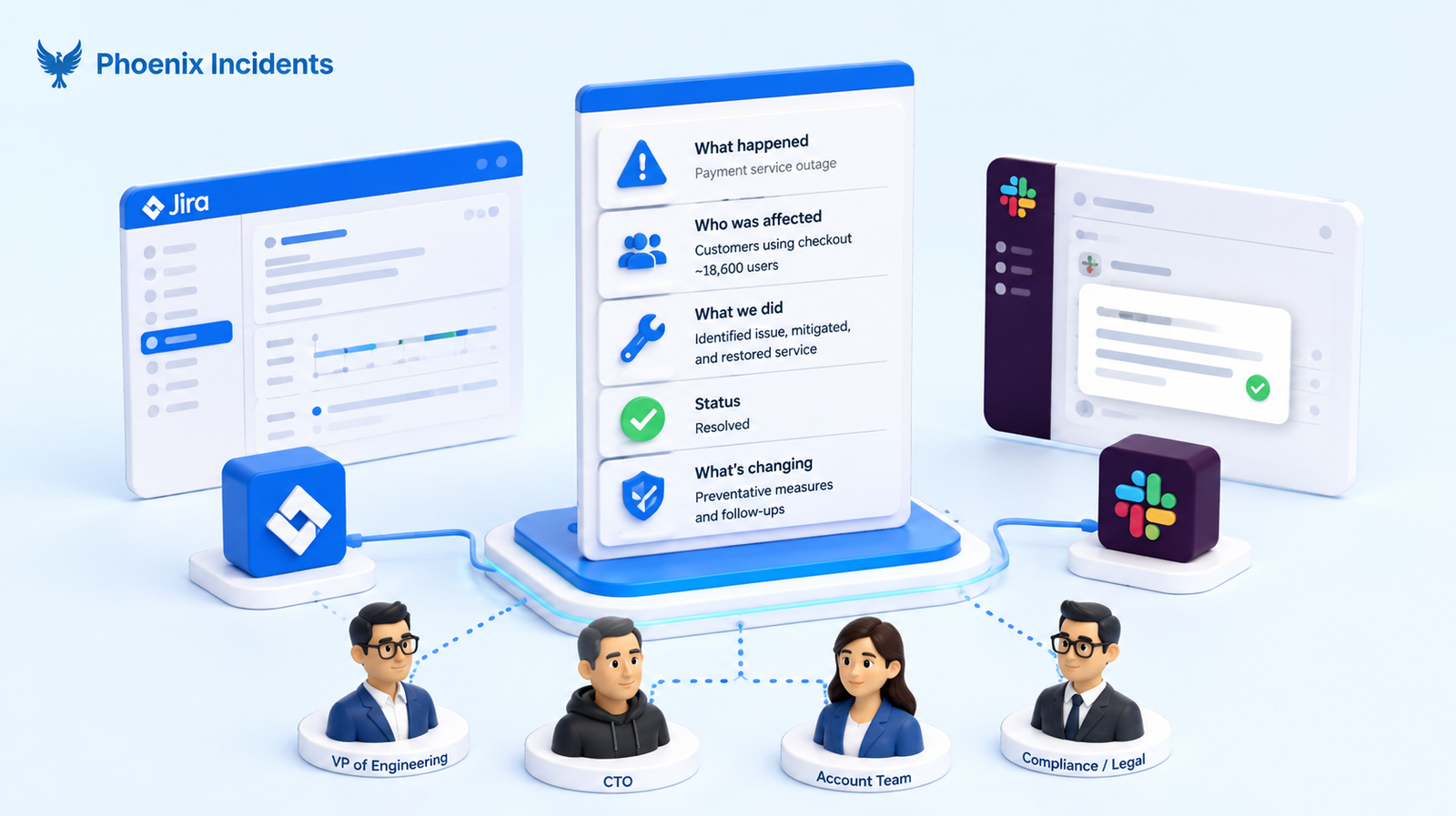
An executive summary in an incident report is a short, non-technical account of what broke, who it affected, what your team did about it, and what's changing so it doesn't happen again. It's written for people who need to make decisions about the incident without reading the full analysis behind it.
That usually means your VP of Engineering, your CTO, the account team fielding customer questions, and sometimes compliance or legal. None of them are trying to debug anything. They just want to know how bad it was, whether it's over, and whether they should be worried about next month.
The main thing is that it should stand on its own. If somebody reads only the summary and nothing else, they should still be able to answer questions about the incident in a meeting and get the answers right.
What belongs in it
| Section | What it answers | Keep it to |
|---|---|---|
| What happened | The failure in plain language, no component names | 1 to 2 sentences |
| Who was affected | Customers, how many, for how long | 1 to 2 sentences |
| What you did | The action that got service back | 1 sentence |
| Why it happened | The cause in business terms | 1 to 2 sentences |
| What changes | Committed follow up work, with owners | 2 to 3 bullets |
A useful test: if someone has to Google something to understand a sentence, that sentence belongs in the RCA and not your Executive Summary.
Incident Report, Postmortem, or RCA: Which Document an Executive Summary Belongs In
You'll hear this document called three different things. Some teams write an incident report, some run a postmortem, some do a full RCA. Sometimes those words mean slightly different things, and sometimes they're just three names for the same page.
Whichever one your team uses, it doesn't change where the executive summary goes. You write it at the end, after everyone has agreed on what happened and why. You can't summarise an analysis that isn't finished yet, so the summary is always the last thing that goes into the document.
If you want the full breakdown, we've covered what belongs in a strong incident report separately.
In Phoenix, the executive summary lives inside the RCA, because that's where the confirmed analysis sits once your team has finished with it.
Why the Executive Summary is the Part that Gets Skipped
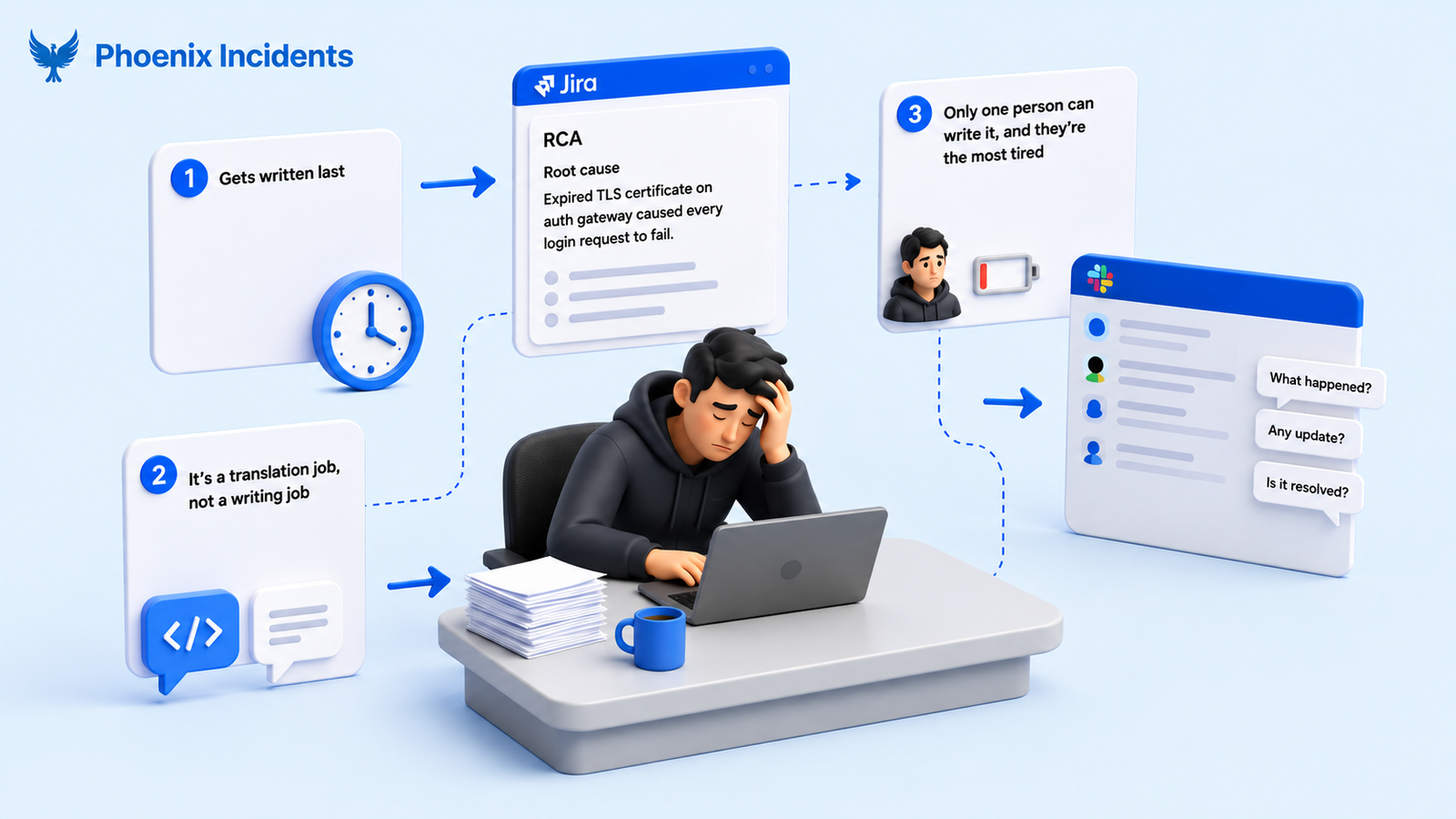
These three things contribute to why the executive summary never gets written.
- It gets written last: By the time you reach it, the incident is over, the adrenaline has gone, and everyone involved has already spent their attention on the part that felt urgent.
- It's a translation job, not a writing job: Finding the cause is one skill. Explaining it to someone who doesn't work in your codebase is a completely different one.
Your RCA might say "expired TLS certificate on the auth gateway caused every login request to fail," which is precise and correct, but it means nothing to your CFO. Someone has to turn that into "customers couldn't log in for half an hour," and that rewrite is harder than it looks.
- Only one person can write it properly, and they're the most tired person on the team: Whoever was up at 2am handling the incident is the one who knows what really happened. That leaves you with two options, and neither is great.
Ask someone else to write the summary and you get something vague, because they weren't there and they're working from notes. Leave it with the responder and it sits behind everything the incident pushed aside, landing a week later when nobody needs it anymore.
So the summary either doesn't get written, or it shows up long after leadership has already formed a view.
Either way they end up working from fragments, and the version of the incident that sticks in the org is the one assembled from Slack messages rather than the one your team confirmed.
How the Executive Summary Works in Phoenix
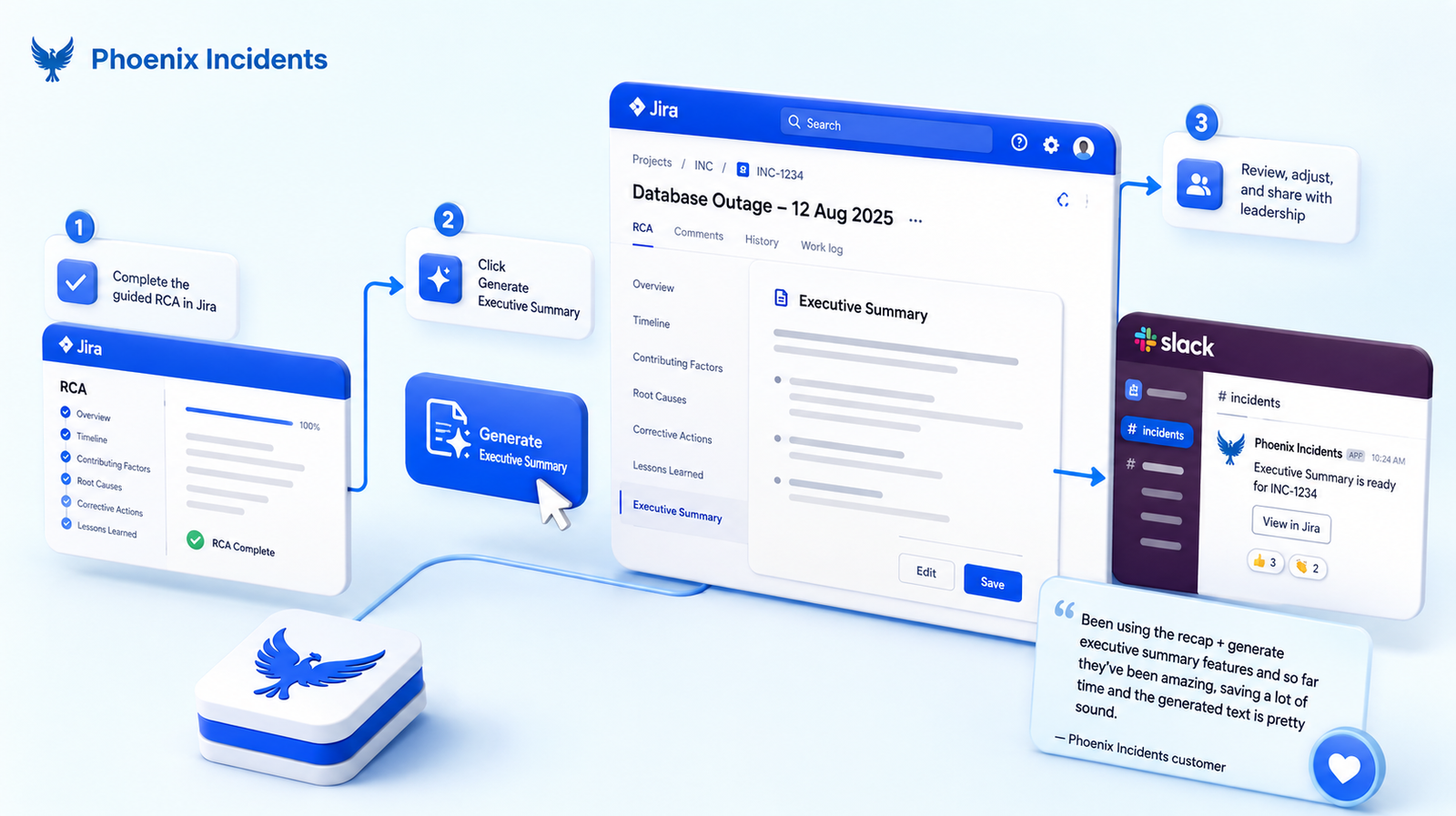
The workflow:
- Complete the guided RCA in Jira.
- Click Generate Executive Summary.
- Review it, adjust anything you want to change, and share it with leadership.
The summary appears as a section inside the RCA itself, so the briefing and the analysis stay on the same Jira issue.
Nobody has to go looking for a separate doc, and there's no second copy somewhere slowly going out of date.
What Phoenix Reads to Write it
This is where the approach differs from most AI summarisation in incident tooling. Phoenix drafts the executive summary from your finished analysis plus the incident context around it.
It's reading the answers your team already agreed on, instead of going back to the raw incident data and working them out again on its own.
The context it draws on includes:
- The timeline, including any moment somebody tagged with the ⌚ emoji during the incident
- Severity and the products or services affected
- The response actions your team recorded
- The action items and their owners
Because the confirmed cause is already written down by the time you generate, the summary reads like a conclusion rather than a recap of a Slack channel.
That matters when the audience is a leadership team, because a summary that sounds unsure about the cause invites exactly the follow up questions you were hoping to answer later.
What to check before you send it
- Impact numbers: Check the customer counts and durations against your monitoring data rather than accepting the drafted figure.
- Keep it blameless: Read for anything that points at a person instead of a system condition, and rewrite it if you find it.
- The cause: Make sure the summary reflects the cause your team verified.
- Business context: Add anything the model can't know, like the customer or the contract that makes this incident more sensitive than the numbers suggest.
This usually takes two minutes, compared to the forty it takes to write the summary from scratch.
What a generated executive summary looks like
The clearest way to see what the translation does is side by side.
| The RCA says | The executive summary says |
|---|---|
| Expired TLS certificate on the auth gateway caused every login request to fail | Customers couldn't sign in because a security certificate wasn't renewed in time |
| Rollback initiated 09:48, traffic restored 09:55 | Service was restored within 15 minutes of the alert |
| We're adding automated expiry alerts so this can't happen quietly again |
A finished briefing looks something like this:
On 14 March, customers were unable to sign in to the platform for 33 minutes, affecting roughly 12,000 users across web and mobile. A security certificate used by our login service expired without being renewed, which caused every sign in attempt to fail. The on call team identified the cause within four minutes and restored service by rolling back to the previous configuration. No customer data was affected. We're adding automated expiry monitoring for these certificates and moving renewal onto an automated schedule, both owned by the platform team and due within the next two weeks.
Six sentences with no component names, and enough context for a VP to answer questions in a meeting without opening the RCA.
How This Compares to Summaries in Other Incident Tools
AI drafted incident summaries are common now, and most of the major tools have shipped some version of this in the last two years.
These are some of those versions:
| What drafts the summary | Where it lives | Access requirement | |
|---|---|---|---|
| Rootly | Summary AI block from incident data, Slack channel, and call transcripts | A block in Rootly's retrospective editor | Admin enables Rootly AI |
| incident.io | AI first draft, plus per section redraft to shift audience and tone | The post-mortem document, or a second document | Pro or Enterprise |
| Phoenix Incidents | Generate Executive Summary from the completed RCA plus incident context | A section inside the RCA on the Jira issue | One plan (no additional tier) |
| Jira Service Management | Suggest description from the incident record and linked Slack channel | The PIR description field | Premium or Enterprise |
Rootly and incident.io do something that Phoenix doesn't. Rootly pulls from bridge call transcripts, which helps if your team runs incidents on a call.
Incident.io can hold two documents on one incident, so you can keep an internal writeup and a customer facing version side by side.
How the Phoenix Executive Summary is Different
- It's written from your confirmed RCA: Phoenix generates from the work your team has already agreed on, instead of going back to the raw incident data and working out its own version of what happened.
- Everyone has access: Phoenix has one plan, and the Executive Summary is part of it. There's no higher tier to upgrade to and nothing extra to buy to unlock it.
- It stays in Jira: The briefing doesn't sit in a separate tool that sends a copy back to your docs, so six months later it's still attached to the ticket it came from.
Who Reads it, And What They Do With it
- Your engineering leader, who takes it into exec staff and needs to answer questions without reading the analysis.
- The account team, who decide what customers get told and need language they can safely repeat.
- Compliance or security, who attach it to a review, where a technical writeup on its own doesn't explain things clearly enough.
- The next engineer, who hits something similar in six months and wants the short version before deciding whether to read the long one.
Where The Executive Summary Fits in Your RCA Workflow
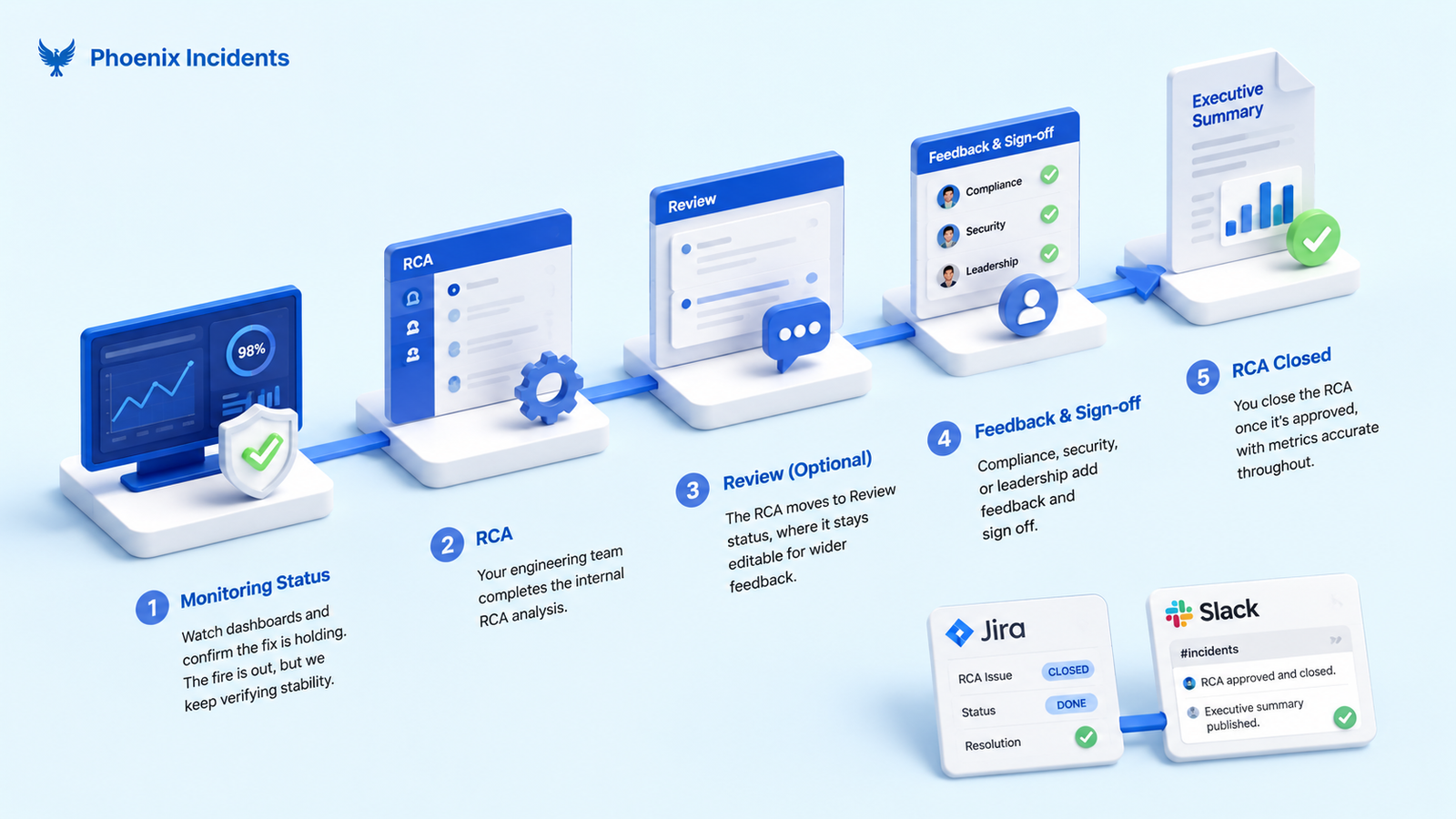
The executive summary is the last thing that happens, and a few stages come before it. Each one exists so that what you eventually generate is built on something settled.
Monitoring status comes first: When a fix goes out, the incident isn't resolved yet, because someone still has to watch the dashboards and confirm the fix is holding.
Monitoring is a formal stage for exactly that. It stops the active resolution clock and tells the business the fire is out, while giving your engineers room to verify things are stable before the ticket closes for good.
Then the RCA Review Status. Review is a middle ground where the technical writeup is finished but stays open for wider feedback, so nothing closes early and your operational metrics don't get skewed by a document sitting open.
- Your engineering team completes the internal RCA analysis.
- The RCA moves to Review status, where it stays editable.
- Compliance, security, or leadership add feedback and sign off.
- You close the RCA once it's approved, with metrics accurate throughout.
By that point the cause is verified, the follow up work has owners, and everyone who needed to look at it already has. That's when you generate the executive summary.
Everything in it has already been checked by the people who would have questioned it, so you're not sending a correction to leadership a week later because a number changed.
Turn Your Next RCA into a Briefing Leadership Will Read
Your RCA already contains everything leadership needs. It just doesn't say it in a way they'll understand.
Phoenix turns that finished analysis into a briefing in one click, so the last hour of your incident work goes back to your team.
Install Phoenix Incidents free on the Atlassian Marketplace. It's a 30 day trial and there's no credit card required.
Connect Jira and Slack, and your team can be running incidents in minutes, with the executive summary waiting at the end of every RCA.
Frequently Asked Questions
1. What does a healthy engineering culture look like during an incident?
A healthy engineering culture keeps people focused on restoring service, not finding someone to blame. Engineers share facts early, ask for help, and record key decisions as the incident unfolds. Afterward, the team reviews system gaps and process issues without using the meeting to shame individuals.
2. How do you build trust on an engineering team after a major outage?
Build trust by making incident reviews fair, open, and focused on learning. Leaders should share what happened, explain follow-up actions, and finish the work they promise. Trust fades when teams hear polished updates but see the same risks return.
3. Do we need blameless postmortems for every incident?
Most incidents need a blameless review, but not every minor alert needs a long meeting. A short written note may be enough when the impact was low and the cause is clear. Blameless does not mean ignoring reckless choices; it means judging actions in context and fixing unsafe conditions.
4. How much does it cost to improve engineering team culture?
The main cost is regular time for training, incident reviews, runbook updates, and practice drills. Teams may also need tools, coaching, or extra staffing, but culture work can start without a large budget. The cost of skipping it often appears later as repeat outages, staff burnout, and lost trust.
5. What mistakes damage engineering culture during incidents?
The biggest mistakes are hiding bad news, blaming the person on call, and changing systems without a clear record. Leaders also damage trust when they demand calm but provide unclear roles or conflicting orders. Avoid these habits by setting an incident lead, sharing one source of truth, and reviewing decisions afterward.
6. What should an engineering team do first to improve incident culture?
Start by reviewing the last serious incident with the people who handled it. Ask what helped, what failed, and which one or two changes would reduce future harm. Then assign owners and due dates, and check progress in normal team meetings.