How to Build an Incident Command System Inside Jira (For Engineering Teams)

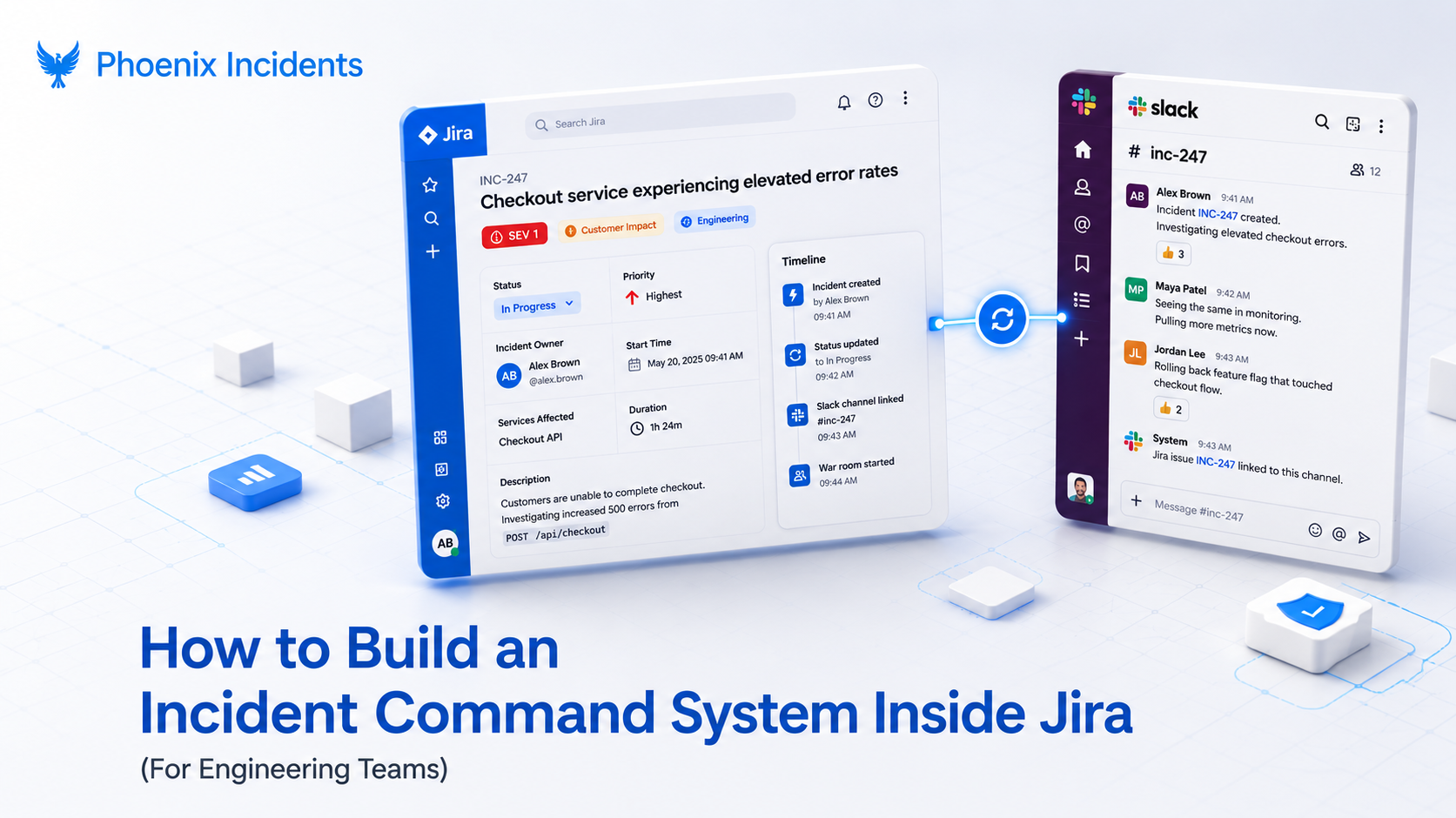
Most engineering teams handle incidents through implied ownership. Someone starts debugging, someone else starts narrating in Slack, and a few minutes later a VP drops into the channel asking for a status update nobody has time to write. That’s not a process, it’s a slow leak of duplicated effort and lost time, and it gets worse exactly when you can least afford it.
An Incident Command System fixes that by absorbing the coordination overhead so your strongest engineers can stay on the actual problem instead of acting as human routers for status updates. When that system lives inside Jira, where your team already works, you stop having to choose between structure and speed.
This guide walks through what an ICS (Incident Command System) is, why it belongs in Jira for engineering teams specifically, and the seven steps to build one you can apply right away.
What Is an Incident Command System?
An Incident Command System is a structure that organizes people, decisions, and information during an incident. Its job is not to dictate how engineers fix systems. It exists to make sure the right work happens in the right order, without constant negotiation or interruption.
In practice, an ICS creates shared understanding of a handful of things that otherwise get argued about mid outage: what qualifies as an incident, who has authority to make decisions, where the current status lives, how information reaches the rest of the business, and how the team moves from response into learning once the fire is out. The term itself comes from emergency response, where firefighters and disaster teams use the same model to keep a coordinated front under pressure. The stakes differ, but the shape of the problem is identical.
When a team has no command system, ownership stays implied with one person leading the response while still trying to debug the failure. The gaps this creates rarely show up as obvious failures.
They show up as friction:
- Two engineers chasing the same theory
- A stakeholder question that pulls the lead away from the terminal
- A fix that ships before anyone confirms the blast radius.
An ICS removes that friction, and building it inside Jira turns those informal habits into something repeatable.
Incident Command System vs. Incident Management: What's the Difference?
These two terms get used interchangeably, but they answer different questions.
Incident management is about the lifecycle of a single incident moving through your system, but an incident command system is about how people, decisions, and information get organized while that incident is live.
You can run incident management with a ticket and a status field. You cannot run a command system without deciding who is in charge and where coordination happens.
| Incident Management | Incident Command System | |
|---|---|---|
| Focus | The lifecycle of a single incident | How people, decisions, and information are organized during response |
| Question it answers | "What is the status of this incident?" | "Who decides, who fixes, and where do updates live?" |
| Scope | Process and tooling | Command structure and coordination |
The distinction matters because most teams have some version of incident management already. What they lack is the command layer, and that layer is where the 3 AM outages get won or lost.
Why Engineering Teams Need an ICS (Not Just IT Ops)
Search for incident management in Jira and almost everything you find assumes you are an IT operations or service desk team running Jira Service Management, complete with customer portals, ITIL workflows, and a status page for external users. That guidance is fine for the audience it serves. It just is not written for a software engineering team that ships its own services, lives in Jira Software and Slack, and owns the systems it breaks.
Engineering teams have the same coordination problem the ITSM playbook describes, but a different center of gravity. The people who built the service are usually the ones fixing it, the conversation happens in Slack rather than a service desk queue, and the post-incident review is about systemic engineering causes, not ticket throughput.
A command system for engineers has to fit that reality. The good news is that Jira already holds the work these teams care about, which makes it the natural place to build one.
Why Build Your Incident Command System Inside Jira?
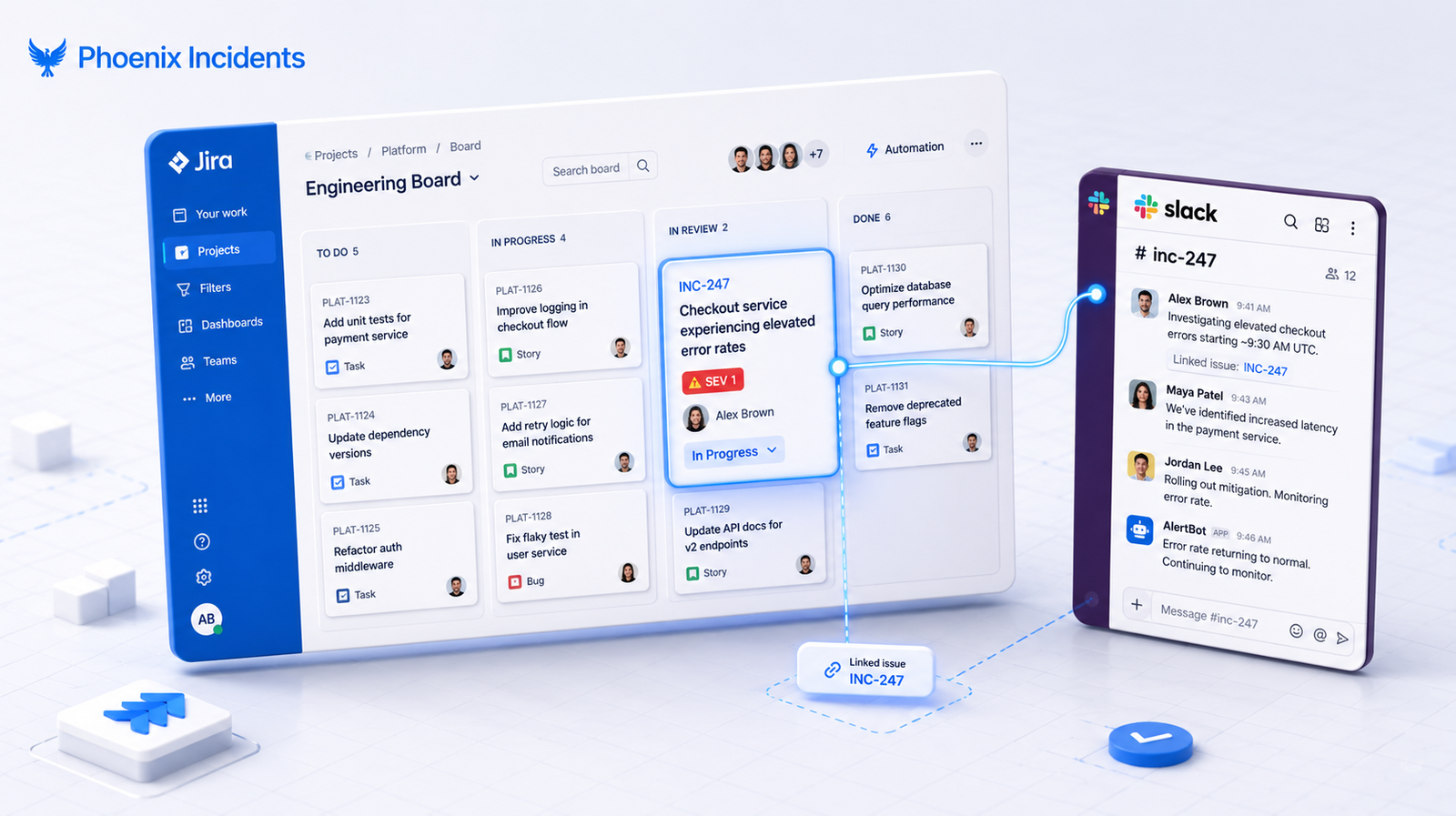
Incidents are the most urgent kind of work, and work already lives in Jira. They sit alongside the bugs, stories, and tasks your team tracks every day, which is exactly why pulling them into a separate incident tool tends to backfire. The moment an incident leaves Jira, it loses the context that makes it useful later: the linked issues, the ownership trail, the traceability between the outage and the remediation work that followed.
Alerts can live elsewhere. They are just the signal. But once an alert becomes an incident, it deserves to live where the engineering work happens. When it does not, teams pay for it in predictable ways:
- Fragmented communication: Slack threads, the Jira ticket, and the pager each tell a slightly different version of the story.
- Manual syncing: Someone has to keep Jira, Slack, and the paging tool in agreement by hand, and that is usually the same person who should be debugging.
- Lost context: Linked issues, ownership, and the audit trail get stranded in another tool that the rest of the team does not open.
- Weak post-incident learning: Without a clean record, the review turns into reconstruction from memory, and the lessons evaporate.
Building the command system inside Jira closes those gaps by default. The incident stays connected to everything around it, and the coordination happens where people are already looking.
How to Build an Incident Command System in Jira: 7 Steps
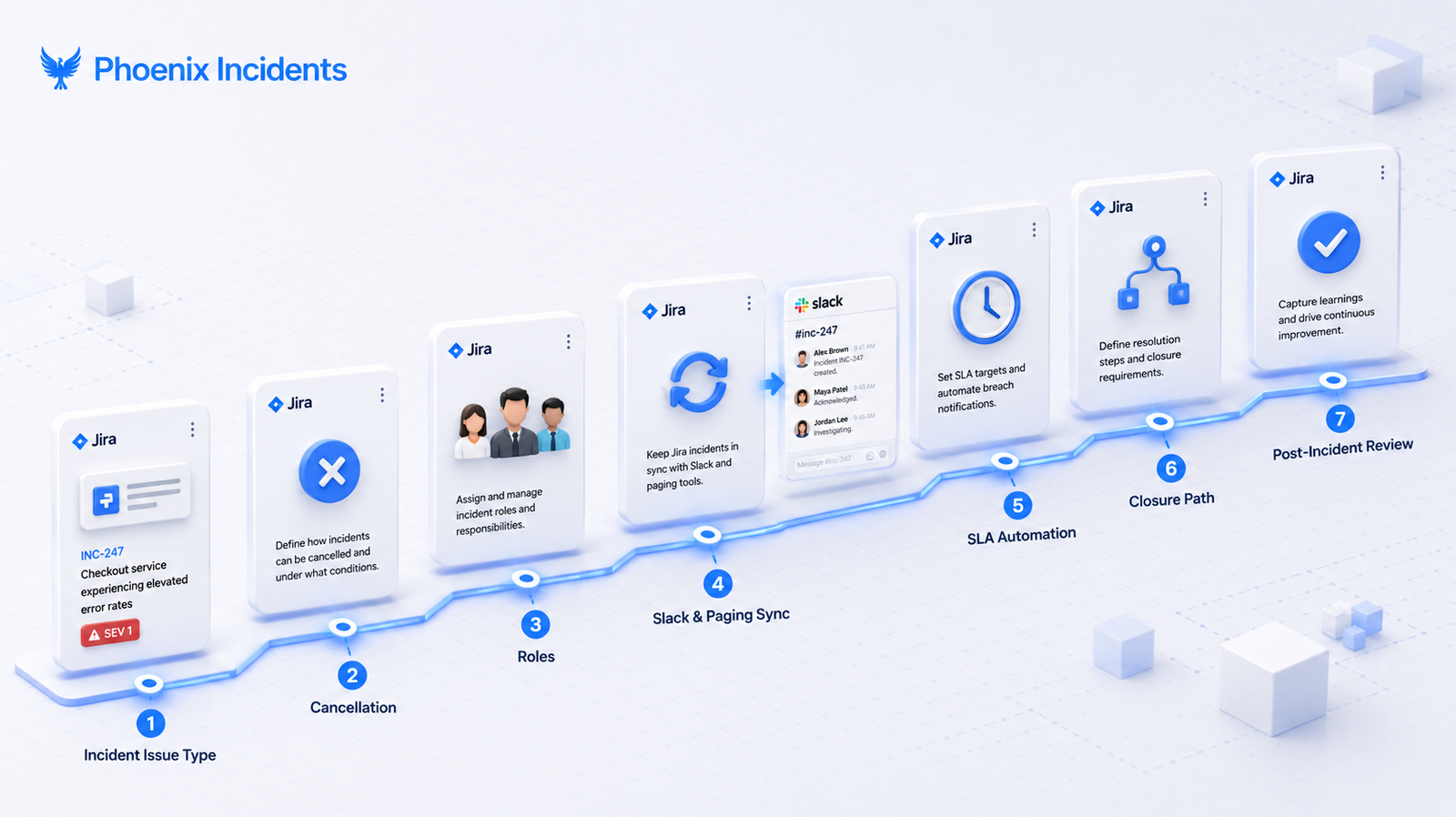
A usable command system starts by making incident creation deliberate and visible, then builds outward to roles, communication, and learning.
Quick run-through of each step below:
| Step | What You're Building | Why It Matters |
|---|---|---|
| 1 | Dedicated incident issue type | Stops the "does this count?" debate |
| 2 | Explicit cancellation state | Safe early escalation and false alarm data |
| 3 | Encoded roles in the workflow | Separates the commander from the fixer |
| 4 | Default sync to Slack and paging | Removes manual status routing |
| 5 | SLA based automation | Predictable updates without manual follow-ups |
| 6 | Clear closure path | Signals when response ends and review begins |
| 7 | Embedded post-incident review | Makes the review a required step, not optional |
1. Create a Dedicated Incident Issue Type
Start by separating incidents from normal operational work. Create a custom Jira issue type built specifically for incidents, with required fields that establish severity, ownership, and current state from the moment it opens.
Incidents should be easy to create, immediately recognizable, and structured the same way every time. When the shape is consistent, teams stop debating whether something counts and start responding.
A useful incident issue type captures more than a title and description. At minimum, plan for:
- Severity: (SEV1 through SEV3, or P1 through P5 if your team prefers priority language). Atlassian, for reference, treats SEV1 and SEV2 as major incidents that demand an immediate response, while a SEV3 is something that does not interfere with essential service.
- Impact and affected services: So anyone reading the ticket understands what’s affected without asking.
- Incident commander: Named explicitly rather than assumed.
- Current state: The live status of the incident (investigating, identified, monitoring, resolved), set by the workflow rather than typed into a comment.
- A running timeline of key actions, which becomes the backbone of the review later.
Define your severity levels before an incident happens, not during one. Arguing about whether an outage is a SEV1 while it’s actively burning is the kind of negotiation a command system is supposed to eliminate.
2. Support Explicit Incident Cancellation
A real command system lets you cancel an incident as explicitly as you resolve one. Cancelled incidents should never be deleted or quietly closed. Instead, the workflow should require a cancellation reason, and those reasons should be reviewed regularly rather than forgotten.
This is the step most teams skip, and it’s more important than it looks. When cancelling is a clean, blameless action, engineers escalate earlier because being wrong is cheap. When it’s not, they hesitate, and hesitation during a real incident costs far more than the occasional false alarm.
The cancellation reasons you collect also become data you can use, telling you:
- Which alerts are too noisy
- Which escalation criteria are miscalibrated
- Where training is thin
A false alarm you can learn from is worth far more than a real incident someone sat on because they were not sure.
3. Define Clear Incident Roles in the Jira Workflow
On a lot of teams, the person best at fixing the bug becomes the person stuck leading the incident. That is a failure mode, not a plan. You want your strongest debugger looking at code, not narrating status into a channel. By encoding roles like Incident Commander directly into the Jira workflow, you make it explicit that the person coordinating is not the person fixing, which kills the hero culture trap where one engineer tries to do everything and burns out doing it.
A few incident response roles worth defining up front:
- Incident Commander: Holds decision authority and coordinates the response. Does not write the fix.
- Tech Lead: The senior responder developing theories about what broke and driving the technical work.
- Communications Manager: Owns updates to stakeholders so the commander and tech lead stay focused.
Atlassian makes a sharp point about why this works: the incident manager is a role, not a person, and defining roles up front lets people become interchangeable. As long as someone knows how to perform a role, they can step into it for any incident. That interchangeability is what keeps your response from depending on whether one specific person is awake, which in turn reduces the uneven load that drives incident fatigue.
4. Sync Jira Incidents to Communication Channels by Default
A command system in Jira works best when it connects automatically to where engineers actually talk. The goal is to remove manual synchronization entirely, because the moment your Slack channel says one thing and your Jira ticket says another, the process has collapsed into guesswork.
Three connections matter most:
- Chat: Every incident should create or link to a dedicated Slack channel, so all the discussion for that incident stays in one place tied to the ticket.
- Paging: For tools like PagerDuty or Splunk On-Call, acknowledgements should show up in the incident channel so everyone knows the alert has an owner.
- Monitoring: Monitoring tools such as Datadog, Prometheus, and Splunk can open an incident automatically the moment something breaks, capturing an accurate start time before anyone has to reconstruct it from memory.
A working system keeps updates in Slack flowing back to Jira automatically, with no copy and paste tax on the responder.
5. Use SLA-Based Automation to Maintain Consistency
A Jira based command system gets a lot stronger when automation enforces the rhythm instead of a person remembering to. Tie reminders and checks to your service level agreements so the system itself drives them.
In practice that means:
- Status update reminders: Prompts to post an update at set intervals, so stakeholders are not left in the dark
- Role checks: An automatic flag when an incident has no commander assigned, so nobody assumes someone else is leading
- Stale incident nudges: An alert when an incident has gone quiet for too long, so it does not silently stall
- Transition gates: Rules that block a ticket from moving to the next stage until the required fields are filled in
This protects responder focus, which is the scarce resource during an outage. It also keeps communication predictable for everyone watching from outside the channel, and that predictability is part of what keeps your mean time to resolution honest. An incident that drifts because nobody pinged for an update resolves slower than it should have.
6. Define a Clear Incident Closure Path
Building a command system means designing how incidents end, not just how they start. Closure in Jira should be explicit and structured, which means these three things happen at the close:
- Capture the final status of the incident
- Confirm the customer impact is over, not just that a fix went out
- Transition ownership from the response team to the review
Done right, closing an incident signals two things at once: the immediate risk is resolved, and the learning work is about to begin. Without that boundary, incidents blur back into normal work and follow through on improvements gets inconsistent.
Closure is the handoff point most teams treat as an afterthought, and it’s exactly where the difference between a team that learns and a team that repeats itself shows up.
7. Embed Post-Incident Reviews into the Incident Lifecycle
Most post-incident reviews get treated as a compliance checkbox, something you complete to stop a manager from asking about it, which is precisely why they so often deliver nothing. Embedding the review directly into the Jira incident lifecycle changes that. It becomes a guided step that captures data while the context is still fresh, and it works best as the final gate: the incident is not done until the learning is captured.
Two principles keep the review valuable:
- Keep it blameless: When the focus stays on systems and processes rather than individuals, people share what actually happened, and accurate information is what makes the fixes any good.
- Keep a human in the loop on the reasoning: AI can reconstruct a timeline from Slack and Jira, surface similar past incidents, and prompt sharper questions, and all of that is worth automating. But an exercise like the five whys earns its value from the conversation itself, from engineers debating causes and challenging assumptions.
Let a model auto generate the root cause and you get a document that looks finished but teaches the team nothing. The review comes together properly only when the context was recorded live, not when a tool covers for analysis that never happened.
Common Mistakes When Building an Incident Command System
Even teams that follow the steps tend to trip over the same handful of mistakes. Watch for these:
- Treating cancellation as deletion. Quietly closing a false alarm throws away the data that would have improved your alerting and escalation criteria.
- Forcing the best engineer to both lead and fix. The moment your strongest debugger is also writing status updates, you have lost the value of separating roles.
- Letting Slack and Jira drift apart. The instant the channel and the ticket disagree, every reader has to guess which one is right.
- Making the post-incident review optional. Optional learning is learning that does not happen. Gate the closure on it.
- Depending on people remembering the process. If your system only works when specific people are online and recall the steps, you do not have a system. You have a hope.
How Phoenix Incidents Builds the Command System for You
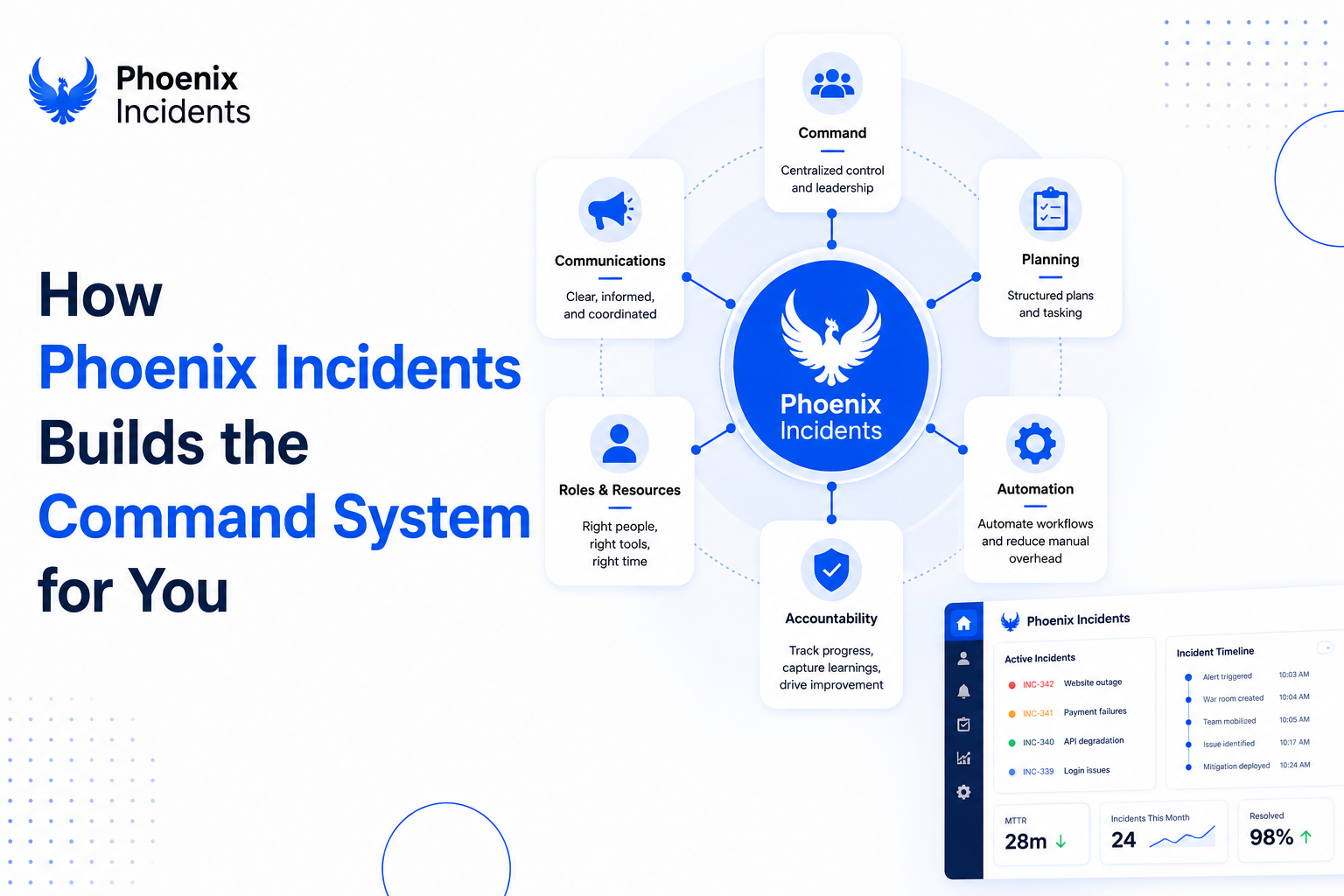
Phoenix Incidents provides an incident command system that lives directly inside Jira and Slack, with Microsoft Teams coming soon and integrations to paging tools like PagerDuty and Splunk On-Call. It handles the coordination layer engineers usually manage by hand:
- Structured incident creation and cancellation workflows
- Clear role assignment and real-time communication across channels
- Automated synchronization between Jira, Slack, and paging tools
- SLA based reminders that adapt to incident severity
- Guided post-incident reviews with tracked action items and follow through
The point is to operationalize the seven steps inside the platforms your team already uses, so the structure holds even when the people who usually run it are asleep.
Give Your Team Structure in Jira
You do not build an Incident Command System for the easy outages. You build it for the SEV1 that lands at 3 AM when half the team is offline and the other half is squinting at a dashboard.
If your system depends on specific people being online or remembering the process, you do not have a system. You have thoughts and prayers. Embedding these seven steps into Jira moves your team off hero culture and onto a repeatable and professional response that does not care who happens to be awake. Let Jira carry the structure so your engineers can focus on the speed.
If your team already runs daily work in Jira and Slack, building your command system there is the move that makes sense. Start with the do it yourself approach using our free setup guide, or book a demo to see how Phoenix Incidents automates the whole thing for you.
Frequently Asked Questions
1. What is an incident command system?
An incident command system (ICS) is a structured way to organize people, roles, and communication during an incident. It defines who makes decisions, where coordination happens, and how the team moves from response to recovery.
2. Can you build an incident command system in Jira?
Yes. You can build an ICS in Jira using incident issue types, defined roles, automated Slack integration, SLA-based workflows, and structured post-incident reviews. This keeps incident management connected to your existing engineering work.
3. What is the difference between an incident command system and incident management?
Incident management covers the lifecycle of an incident—from detection to resolution. An incident command system defines how people, responsibilities, and communication are organized while the incident is being managed.
4. Who should be the incident commander?
The incident commander leads coordination and decision-making during an incident. This person should focus on managing the response, while other engineers concentrate on diagnosing and fixing the issue.
5. Do you need Jira Service Management to build an incident command system?
No. Engineering teams can build an effective incident command system using Jira Software, Slack, and a paging tool. The success of an ICS depends on having a clear process and defined workflows, not on a specific Jira product.