Can Jira Be Used for Incident Management?

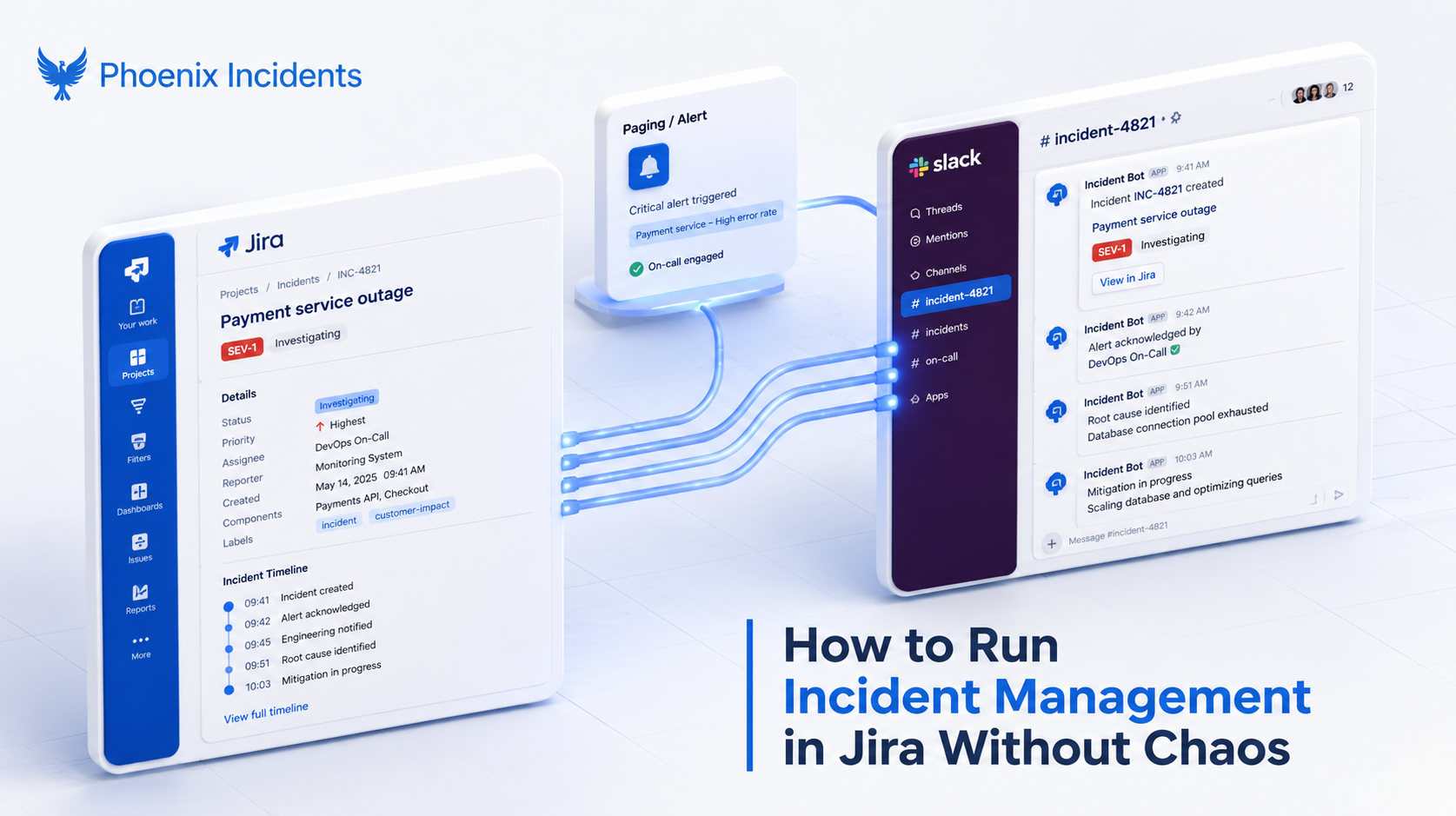
Yes, Jira can be used for incident management, but the honest answer depends heavily on what you mean by "Jira" and what you expect it to do when the site is actually on fire. Plain Jira Software can hold incident records the same way it holds bugs and stories. What it cannot do on its own is run the live response.
Jira is where your engineering truth lives: your bugs, roadmap, and sprint cycles. So when a production system starts melting down, wanting your incident data to land there too makes complete sense, and nobody wants yet another platform in the middle of an incident.
The catch is that ‘just’ Jira is a destination for data, not a tool for live response.
- It won't page your on-call engineer.
- It won’t start a dedicated Slack channel for the incident.
- And it won’t keep those two places in sync while everyone is scrambling.
The goal was never to replace Jira. What a live incident needs is the connective tissue between the structured truth of Jira and the fast, messy reality of Slack, so that your engineers can focus on the outage instead of copying updates back and forth by hand.
The Short Answer: Yes, But Not the Way You Think
When people ask whether Jira handles incident management, they are usually asking one of three different questions without realizing it, because "Jira" now covers a family of products that behave very differently under pressure.
Sorting out which of the three you're dealing with changes everything, yet it's the distinction almost nobody stops to make.
There are several ways to manage incidents in Jira, and each approach is designed for a different type of team.
Plain Jira Software + Slack is best suited for tracking planned engineering work in sprints. While it can support incident management, it doesn't include built-in paging, dedicated incident channels, or live synchronization between Jira and Slack. As a result, teams often rely on manual coordination during an outage.
Jira Service Management (JSM) is designed for IT service management and help desk operations. It includes features like service requests, SLAs, and ITIL-based workflows. While it's a powerful platform, many engineering teams find it configuration-heavy and more focused on IT operations than software engineering.
Jira + Phoenix Incidents is built specifically for live incident response. It connects Jira, Slack, and paging tools into a single workflow, automating coordination, keeping status updates synchronized, and helping engineering teams respond to incidents without switching between multiple tools.
Most of the advice you'll find online quietly assumes you're already running Jira Service Management and just need help configuring it.
That leaves out the large population of engineering teams who run production on plain Jira Software plus Slack and have no interest in adopting a full ITSM stack to manage a handful of outages a quarter.
What Incident Management Requires
Before deciding whether Jira is the right home for incidents, it helps to be clear about what incident management actually involves, because it's a very different discipline from tracking work. Managing an incident means coordinating people, communication, and decisions under real time pressure, often while the picture is still incomplete and the clock is running.
A real production incident asks your team to handle several things at once:
- Fast, low-friction incident declaration, so people escalate the moment something feels wrong
- Clear ownership and defined roles, so responders aren't guessing who's on-call
- Real-time coordination across everyone pulled into the response
- Ongoing communication out to the business and affected stakeholders
- Consistent state across every tool, so nobody is working from a stale view
- Structured follow-up and learning once the fire is out
Jira is built to optimize planned work that moves through a predictable workflow on its own schedule. Incidents are anything but that. They're time-critical, deeply collaborative, communication-heavy, and genuinely ambiguous at the start, when you often don't yet know whether you're looking at a blip or a full outage.
That mismatch between what Jira optimizes for and what an incident demands is the whole story, and it's why so many Jira-based setups feel like they're fighting the tool.
Is Jira an Incident Management Tool? (Plain Jira Software)
Strictly speaking, no. Plain Jira Software is an issue tracker that you can bend into an incident-adjacent shape with enough structure and discipline, but on its own it's missing the machinery a live response runs on.
It can't page the on-call engineer when an alert fires, it can't set up a dedicated Slack channel for the war room, and it can't keep the ticket and the conversation aligned as the situation changes minute to minute.
Force Jira into that role and a human ends up doing the work the tooling should be doing. Someone, usually whoever is running the incident, becomes the manual glue, copying updates out of Slack and into a ticket while the site is still down. Here's how that plays out across the things a live incident actually needs:
| Incident need | Plain Jira Software | Result |
|---|---|---|
| Page the on-call | Not supported | Manual escalation and lost minutes |
| Dedicated war room | No Slack orchestration | Coordination scatters |
| Keep tools in sync | Manual copy-paste | Human "glue," and higher MTTR |
| Declare or cancel cleanly | Every issue is a "real" task | People hesitate to raise incidents |
None of this means Jira is the wrong place for incident data to live. It means Jira alone isn't the engine that drives the response, and treating it as one puts the load on a person instead of the system.
The Reality of Jira Service Management (JSM)
Atlassian's own answer to this gap is Jira Service Management. JSM genuinely adds incident capabilities:
- Dedicated incident issue types
- Alerting
- On-call scheduling
- SLA tracking
- And a post-incident review workflow
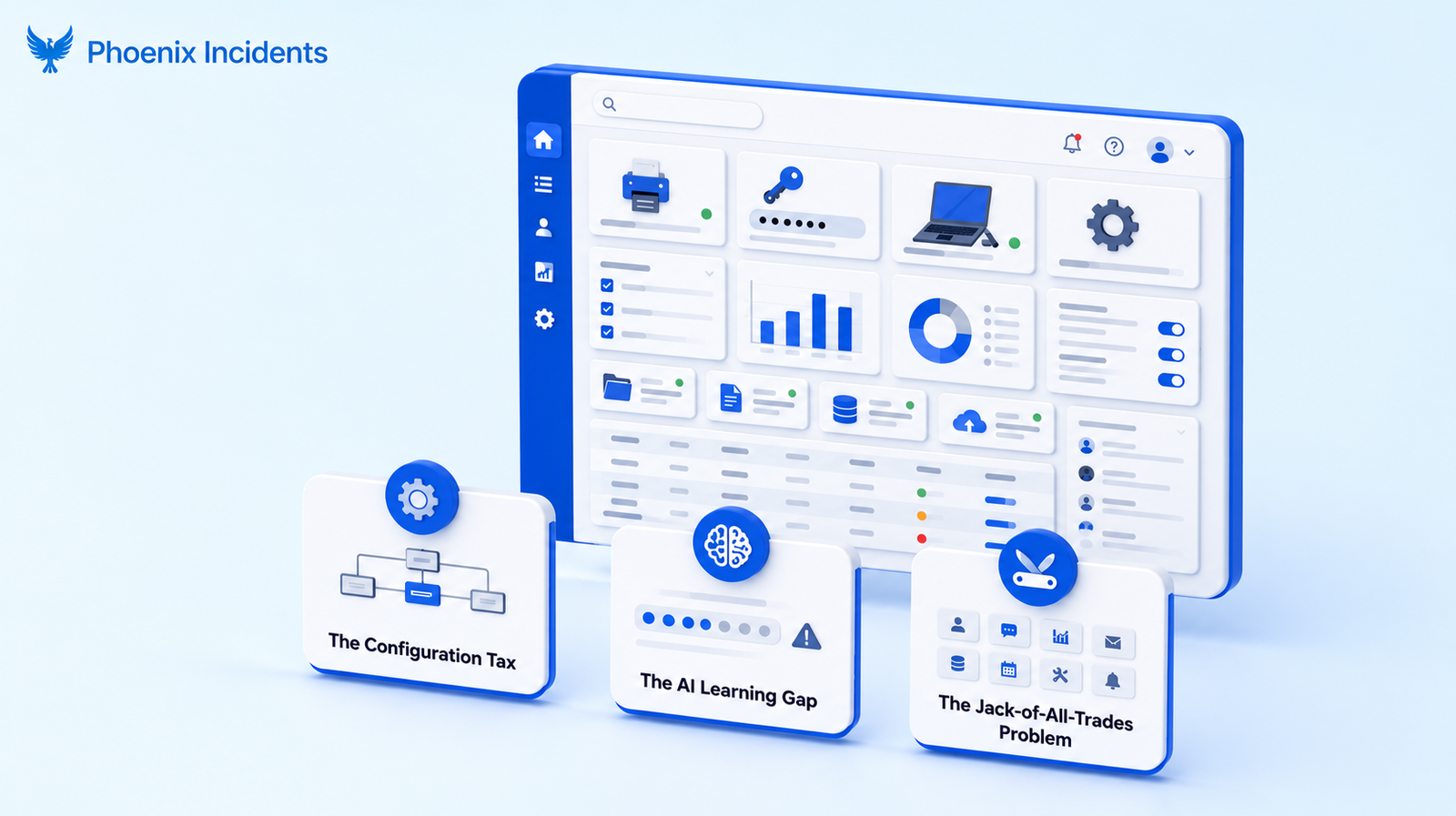
On paper it looks like the natural next step, and plenty of teams reasonably assume it is. In practice, JSM was built for the broad world of IT help desks handling laptop requests, password resets, and access tickets, and those roots tend to show once a software engineering team tries to run a P0 outage through it.
Three friction points usually come up.
1. The Configuration Tax
JSM is a toolbox rather than a finished solution. You can spin up an incident template in an afternoon, but tuning the automations, permissions, queues, and tool-syncs so they fit a high-velocity engineering workflow, is what eats up your time.
Most engineering teams want to respond to incidents, not spend their entire day living inside project settings as part-time Jira administrators. The setup work is substantial, it keeps needing maintenance, and it rarely gets accounted for when someone says 'just use JSM’.
2. The AI Learning Gap
JSM leans hard on AI to auto-write your RCAs and generate your "Five Whys." It demos beautifully. But the issue is that the value of a post-incident review was never the document itself.
The value has always been in the:
- Back and forth conversations between engineers (arguing about root causes)
- The challenges on each other's assumptions
- And the final, united understanding on what actually broke.
Hand that off to a language model and you get a tidy artifact that nobody learned anything from. The document becomes noise, and the culture you were trying to build quietly dies.
3. The Jack-of-All-Trades Problem
Because JSM has to serve every service team in the building, it treats a broken-printer ticket with the same underlying structure as a database outage. That breadth is genuinely useful for a central IT function, and it's the same reason it can feel thin for an engineering team, since a high-stakes production incident wants a focus that a general-purpose tool isn't built to give.
You end up bending a tool meant to serve the whole company around a problem that wants a focused response.
There's also a practical detail worth knowing before you assume the native path is free. The advanced incident features inside the Atlassian ecosystem, including post-incident reviews, moved behind JSM Premium and Enterprise effective October 16, 2024. Teams on Free or Standard plans can no longer create new PIRs through that workflow.
So the question "can I do this in Jira without paying for JSM?" has a concrete answer, and for the features that matter most during and after an incident, it's usually no.
The Cost of Making Jira Work Anyway
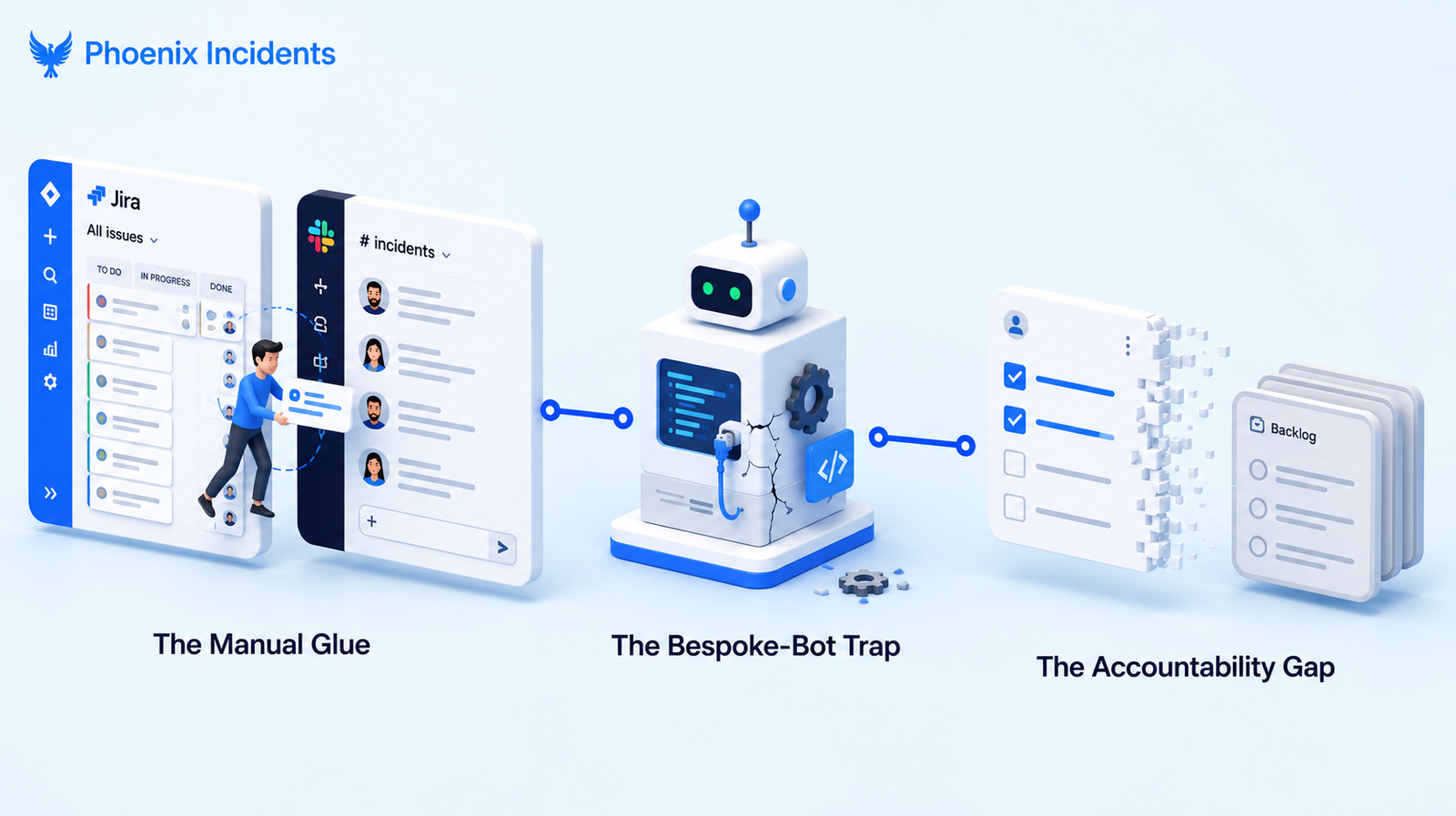
Most teams that try to force Jira into an incident role treat the workarounds as free. They aren't. The cost just shows up somewhere other than the invoice, and it tends to surface at three distinct moments: during the incident, when someone decides to build tooling, and after the incident is resolved.
| Stage | The workaround | What breaks |
|---|---|---|
| During | Human copies updates between tools | Focus and MTTR |
| Building | Home-grown bot or automations | Maintenance debt, tribal knowledge |
| After | Action items in the backlog | Follow-through, real prevention |
1. The Manual Glue (During the Incident)
In the heat of an outage, the real action happens in Slack. That's where responders talk, share graphs, and make calls in real time. Jira, sitting off to the side as the system of record, needs someone to keep it current, so the incident commander ends up spending a meaningful chunk of their attention copying updates between tools instead of reading logs and driving the response.
Every second spent wrestling a ticket is a second added to your MTTR, and the constant context switching between the conversation and the record is exactly the kind of cognitive load a responder can least afford mid-incident.
This coordination drag is the same problem incident.io calls out in its own JSM comparison, where responders are left manually keeping Jira, Slack, and Confluence in sync while the incident is still live.
2. The Bespoke-Bot Trap (Building Your Own)
Some teams see the gap and decide to close it themselves with internal scripts, a pile of Jira automation rules, or a home-grown Slack bot. It feels resourceful, but it usually turns into a maintenance trap.
These tools tend to break when an upstream API changes, they rarely get documented while everyone's busy shipping, and over time they harden into tribal knowledge that walks out the door the day the engineer who built them moves on.
None of that is a knock on the people who build them, it's just what happens to side-project tooling. We learned this the hard way, which is the whole story behind building incident management in Jira ourselves. Unless you're in the business of building incident platforms, every hour a senior engineer spends keeping a custom incident bot alive is an hour away from the product you actually sell. It's real, expensive work that only looks like a quick internal fix.
3. The Accountability Gap (After the Incident)
This is where plain Jira quietly falls apart. Once an incident is marked "Resolved," the follow-up actions, the real engineering work that stops the same thing from happening again, tend to scatter. They become disconnected tickets buried in a backlog, or they end up stranded in a Confluence doc with no link back to the crisis that started it.
Without a reporting system that tracks those mitigation tasks specifically, you get zombie incidents: the root cause is understood, everyone agreed in the review, and yet the fixes never get scheduled. Leading to an unclosed loop.
The Psychological Safety Problem Nobody Talks About
One of the most underrated parts of incident management is early escalation, and it's almost entirely a cultural question rather than a technical one. In a healthy engineering culture, you want people to pull the fire alarm the second something feels off, before they're certain, because the cost of a false alarm is tiny next to the cost of a real outage you caught late.
But the problem is that most Jira setups quietly tax that instinct, so people hesitate.
The hesitation usually sounds like one of these:
- "It'll create noise." Nobody wants to clutter the board with what might turn out to be a false alarm.
- "The metrics trap." A canceled incident might look like a failure on a dashboard, so why risk it.
- "The explanation tax." Raising an incident that turns out to be nothing, means an hour spent justifying why you opened a ticket that went nowhere.
Underneath all three is the same root cause. By default, Jira treats every issue as a real task that needs to be worked and completed. It has no first-class concept of a canceled incident, so the tool subtly punishes exactly the early, cautious escalation you most want to encourage.
A Purpose-Built Incident Layer Inside Jira and Slack
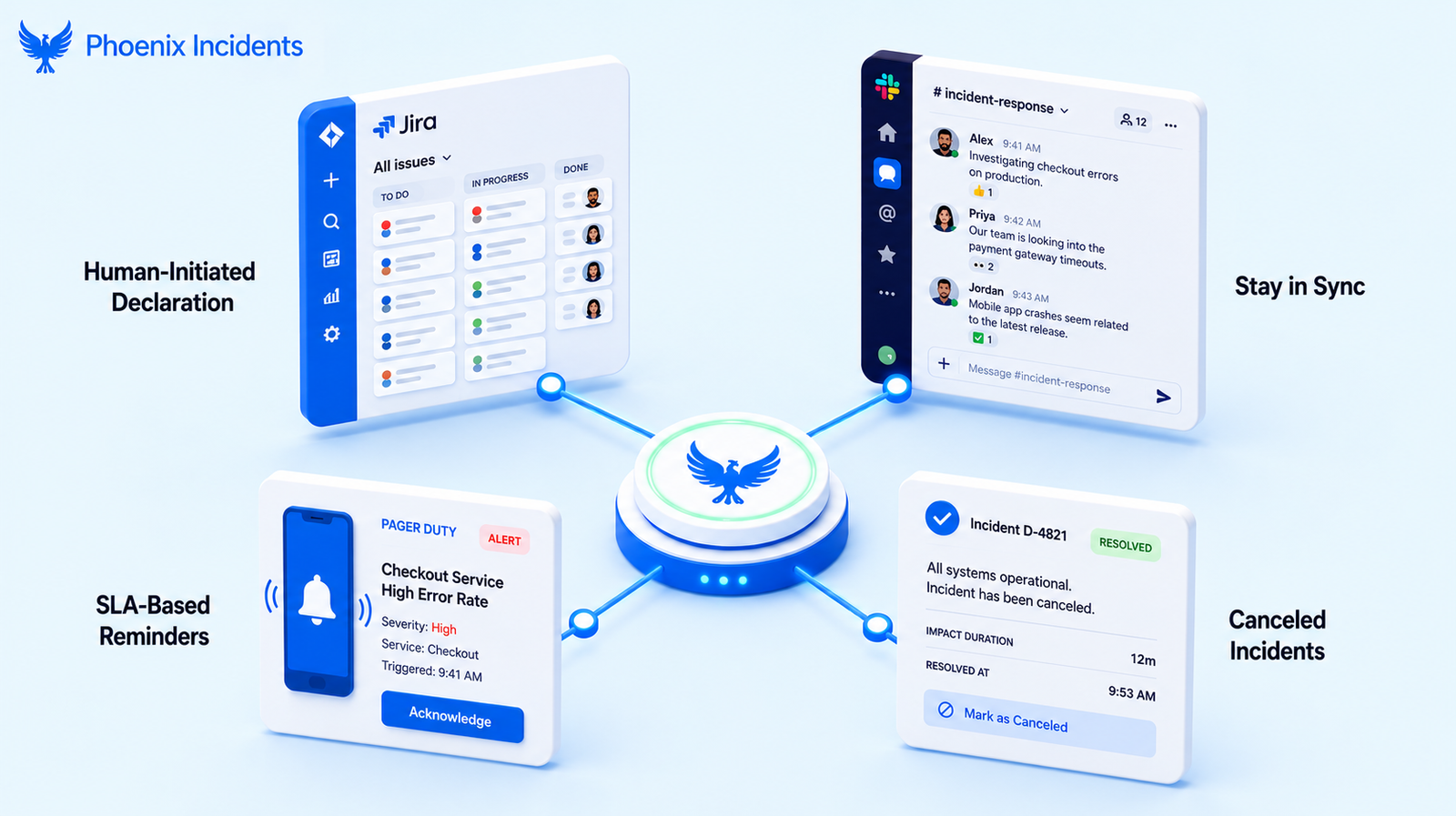
These are the gaps we built Phoenix Incidents to close. It's an incident management layer that lives inside Jira and Slack rather than asking your team to go learn a new tool.
And the reasoning behind it is simple:
- Engineers already work in Jira and Slack all day
- Context switching during an incident is genuinely expensive
- And what burns teams out is the procedural overhead piled on top of the response
Phoenix adds the incident-specific structure that plain Jira lacks, without displacing either tool.
1. Human-Initiated Declaration
Incidents don't always announce themselves with a clean alert. Plenty start as a bad feeling, a weird graph, or a customer complaint that doesn't feel right.
Phoenix supports explicit incident declaration by a human in the loop, which lowers the bar to raising your hand and actively encourages people to escalate early rather than wait for certainty.
2. Jira, Slack, and Paging Stay in Sync
Phoenix keeps Jira issue state, Slack incident channels, and your paging integrations aligned automatically. Whether you page through PagerDuty or Splunk On-Call, the record and the conversation stay in step without anyone reconciling them by hand mid-incident.
The manual glue simply goes away, and the coordination overhead that eats an incident commander's attention goes with it.
3. SLA-Based Reminders
Phoenix uses SLA-based reminders to keep status updates flowing without someone having to remember to send them, to make sure critical steps don't get skipped when everyone is under pressure, and to take routine follow-up prompts off the incident commander's plate.
The reminders carry the process so the humans can carry the thinking.
4. First-Class Canceled Incidents
This is one of the features that most clearly separates Phoenix from a stock Jira workflow.
Teams are encouraged to:
- Raise incidents early
- Required to choose a cancellation reason when one turns out to be a non-event
- And able to review those canceled incidents on a monthly or quarterly cadence
That one design choice quietly does a lot of good: it turns psychological safety into something real rather than a poster on the wall, it feeds directly into better alert tuning, and it gives junior engineers and support teams a gentle reference point while they're still learning what's worth escalating.
Put together, here's how the layer maps onto the gaps we walked through above:
Here's a cleaner, more direct version without the table:
Paging: Plain Jira and JSM often require manual setup or add-ons for paging. Phoenix Incidents provides native two-way sync with PagerDuty and Splunk On-Call.
Live coordination: With Jira alone, teams often copy updates between Jira and Slack. Phoenix Incidents automatically keeps both platforms synchronized.
Early escalation: Jira doesn't include a structured way to cancel or reclassify incidents. Phoenix Incidents supports canceled incidents with reason codes, making early escalation safer and easier.
Status updates: Jira relies on manual reminders and updates. Phoenix Incidents sends automated SLA-based prompts to keep responders on track.
Follow-up: In many workflows, post-incident action items are forgotten. Phoenix Incidents converts them into tracked Jira tasks through its RCA module, helping teams follow through on improvements.
Post-Incident Review: Where Jira Alone Falls Short
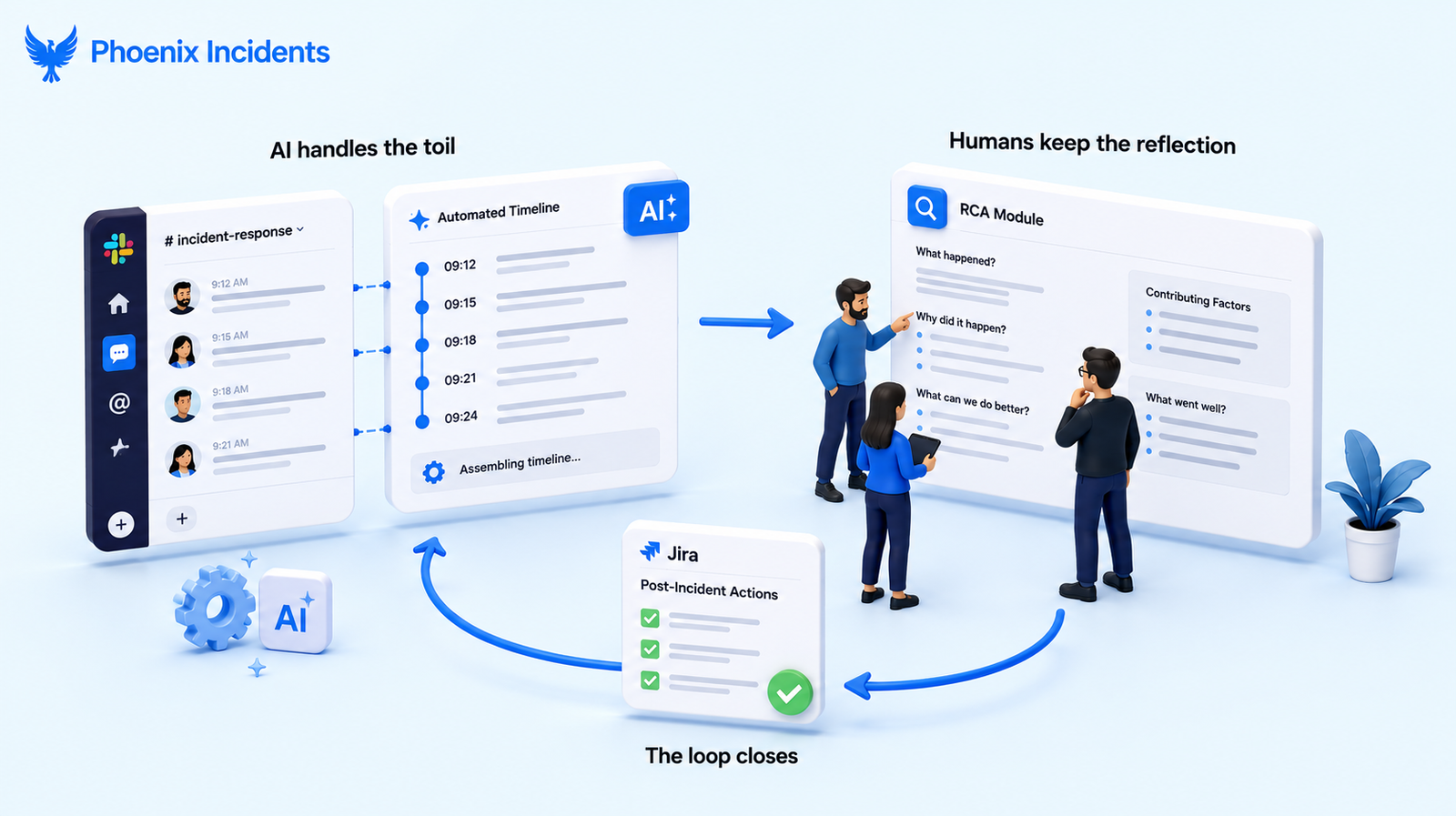
Once the fire is out, the learning is supposed to start, and this is where standard Jira and even the newest AI features in JSM tend to miss the point. There's a growing trend in incident tooling toward auto-writing the entire RCA for you. It looks slick in a demo and it's genuinely tempting, especially at the end of a long incident when everyone is tired.
But an auto-generated root cause skips the only part that actually matters, which is the human reasoning. The learning happens when engineers debate the causes and challenge each other's assumptions, and a language model handing you a finished narrative robs the team of exactly that.
Our philosophy is this: automate everything that doesn't teach you something. In practice, that means drawing a clear line between the parts a machine should carry and the parts your team needs to own:
- AI handles the toil: Phoenix reconstructs the timeline from Slack and suggests summaries, so responders aren't stuck reassembling what happened from scrollback.
- Humans keep the reflection: The debate over causes, the challenged assumptions, and the actual understanding of what broke stays with the people who lived it.
- The RCA module guides rather than replaces: The native Forge-based experience helps you build a stronger timeline and surface the blind spots you'd otherwise miss, without the hallucinated filler.
- The loop actually closes: Because it creates real Jira action items directly from the review, an incident isn't considered done until the last action item is complete, so the fixes get scheduled instead of evaporating into the backlog.
Let Jira Be the Database, Not the Engine
So, can Jira be used for incident management? Of course. But for a software engineering team, "using Jira" shouldn't mean manual duplication, configuration marathons, or a side quest to build and maintain your own tooling. Those are the costs that don't show up on the invoice and quietly eat your best engineers' time.
Your incident tool should connect the two places a response really lives: Slack, where the work happens, and Jira, where the record belongs. It should carry the toil so your people can think, and make early escalation feel safe rather than punished. Your engineers shouldn't have to act as Jira administrators or bot maintainers. Let Jira be the database, and let a purpose-built layer be the engine behind the response and the follow-up.
That's the gap Phoenix Incidents was built to handle: serious incidents that run end to end without ever leaving Jira and Slack.
See how Phoenix Incidents brings structure, clarity, and psychological safety to real incident response.
Frequently Asked Questions
1. Do I need Jira Service Management to manage incidents in Jira?
No. You can manage incidents with Jira Software and Slack. Jira Service Management adds ITSM features, but engineering teams can run an effective incident process without it.
2. What's the difference between an incident and a problem in Jira?
An incident is a live service disruption that needs immediate attention. A problem is the underlying cause of one or more incidents and is investigated after service has been restored.
3. What is an incident commander, and does Jira assign one?
An incident commander leads the response, coordinates the team, and keeps communication on track. Jira doesn't assign this role automatically, so teams usually designate it themselves.
4. Can Jira integrate with PagerDuty or Splunk On-Call?
Yes. Jira can integrate with tools like PagerDuty and Splunk On-Call. With the right integration, incident updates and alerts can stay synchronized across your tools.
5. Is Jira better than a dedicated incident management tool?
It depends on your workflow. Many engineering teams prefer managing incidents in Jira and Slack because they're already part of their daily workflow, reducing the need to switch between multiple platforms.
6. How do I stop incident action items from getting lost?
Link every action item to the original incident, assign an owner and deadline, and track progress in Jira. This helps ensure follow-up work is completed and prevents repeat incidents.