How to Reduce Context Switching During Incident Response

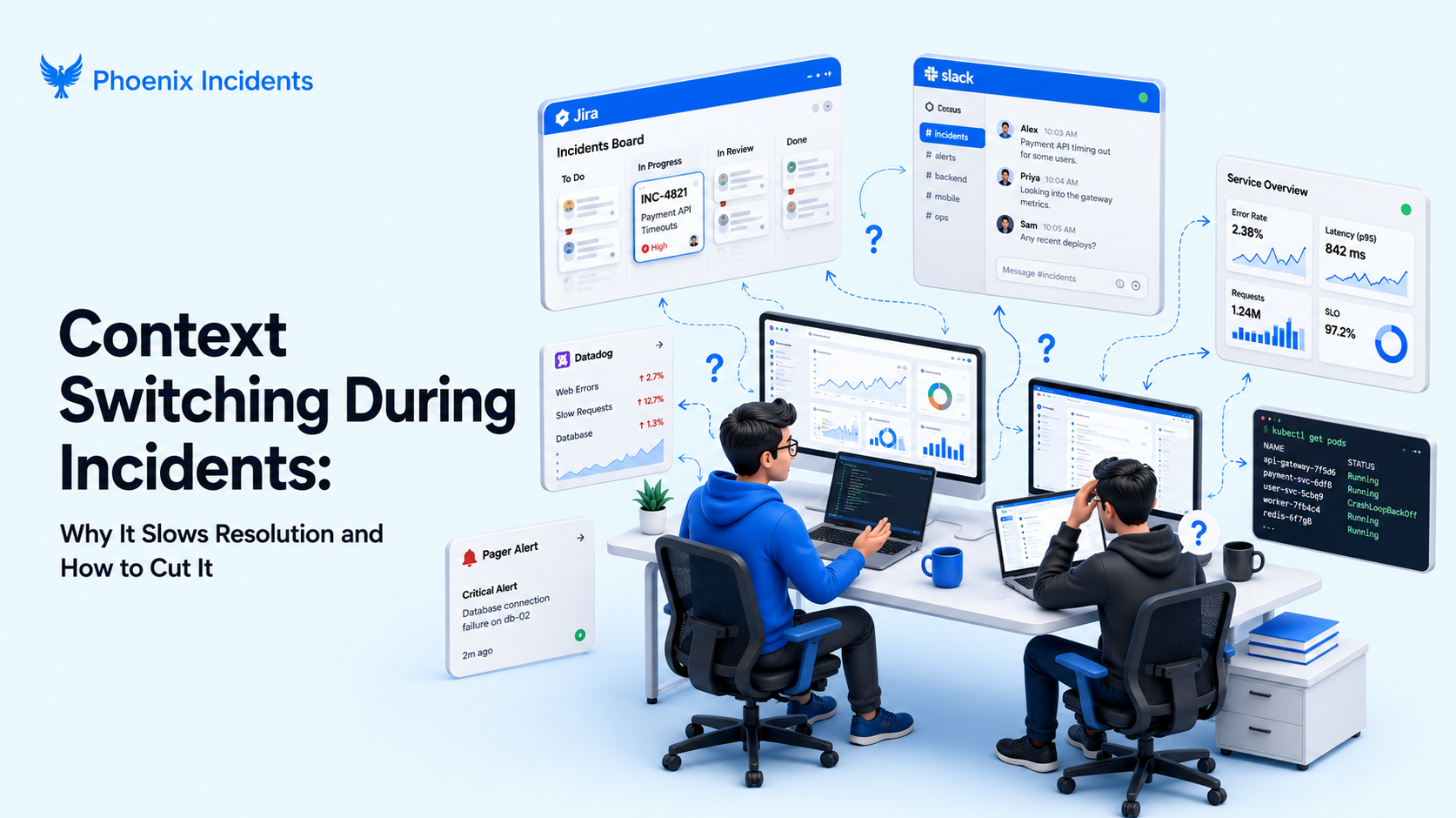
When an incident call slows to a crawl, the cause is rarely that the engineers don't know what they're doing. Look closely and you'll usually find everyone chasing context at the same time, jumping between Slack, Jira, paging tools, dashboards, and documents just to work out what's actually happening.
The engineers fixing the problem are doing it, the customer-facing teams trying to keep customers informed are doing it, and leadership trying to get a read on the situation is doing it too.
In the first few minutes, that scramble adds up. Updates live in different places, status drifts, and someone is always asking where the latest information is. It doesn't look dramatic, but it's expensive, and most teams accept it as the cost of doing business.
So where does all this leave engineering teams? This article breaks down how context switching shows up during incidents, why it gets worse under pressure, and what you can do about it without adding another tool.
What Is Context Switching in Incident Response?
Context switching is the act of rapidly shifting your attention between tools or tasks. It happens constantly in normal engineering work, but during an incident the cost climbs because the stakes are higher.
This is what the hopping between tools actually looks like in the middle of an incident:
- Checking Slack, Teams, or Zoom for the latest updates.
- Opening Jira to update the incident status or read the ticket history.
- Jumping into your paging tool to see who's on call.
- Answering stakeholders asking for a status.
- Reading dashboards, APM traces, and logs.
- Reviewing recent deployments and environment changes.
Engineers do all of that while also trying to diagnose and fix what broke. Each switch interrupts the flow, delays communication, and raises the odds that something important gets missed.
Coordination Switching vs. Telemetry Switching
Not all switching is the same, and this is where most advice goes wrong. There are two distinct kinds, and the tools that solve one do nothing for the other.
| Type | What you're hopping between | The usual "fix" | What it misses |
|---|---|---|---|
| Telemetry switching | Metrics, logs, traces, dashboards | A unified observability platform | Doesn't touch who owns what or status drift |
| Coordination switching | Slack, Jira, paging, docs, status updates | One coordination surface | Can't be solved by another dashboard |
Telemetry switching is the hopping you do to understand the system itself: combining your metrics, logs, and traces into one observability view genuinely helps here, and plenty of monitoring tools do it well.
Coordination switching is a different thing entirely. It's the jumping around you do to understand the response rather than the system:
- Who's leading
- What the current status is
- What's already been tried
- And what happens next
An observability platform can't fix that, because the answers don't live in your telemetry, they live in conversations and tickets and people's heads. That's why consolidating dashboards does nothing for it.
The thing is, you don't need to rip out your monitoring or paging tools to solve coordination switching. You just need to stop scattering the coordination layer across five places.
Why Context Switching Gets Worse During Incidents
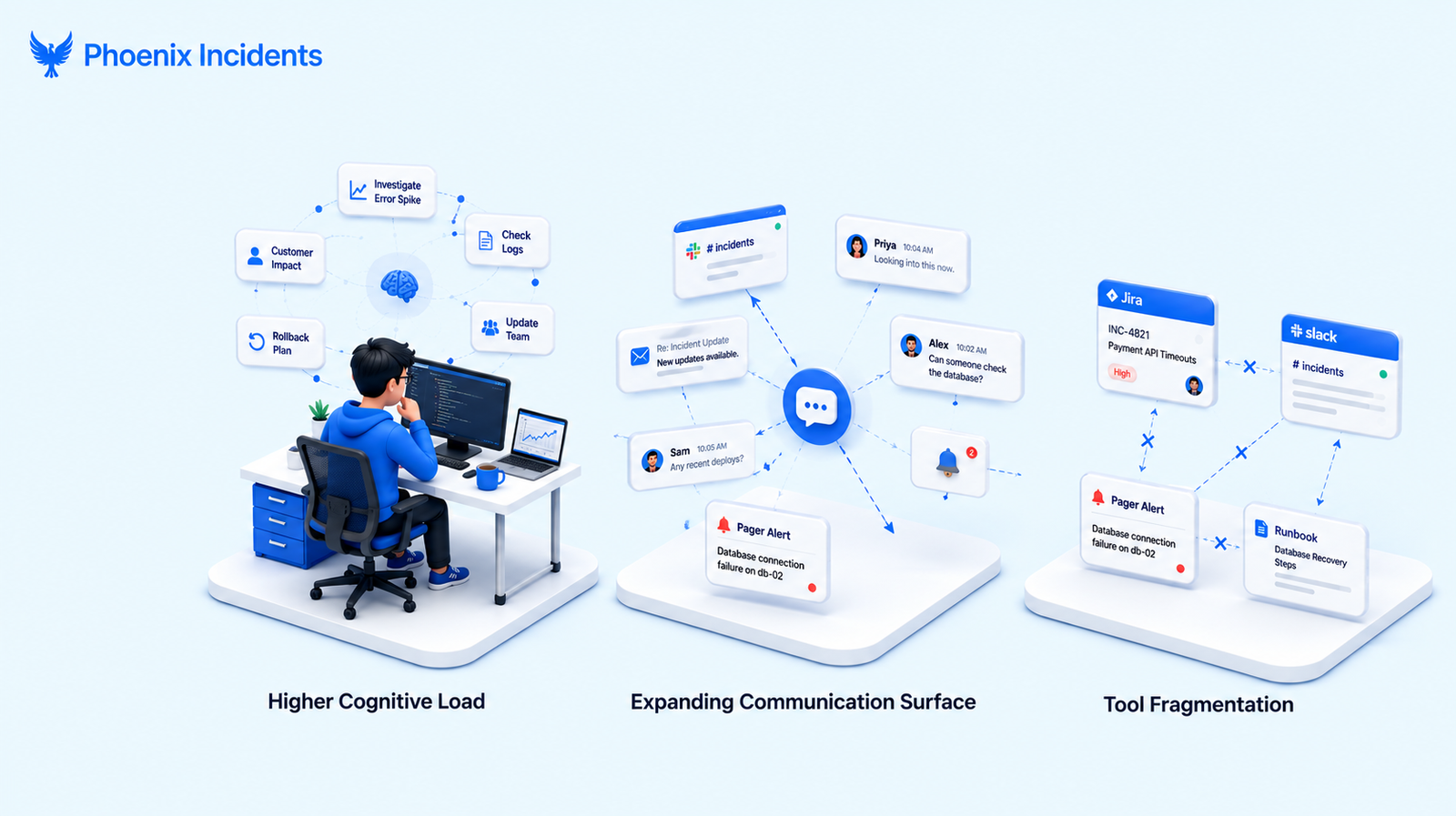
Three things stack up during an outage and turn ordinary switching into a real drag on resolution.
1. Higher Cognitive Load Under Pressure
During an incident an engineer is already juggling a lot at once:
- Diagnosing an unfamiliar failure mode.
- Coordinating across teams.
- Tracking customer impact.
- Managing SLAs and timelines.
- Communicating clearly to everyone watching.
Each of those demands working memory. If you add tool hopping to that, you're spending scarce attention on navigation instead of on the failure in front of you.
2. An Expanding Communication Surface
Incident communication rarely lives in one place. Without structure, responders end up checking email, Slack or Teams channels, the Jira ticket, a standalone incident tool, telemetry alerts, and paging notifications, all to answer one simple question about what's going on.
The more places an update could be, the longer it takes to find the one that matters, and the more often two people end up working from different versions of the truth.
3. Tool Fragmentation Without a Connective Layer
Most teams patch together four categories of system to run an incident:
- Real-time coordination: Slack, Teams, and similar.
- Issue tracking: Jira, Linear, and similar.
- Paging: PagerDuty, Splunk On-Call, Opsgenie, and similar.
- Documentation for RCAs: Google Docs, Confluence, and similar.
No single one of these is the problem. Each does its job well. The cost comes from the gaps between them, where status has to be copied by hand, kept in sync from memory, and reconciled later.
Phoenix Incidents closes those gaps by living where your team already works and talks, in Slack and Jira, integrating with paging tools where needed so nobody has to swivel between dashboards just to stay current.
How Context Switching Slows Incident Resolution
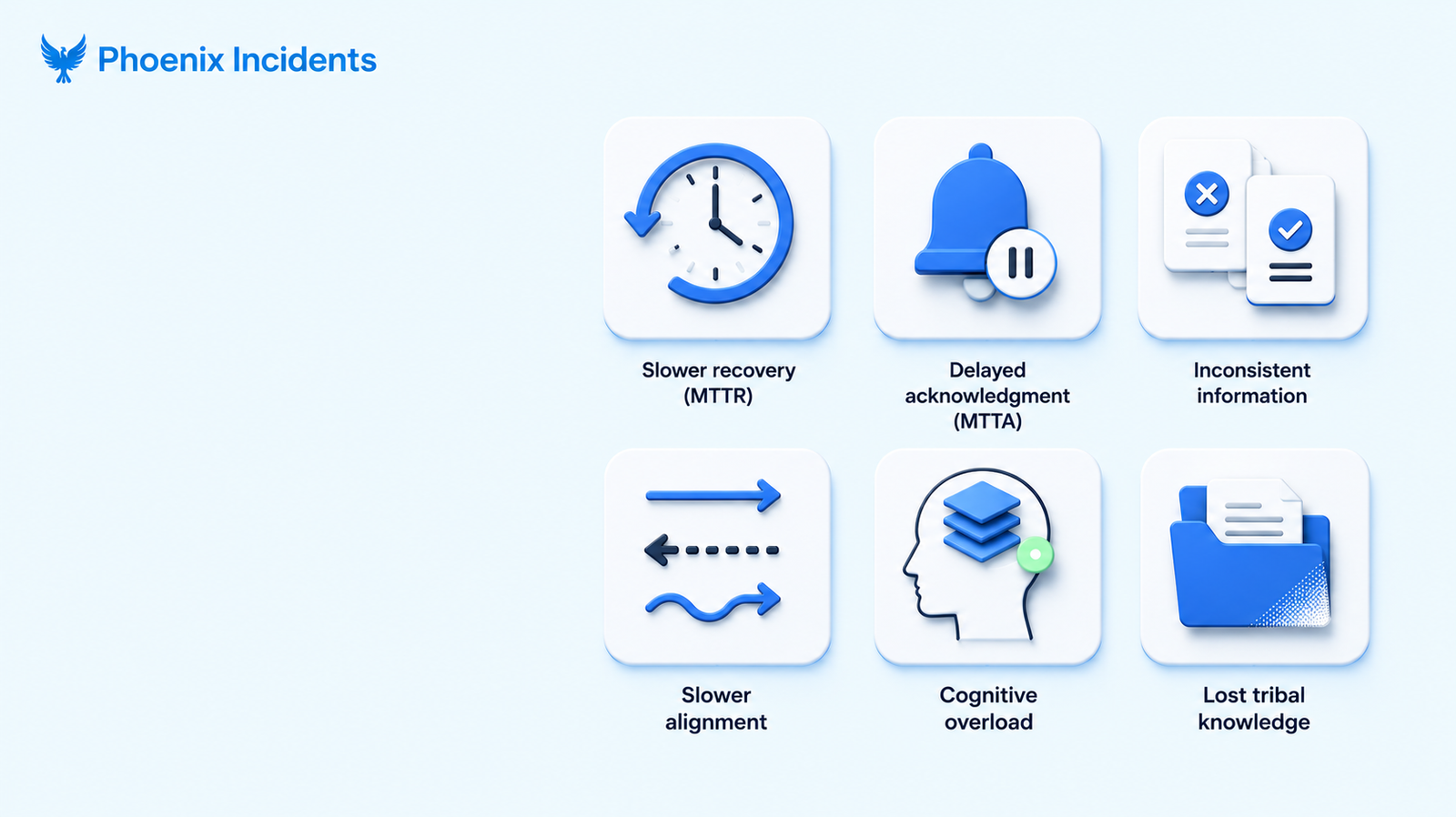
Every extra minute spent chasing updates compounds into something measurable: slower recovery, frustrated customers, and wasted engineering hours. For leadership this is a reliability problem, and it has a direct line to how fast the organisation recovers when something breaks.
Here is where the cost actually lands:
| Impact | What it looks like during an incident | Who feels it |
|---|---|---|
| Slower recovery (MTTR) | Minutes lost re-gathering context on every hop | Customers, on-call |
| Delayed acknowledgment (MTTA) | Extra seconds to minutes before coordination even starts | On-call |
| Inconsistent information | Mismatched severities, stale status, and conflicting notes | Everyone |
| Slower alignment | Time spent searching for updates instead of responding | Responders, stakeholders |
| Cognitive overload | Fatigue, missed details, and slower decisions | Engineers |
| Lost tribal knowledge | Reconstructing the RCA means digging across tools | Future responders |
Two of these deserve a closer look. The first is the raw business cost. The 2026 edition of Splunk's Hidden Costs of Downtime report, produced with Oxford Economics, put the average cost of unplanned downtime at around $15,000 per minute, and found the Global 2000 now lose roughly $600 billion a year to it, a 50% jump in just two years.
When coordination chaos stretches an incident by even a handful of minutes, that's the meter it's running against. Leadership pays the difference in engineer-hours per outage, slower customer recovery, and delivery that slips elsewhere on the roadmap.
The second is lost tribal knowledge. When the record of an incident is smeared across Slack threads, a Jira ticket, a paging tool, and a half-finished doc, assembling the post-incident review becomes a salvage operation. People burn out on it, RCAs land late, and the review starts to feel like cleanup rather than learning, which is exactly backwards from what it should be.
How Much Context Switching Is Your Team Carrying? The FOCUS Check
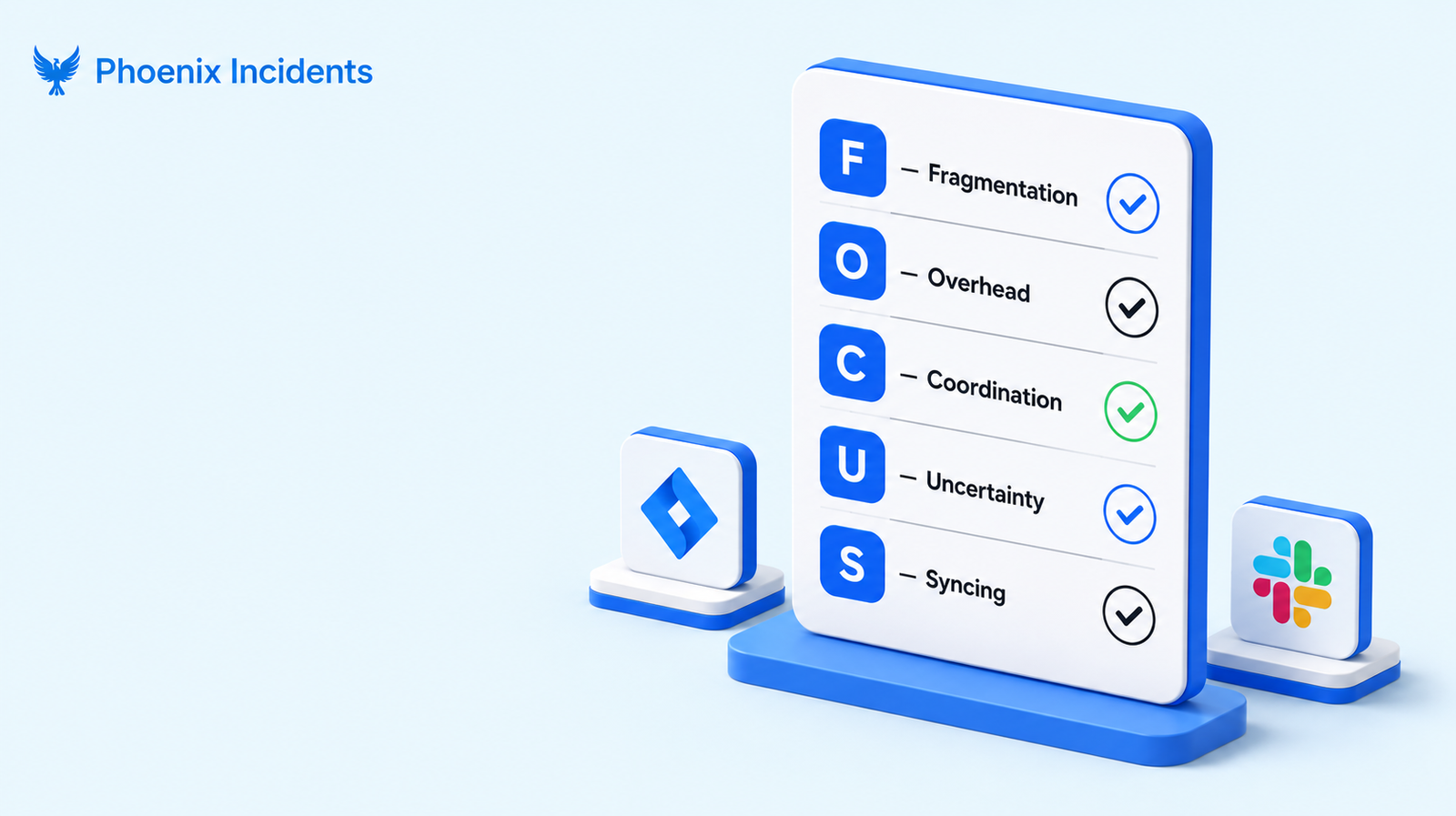
Most teams know switching is slowing them down but can't say by how much. Below is a quick way to gauge it. Run through the five FOCUS questions and answer each one honestly about your last few incidents.
- F — Fragmentation: Do responders touch four or more tools in the first ten minutes?
- O — Overhead: Do updates have to be copied by hand from one tool to another?
- C — Coordination: Is there one place everyone agrees is the source of truth, or several?
- U — Uncertainty: How often does someone ask where the latest update is?
- S — Syncing: Do your workspace, chat, and paging tools stay aligned on their own, or only when someone forces it?
If you answered negatively to three or more of these, context switching is taxing your incident response, and the people running your incidents are absorbing the difference.
Where Teams Fall by Size
Where switching breaks down usually depends a lot on how big the team is. The coordination approach that works fine at ten people most likely falls apart at fifty.
| Team size | Typical coordination | Where switching breaks |
|---|---|---|
| Under 10 | Informal in Slack, everyone knows who to ping | Falls apart the moment two incidents run at once |
| 10–50 | A single #incidents channel | Status drifts between Slack and Jira |
| 50–100+ | Multiple tools and a formal process | Hand-offs multiply and no one source of truth holds |
The pattern is consistent. As headcount grows, informal coordination stops working and the gaps between tools widen, until the thing slowing you down isn't the outage at all but the overhead wrapped around it.
How to Reduce Context Switching During Incidents
The good news is that most of this is fixable without spending a cent. The principles below hold no matter which tools your team runs, because they're about how you organise the response, not which products you've bought.
- Pick one coordination surface: Decide where status, ownership, and decisions live, and treat everything else as secondary. For most engineering teams that's Slack. When everyone knows that one channel is the source of truth, nobody wastes time wondering which tool has the latest update.
- Reduce surfaces, don't add tools. The instinct under pressure is to reach for more structure and more dashboards. That usually backfires, because each new surface is one more place to check. The teams with better outcomes cut surfaces instead.
- Surface on-call and ownership inside the incident channel: Don't make people click out to a paging tool to find out who's responsible. Put the actual name, the backup, and the escalation path directly where the conversation is happening, so the answer is visible the moment someone needs it.
- Keep post-incident learnings short and close to the action: A few bullets on what changed and what to watch for, surfaced when the next similar incident starts, beats a polished document nobody opens.
- Automate status sync so updates aren't copied by hand: Every manual copy between tools is a chance for the two to fall out of step, which is how you end up with Slack saying one thing and Jira another. Letting the tools update each other keeps everyone working from the same picture.
None of this requires a new platform.
Reducing Context Switching With Phoenix Incidents
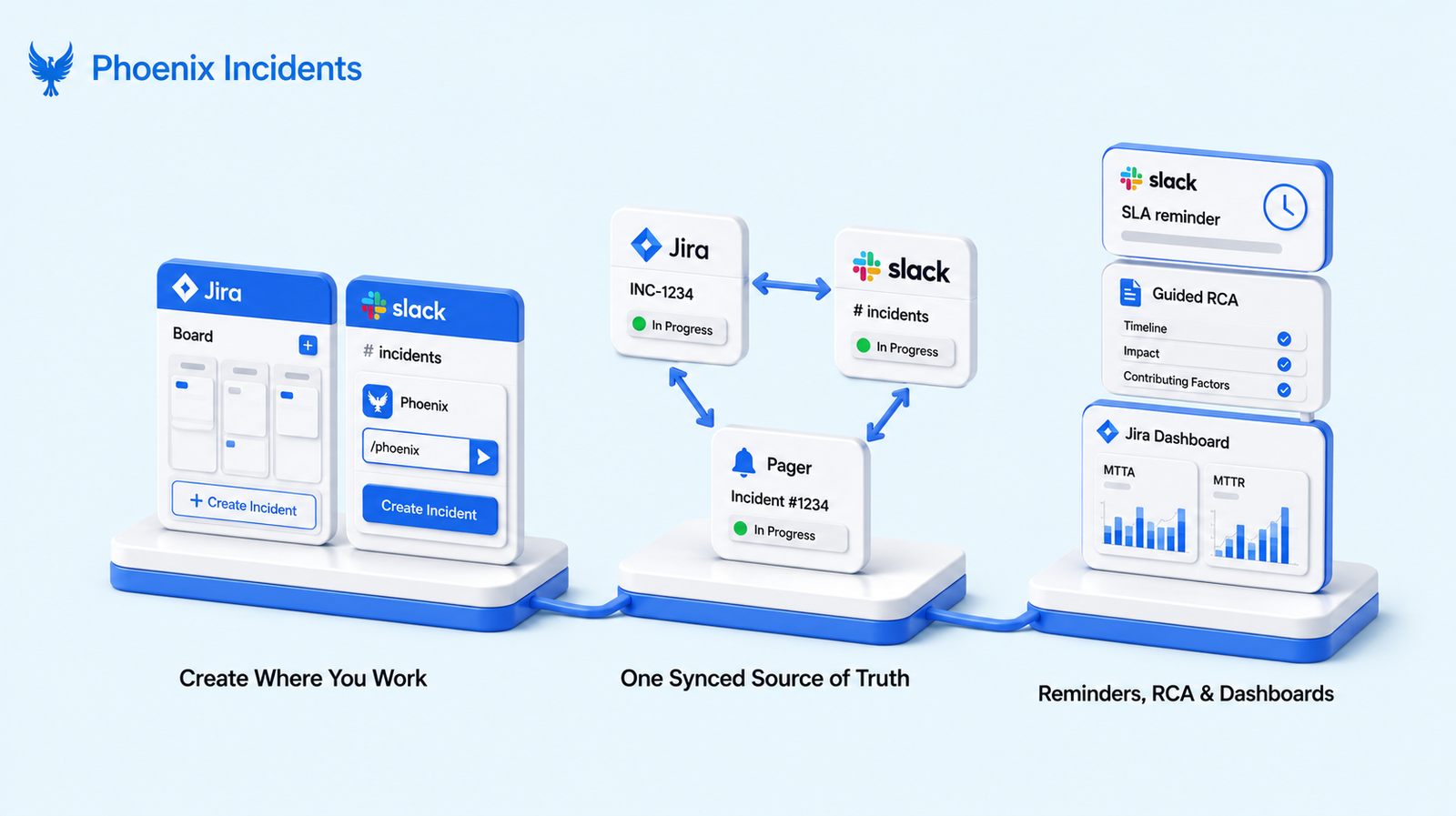
This is where Phoenix Incidents fits. The whole product is built around one idea: coordination should stay inside the tools your engineers already live in, Jira and Slack, with paging tools integrated rather than replaced.
This is how it looks at a glance, before we walk through how each part works:
Before and After Phoenix Incidents
| Before | After |
|---|---|
| Slack threads scattered everywhere | One channel per incident |
| Jira and Slack out of sync | Jira and Slack aligned automatically |
| Manual copying between tools | No app-hopping |
| Missed SLAs | SLA reminders in-channel |
| "Where's the latest?" | One visible source of truth |
| RCA scattered across tools | Guided RCA with themes and actions. |
1. Create Incidents Where You Already Work (Jira or Slack)
The first context switch is usually the one where you leave your current tool to go declare the incident somewhere else. Phoenix removes it.
If you're in Jira, you can create an incident directly with our Jira-native tool available in Atlassian Marketplace, no need to open a separate tool or navigate away from the ticket you're already triaging.
If you're in Slack, you create one with a slash command (/phoenix) right in the channel where the problem is being discussed. Either way, acknowledging and escalating happens where the team already is, with no detour to log into another platform.
2. One Synced Source of Truth Across Jira, Slack, and Paging
A change made in Jira updates Slack and your paging tool automatically, and a change in Slack flows back the other way. Phoenix spins up a dedicated Slack channel for each incident once it's escalated, so every responder sees the same synced status without bouncing to Jira to check.
One clarification worth making for engineering teams: Jira Software's built-in incidents feature requires Jira Service Management access, so plain Jira Software on its own doesn't include it.
Phoenix Incidents however, works in plain Jira Software plus Slack, which is exactly where most engineering teams already operate.
3. SLA Reminders, Guided RCA, and In-Jira Dashboards
Three more mechanisms remove the recurring switches that pile up across an incident's lifecycle:
- SLA-based reminders in Slack keep the team on track through each phase, from posting regular updates to acknowledging and verifying, without anyone having to watch a clock.
- Guided RCA walks you through the post-incident review with thematic tagging and action-item collection, so the record assembles itself instead of becoming an archaeology project.
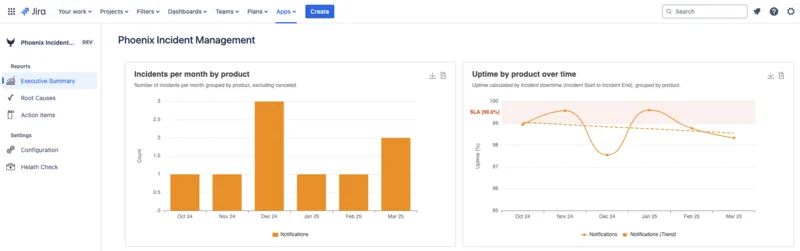
- Dashboards inside Jira report MTTA, MTTR, uptime, SLA performance, recurring themes, and overdue action items, with no separate reporting tool to open.
Stop Paying the Coordination Tax
Context switching is one of those costs teams normalise without registering how much it's taking, especially during incidents. The problem usually isn't a shortage of tools, since most teams already have plenty. The problem is how disconnected those tools become the second an incident starts.
More teams and more tools mean more hand-offs, and without a system that standardises how incidents run, leadership loses visibility at the exact moment both matter most.
If incident response feels harder than it should, it usually is.
Book a demo and see what it looks like when coordination stops getting in the way.
Frequently Asked Questions
1. What causes context switching during incident response?
It comes from the number of separate places an incident lives. A typical response spans between a chat tool, an issue tracker, a paging system, dashboards, and documents, and each one holds a piece of the picture. Responders switch between them to assemble the full state, and each switch costs focus and time. The more tools in play and the less they talk to each other, the worse it gets.
2. How does context switching affect MTTR?
It lengthens it. Every hop between tools to re-gather context is time not spent diagnosing or fixing the problem, and those minutes compound across the life of an incident. Switching also raises the chance of working from stale or conflicting information, which leads to wrong turns that stretch resolution further. Reducing the number of surfaces responders touch is one of the more direct ways to bring MTTR down.
3. Does reducing context switching mean replacing our monitoring or paging tools?
No, and that's the point. Your monitoring and paging tools solve telemetry switching, which is a different problem. Coordination switching is about where status and ownership live, not where your data lives. The fix is to bring the coordination layer together and keep your existing tools connected to it. Phoenix Incidents integrates with paging tools like PagerDuty, Splunk On-Call, and Opsgenie rather than replacing them.
4. Can you reduce context switching without adding another tool?
Largely, yes. Picking a single coordination surface, surfacing on-call and ownership directly in the incident channel, and keeping post-incident notes short and close to the work all cut switching without new software. Where a tool helps is in automating the sync between the surfaces you already keep, so updates stop being copied by hand and the versions stop drifting apart.