How to Write an Incident Report: The Engineering Team's Guide (Examples, Templates & Rubric)

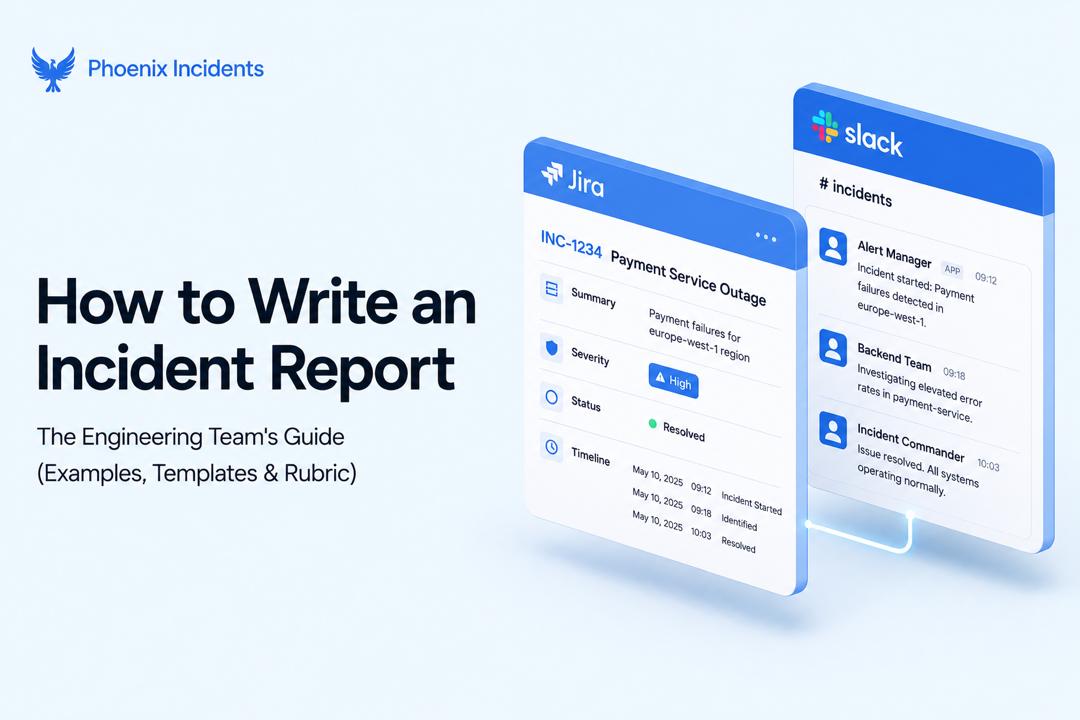
Search "how to write an incident report" and you'll mostly find workplace safety forms and OSHA compliance checklists.
Useful if you're documenting a warehouse injury, but not so useful if you're an engineer trying to document a production outage, a failed deployment, or a database that fell over at 2 a.m.
This guide is for that second group.
If you're an SRE, platform engineer, or on-call developer who needs to write incident reports for software systems, everything below is built around your workflow.
What Is an Incident Report?
An incident report is a factual record of what happened during a service disruption: when it started, what it affected, how the team responded, and where things stood when the report was written.
It's written close to the event, while logs, alerts, and Slack threads are still fresh, and it exists to inform anyone who wasn't in the room during the response.
This guide covers the incident report as engineering and IT teams write it, which typically means documenting:
- Production outages
- Cloud and infrastructure failures
- Kubernetes incidents
- API downtime
- Failed deployments
- Database failures
- Security incidents
- Service degradation
Incident Report vs. Postmortem: What's the Difference?
These two terms get used interchangeably, and that's where a lot of teams lose clarity on what they're actually supposed to produce.
An incident report and a postmortem serve different moments in the same event, and confusing them usually means one gets skipped or both get rushed.
- Written: Incident report goes out during or immediately after the incident. Postmortem follows days after resolution.
- Focus: Incident report sticks to facts, timeline, and immediate response. Postmortem digs into root cause and systemic analysis.
- Length: Incident report is short. Postmortem is detailed.
- Audience: Incident report reaches the on-call team and stakeholders. Postmortem reaches the broader engineering org and leadership.
- Purpose: Incident report documents and communicates. Postmortem captures what the team learns and how it prevents recurrence.
Think of the incident report as the record of what happened and the postmortem as the analysis of why it happened and what changes to make to avoid it.
A SEV1 outage might generate a short incident report the same day and a full postmortem a week later, once the team has had time to dig into contributing factors.
Smaller incidents might only ever need the report. For more on the postmortem side of this, see our [post-incident review guide]. Link to (Post-Incident Review: How High-Performing Engineering Teams Run PIRs in Jira and Slack).
Anatomy of a Strong Incident Report
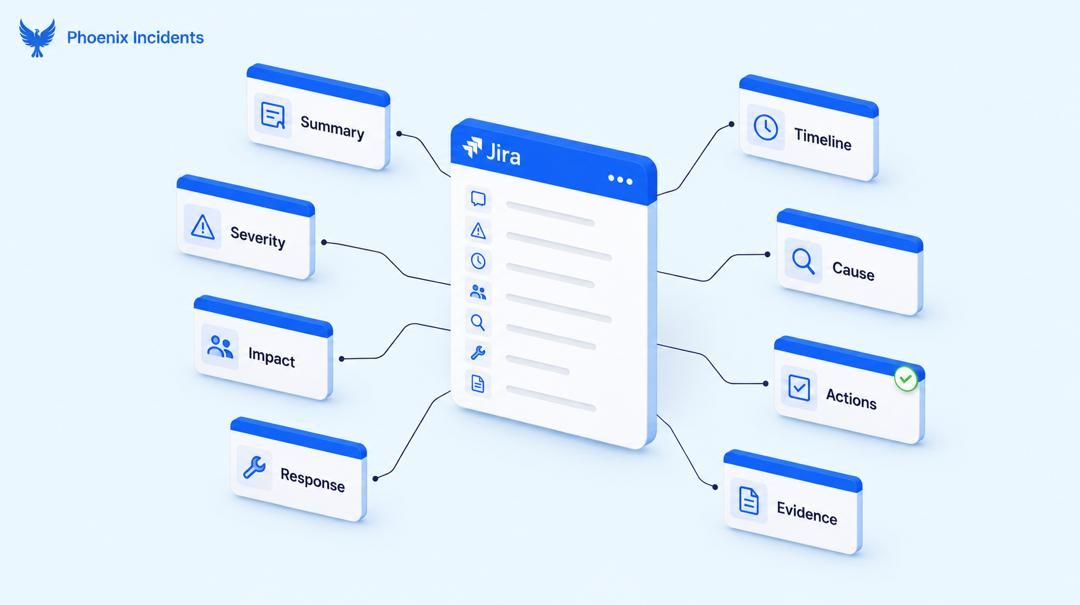
Regardless of what caused the incident, a strong report answers the same core set of questions.
Google's SRE Book lays out a similar structure, and it holds up well across teams of every size.
Required Fields
- Summary: Two or three sentences describing what happened, written so someone with zero context understands it immediately.
- Severity: The classification (SEV1, SEV2, SEV3, or whatever scale your team uses) and why it landed there.
- Timeline: A chronological, timestamped account from detection through resolution.
- Impact: Which systems, services, and users were affected, and for how long.
- Root cause: The confirmed cause, or the working theory if the investigation is still ongoing.
- Immediate response: What the on-call team actually did: rollback, failover, manual mitigation, whatever stopped the bleeding.
- Action items: The follow-up work, each with an owner and a due date.
- Supporting evidence: Links to logs, dashboards, alert history, and relevant Slack threads or deploy records.
Not every field carries equal weight on every incident.
Example: A SEV3 blip doesn't need the same depth of root cause analysis as a customer-facing outage, which is where severity comes back into the picture.
How Much Report You Actually Need: A Severity-Based Framework
One of the more common mistakes is applying the same template regardless of how serious the incident actually was.
A minor internal degradation doesn't need a full report, and treating it like one usually backfires: small incidents stop getting reported at all, because writing them up feels like too much effort for too little in return.
| Severity | Example | Report Weight | Due By |
|---|---|---|---|
| SEV1 | Full customer-facing outage | Full report, followed by a postmortem | Report within 24 to 48 hours |
| SEV2 | Partial degradation, limited user impact | Standard report | Within 48 hours |
| SEV3 | Minor or internal-only issue | Lightweight report | Within a week |
A SEV1 report usually gets reviewed by more than just the on-call engineer, often including an incident commander sign-off, and it's more likely to trigger a full postmortem. While a SEV3 report might just be a few lines in the ticket confirming what happened and that it's resolved.
Matching effort to severity is what keeps the practice sustainable instead of becoming something engineers quietly stop doing.
A Real Incident Timeline Example
"Write chronologically" is common advice, but it doesn't show you what that actually looks like in practice.
This is a real-world style timeline for a SEV1 outage:
09:41: Alert triggered (elevated 5xx errors on api.example.com)
09:43: On-call engineer acknowledged the page
09:45: Service identified as the auth gateway
09:48: Rollback initiated to previous deploy
09:55: Traffic restored to healthy state
10:10: Incident declared resolved, monitoring continues
Read more on a practical Jira incident management lifecycle.
Why Timestamps Matter More Than Prose
A timeline built from exact timestamps tells a story your team can trust months later, especially when someone's trying to understand time to acknowledge, time to identify, and time to resolve without re-reading a wall of paragraphs.
It's also the first place engineers look when they're calculating MTTA and MTTR, so vague phrasing like "shortly after" or "a few minutes later" breaks that analysis.
So, it’s always the best choice to pull the exact timestamps from your alerting tool and deploy history rather than reconstructing them from memory once the incident's over.
Incident Report Examples: Bad, Good, and Excellent
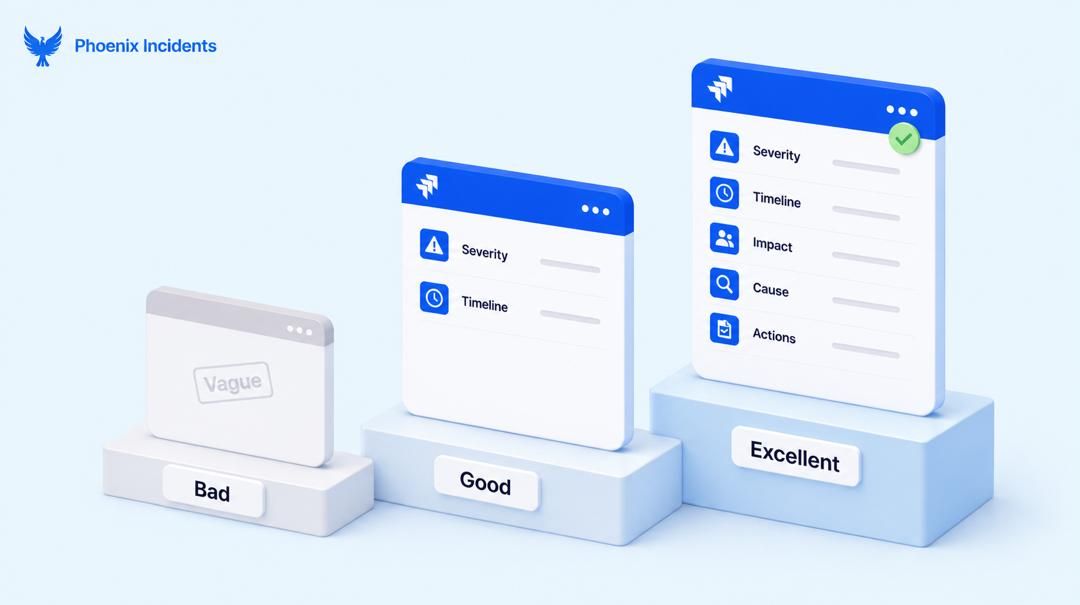
Seeing the same incident written three different ways is the fastest way to understand this, because it shows exactly what separates a report nobody trusts from one the next on-call engineer can actually learn from.
Bad Example:
- API was down for a while, fixed now.
No severity, no timeline, no affected systems, not even a root cause for the next engineer to reference.
This kind of report usually gets written when someone's exhausted after an incident and just wants to close the ticket. Avoid writing reports like these.
Good Example:
- SEV2 incident. API returned elevated error rates from 09:41 to 09:55. Rollback resolved the issue. Root cause under investigation.
This is better. There's a severity, a rough timeline, and an action taken.
It’s still missing specific systems affected, user impact, and any follow-up ownership, but it’s better than the last report.
Excellent Example:
Severity: SEV1
Affected systems: api.example.com, mobile app v3.4 and above
Timeline: 09:41 alert triggered, 09:43 acknowledged, 09:45 service identified, 09:48 rollback initiated, 09:55 traffic restored, 10:10 resolved
Impact: ~12,000 users unable to log in for 33 minutes
Root cause: Expired TLS certificate on the auth gateway caused every login request to fail
Response: Rotated the certificate and redeployed the gateway; routed traffic to the standby region as a temporary workaround
Action items: Add certificate expiration monitoring (owner: J. Alvarez, due Friday), automate rotation for auth gateway certs (owner: platform team, due next sprint)
This is the best version. It gives the next on-call engineer everything they need without opening a single Slack thread.
Common Incident Report Mistakes
A handful of habits show up constantly in weak reports, and most of them are easy to fix once you know to look for them:
- Assigning blame instead of describing the system condition that allowed the failure.
- Emotional or subjective language that reads more like a complaint than a record.
- Missing or approximate timestamps that make the timeline impossible to trust.
- Guessing at root cause before it's actually confirmed, then never correcting it.
- Omitting user or business impact, which is often the detail leadership cares about most.
- No owned follow-up actions, so the same failure can happen again.
Objective, timestamped, and specific beats detailed but vague every time.
A report that says "the deploy pipeline failed" tells you less than one that says "the deploy pipeline failed at the database migration step because the staging schema was out of sync with production."
Can AI Write Your Incident Report?
AI tools are increasingly capable of drafting a first pass of an incident report from raw incident data, but the tool doesn't replace the engineer's judgment.
It just shortens the time it takes to get from paged to written.
What AI Is Good For
- Drafting a timeline from Slack thread timestamps, alert history, and deploy logs.
- Summarizing a long incident channel into a coherent narrative.
- Generating a first-pass structure so the writer starts editing instead of staring at a blank page.
What AI Should Not Do
- Determine root cause on its own, especially before a human has confirmed it.
- Decide what counts as user impact or business impact without a person checking the numbers.
- Use language that assigns blame to a person or team, even accidentally, based on how the source data reads.
Human Review Checklist
- Confirm every timestamp against the actual alert and deploy logs, not the AI's paraphrase of them.
- Read the summary for blaming language and rewrite anything that points at a person instead of a system condition.
- Verify the root cause is confirmed, not inferred, before it goes in the report.
- Check that action items have real owners and due dates, not vague placeholders.
Sample Prompts for Drafting
- "Summarize this incident Slack thread into a factual timeline with timestamps, no speculation about cause."
- "Draft an incident report summary from this alert log and deploy history. Keep it neutral and avoid attributing the failure to any individual."
- "List the affected systems and estimated user impact based on this monitoring data."
Incident Report Quality Rubric
Here, we have a way to score your incident reports out of 100, useful for spot-checking your team's incident report habits over time or training new engineers on what "good" looks like.
| Category | What to Look For | Points |
|---|---|---|
| Completeness | All required fields present: summary, severity, impact, root cause, response, action items | 20 |
| Accuracy | Timestamps and facts verified against logs, not written from memory | 20 |
| Timeline clarity | Chronological, timestamped, and understandable without extra context | 20 |
| Evidence and documentation | Linked logs, dashboards, alerts, or deploy records backing up the claims | 20 |
| Corrective actions | Follow-up items have a named owner and a due date, not just a vague to-do | 20 |
| Total | 100 |
A report scoring in the 60s usually has the basics (summary, rough timeline) but is missing owned action items or supporting evidence.
A report in the 90s has confirmed timestamps, clear impact numbers, a verified root cause, and follow-up work that's already been turned into tracked tickets.
If your team's reports are consistently landing below 70, that's usually a signal the process needs a template.
Writing Incident Reports Without Leaving Jira
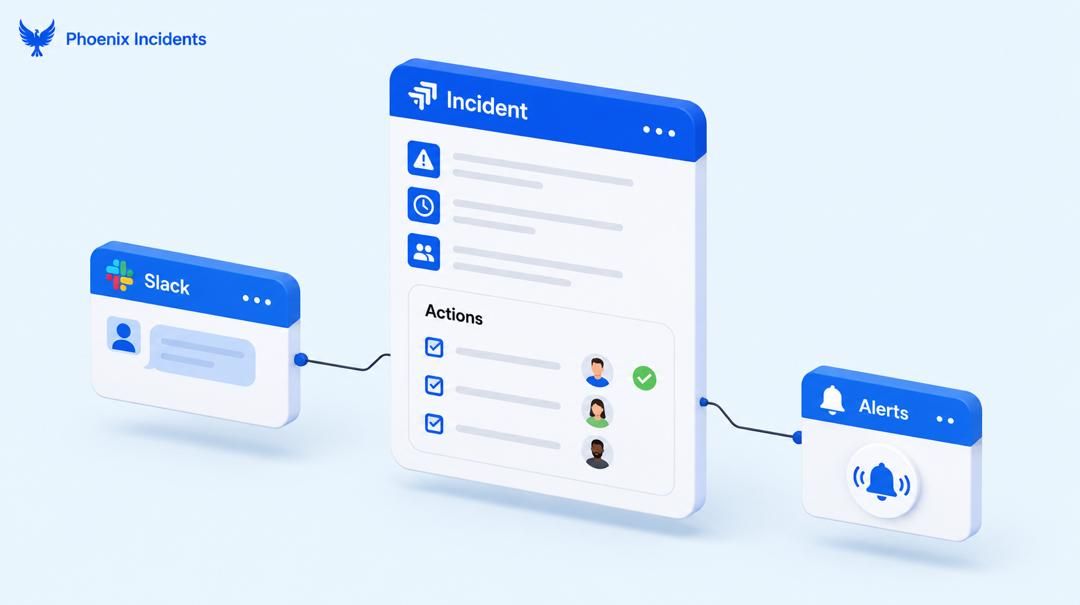
Most guidance on this topic assumes the report lives somewhere separate from where the incident actually happened: a Google Doc, a wiki page, a tool built specifically for incident response.
For teams already running Jira and Slack, that means copying information out of the ticket where the incident lived and into yet another document.
Linking the Report to the Originating Ticket
The report is most useful when it stays connected to the incident that produced it.
That means the timeline, root cause, and action items live alongside the original ticket rather than in a disconnected doc that someone has to remember to cross-reference months later.
Turning Action Items Into Tracked Issues
An action item that isn't an owned ticket tends to disappear. The strongest incident reports turn each follow-up action into its own Jira issue with an assignee and a due date, linked back to the incident, so the corrective work is traceable instead of living as a bullet point nobody revisits.
This is where Phoenix Incidents fits.
It coordinates incident response across Jira, Slack, and paging tools without asking your team to adopt a new platform.
Reports, timelines, and follow-up tickets stay where your engineers already work, which matters given that downtime now costs Global 2000 companies an average of $300 million a year and that cost keeps climbing the longer incidents take to resolve and learn from.
Want to see this running in your Jira?
Book a demo with Phoenix Incidents and we'll walk through how your team's incident reports can stay connected to the ticket, timeline, and follow-up work, without leaving Jira.
Frequently Asked Questions
1. Does Jira Service Management have incident report templates?
JSM ships with a built-in incident workflow and post-incident review request type, but it's built for ITSM-style processes. Teams running plain Jira Software plus Slack, without the full JSM setup, often need a lighter-weight approach that still produces a structured report.
2. What's the difference between an incident report and a JSM post-incident review?
A JSM post-incident review is Atlassian's specific ITSM artifact, tied to their incident workflow and gated behind certain plan tiers. An incident report, as covered in this guide, is the broader engineering practice of documenting an incident's timeline, impact, and root cause, which teams can do regardless of whether they're using JSM's ITSM tooling.
3. Can incident reports be fully automated?
Not fully, and that's by design. AI can draft a timeline and structure a first pass from alert logs and Slack threads, but confirming root cause, verifying impact numbers, and assigning ownership on action items still need a human. Full automation risks locking in a guessed root cause or blaming language.
4. Do you need a dedicated incident management tool to write good incident reports?
No. A structured template, a consistent severity framework, and a place to link supporting evidence get you most of the way there, regardless of tooling. What a dedicated tool like Phoenix Incidents adds is keeping that report connected to the originating ticket and turning action items into tracked issues automatically, rather than relying on someone to do that linking by hand.
5. Who is responsible for writing the incident report?
Usually the incident commander or the on-call engineer who led the response, sometimes with a designated scribe capturing the timeline in real time during the incident itself.