Can Jira Be Used for Incident Management?

Jira is where your engineering truth lives. It’s where your bugs, work, roadmap, and sprint cycles are tracked. So when a production system starts melting down, it makes perfect sense to want your incident data there, too. You don't want another silo.
The problem is that vanilla Jira is a destination for data, not a tool for live response. It’s an island. On its own, Jira can't page an on-call engineer, it doesn't know how to spin up a dedicated war room in Slack, and it certainly doesn't keep those places in sync. Forcing Jira to handle a live incident usually means a human has to act as the "manual glue"—copy-pasting updates between Slack and a ticket while the site is still down. The goal isn't to replace Jira; it’s to give it the "connective tissue" it needs to handle a real-time crisis.
What Incident Management Requires (Beyond a Ticket)
Before asking whether Jira works, it’s worth aligning on what incident management actually involves. For real production incidents, teams need to manage:
- Incident declaration
- Clear ownership and roles.
- Real-time coordination across multiple team members.
- Ongoing communication with the business.
- Consistent updates across tools.
- Structured follow-up and learning.
Incident management is not just tracking work/incidents; it’s organizing and managing people, communication, and decisions under time pressure. That distinction is where many Jira-based setups struggle.
Is Jira an Incident Management Tool?
Not in the strict sense. Jira fundamentally:
- Tracks issues
- Optimizes asynchronous work.
- Work around planned workflows.
Incidents, by contrast, are:
- Time-critical.
- Highly collaborative.
- Communication-heavy.
- Often ambiguous at the start.
Hence, Jira needs significant structure, customization, and discipline to function in incident scenarios.
The Reality of Jira Service Management (JSM)
Atlassian’s answer to the that gap is JSM. While it adds "Incident" issue types and alerting, it’s fundamentally built for the broad needs of IT Helpdesks—handling laptop requests and password resets. For a software engineering team facing a P0 outage, it usually introduces three major friction points:
- The Configuration Tax: JSM is a toolbox, not a solution. You can spin up an "Incident" template, but making it actually fit a high-velocity engineering workflow—tuning the automations, permissions, and tool-syncs—is where the weeks of work happen. Most teams want to respond to incidents, not spend their lives as Jira Administrators.
- The AI Learning Gap: JSM leans heavily on AI to auto-write RCAs and "Five Whys." It looks great in a demo, but it’s a trap. The value of a Post-Mortem isn't the document; it’s the conversation. If an LLM auto-generates your root cause, nobody learns, and the document just becomes noise. You can't outsource engineering culture to a bot.
- The "Jack of All Trades" Problem: JSM is a jack-of-all-trades. It treats a "broken printer" ticket with the same DNA as a "database outage" ticket. It lacks the focus required for high-stakes production bugs.
In short: JSM gives you a massive kit of parts you have to assemble yourself. Phoenix Incidents gives you a high-performance process that’s ready in minutes, sitting directly on top of the Jira projects you already use.
The High Cost of Manual Glue
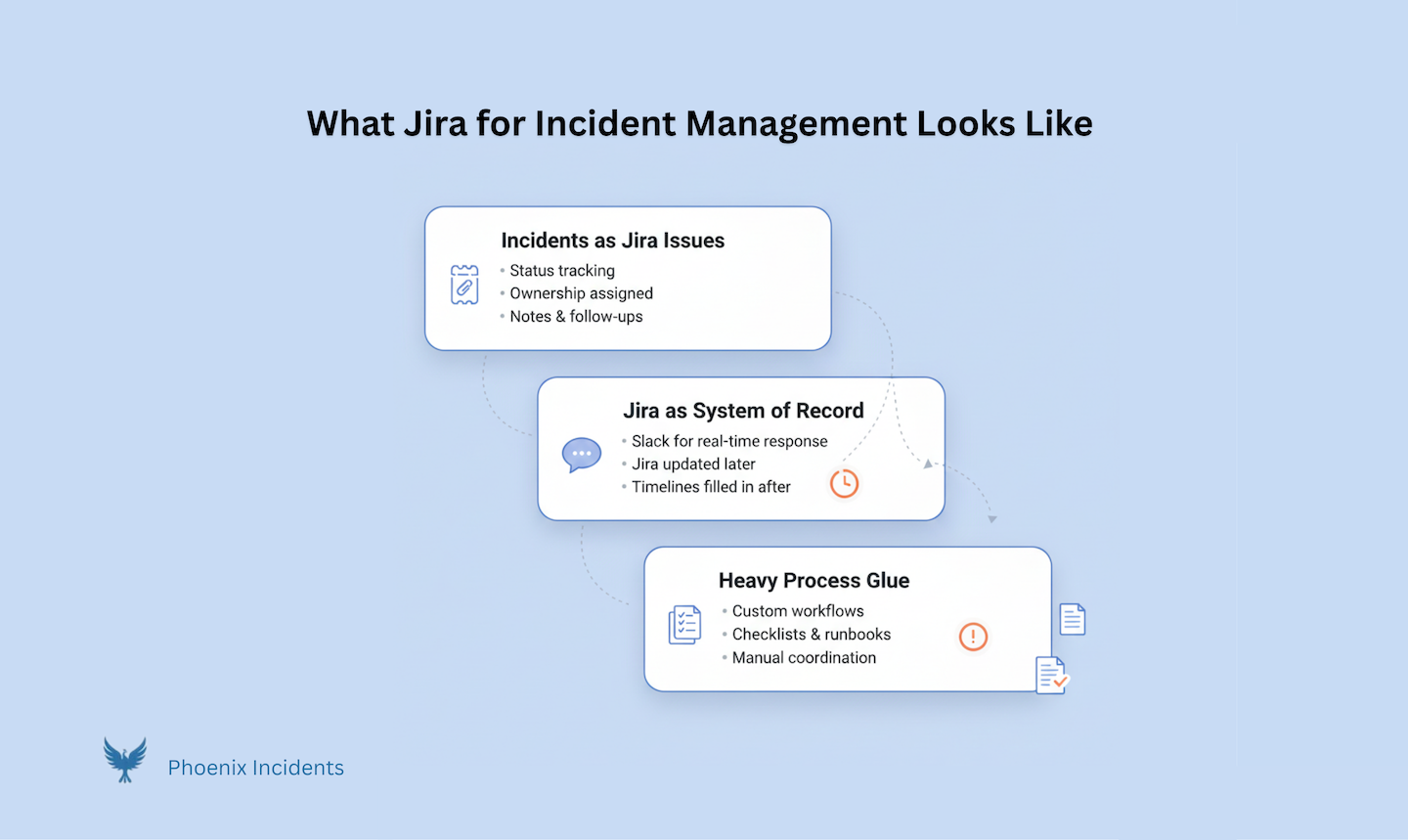
Most organizations try to force Jira into an incident role by treating it as a simple system of record. They create a ticket, assign an owner, and maybe link a Confluence page.
Some teams recognize the gap and try to build their own "bespoke glue"—internal scripts, complex jira automations, or home-grown Slack bots. This is usually a leadership mistake. Every hour your senior engineers spend maintaining a custom incident bot is an hour they aren't spending on your core product. These home-grown tools are a maintenance trap: they break when APIs change, they lack documentation, and they become "tribal knowledge" that leaves the company when the author does. Unless you are in the business of building incident platforms, building your own is a waste of focus and expensive engineering salary.
Whether you’re using manual effort or fragile custom scripts, the approach usually fails in two specific stages:
1. During the incident: The Manual Glue. Jira is a destination for data, not a tool for live coordination. In the heat of an outage, the real action happens in Slack. This forces some poor Incident Commander to act as "manual glue"—spending 30% of their brainpower copy-pasting updates between tools instead of looking at logs. Every second spent fighting with a ticket is a second added to your MTTR. Engineers become overwhelmed by “update Jira” reminders mid-incident and lose focus due to constant context switching.
2. After the incident: The Accountability Gap. This is where Jira really falls apart. Once an incident is "Resolved," the follow-up actions—the actual engineering work to prevent a repeat—usually vanish. They become disconnected tickets buried in a backlog or sometimes stuck in a google/confluence document with no link back to the original crisis.
Without native reporting that tracks these mitigation tasks, teams lose honesty. You end up with "zombie incidents" where the root cause is known but the mitigations are never scheduled. Phoenix Incidents closes this loop by creating real Jira action items directly within our RCA module and a best practice workflow where Incidents are not “Closed” until the last action item is completed. These aren't just links; they are tracked in high-visibility reports and called out in Slack. It moves incident response from "paperwork" to actual systemic improvement.
The Psychological Safety Problem
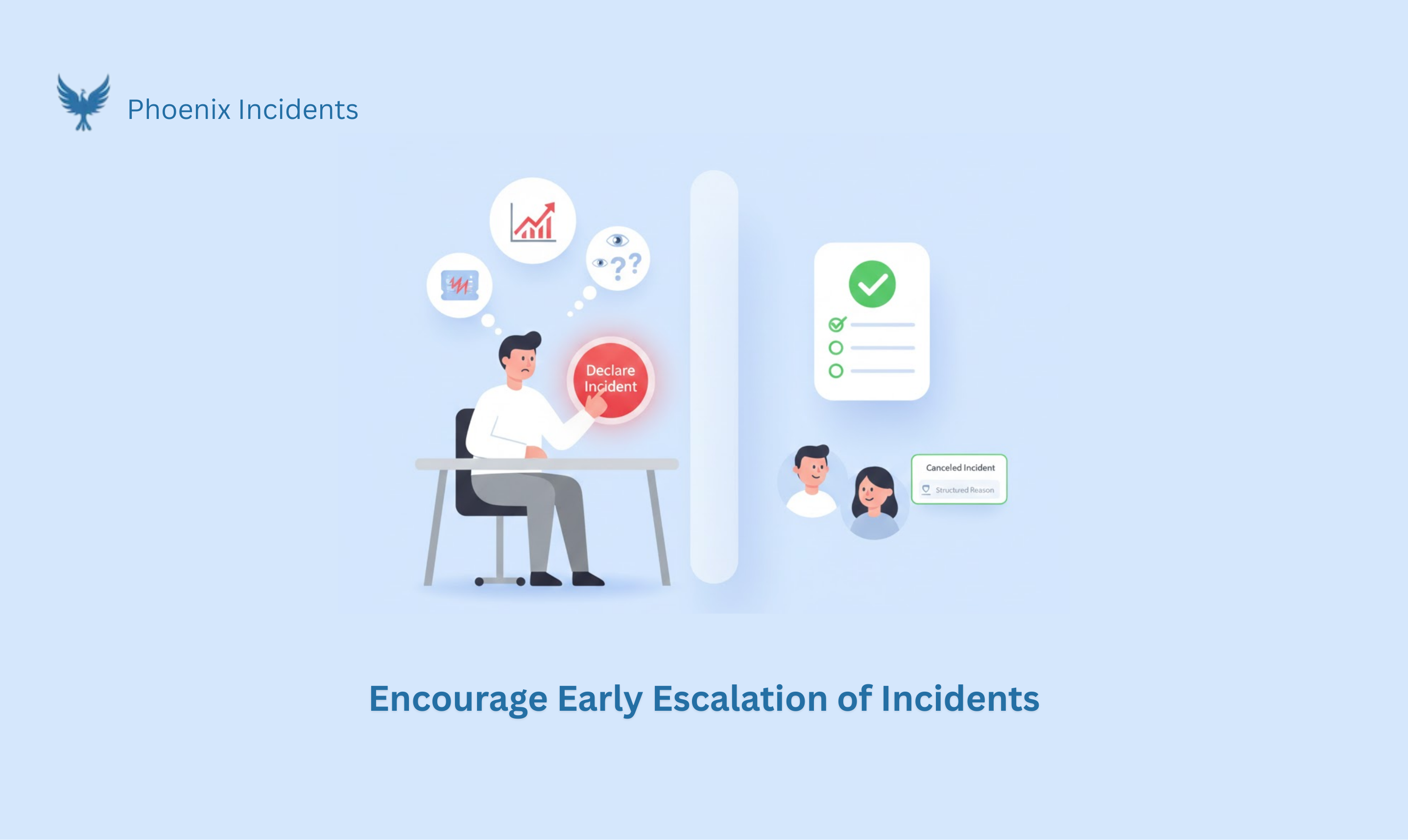
One of the most under-discussed parts of incident management is early escalation. In a healthy culture, you want engineers to pull the fire alarm the second something feels off. You don't want them second-guessing themselves because they’re afraid of the "paperwork" or the optics. In most Jira setups, people hesitate to declare an incident because:
- "It'll create noise": They don't want to clutter the Jira board with "false alarms".
- "The Metrics Trap": They’re worried a canceled incident will look like a failure in a dashboard somewhere.
- "The Explanation Tax": They don't want to spend an hour explaining why they opened a ticket that ended up being nothing.
By default, Jira treats every issue as a "real" task that needs to be completed. It doesn't have a first-class concept for a Canceled Incident.
A Purpose-Built Incident Management Inside Jira
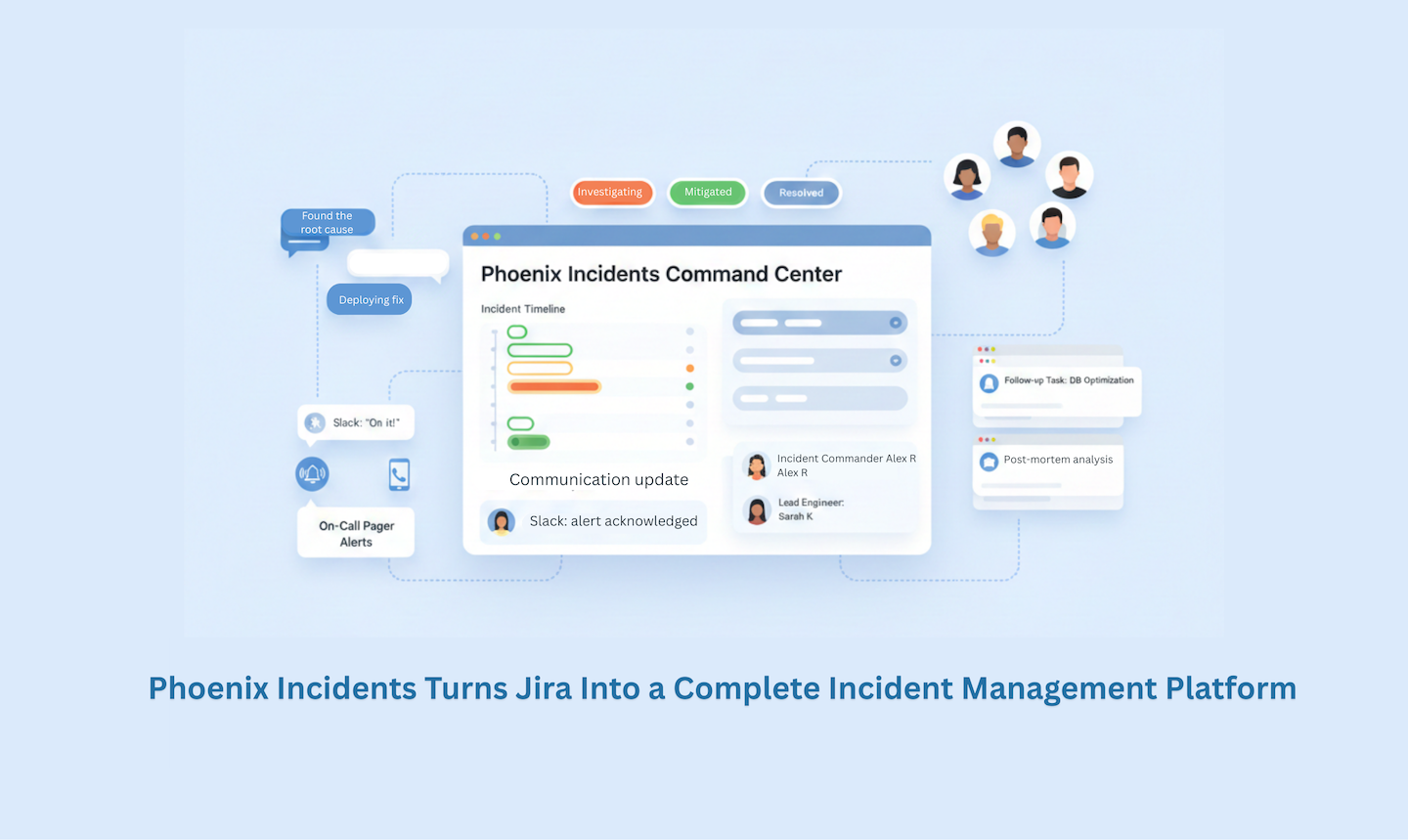
These gaps in managing issues with Jira are exactly why Phoenix Incidents exists. Phoenix Incidents is an incident management platform that lives inside Jira and Slack. It exists because:
- Engineers already work in Jira and Slack.
- Context-switching during incidents is costly.
- Procedural overhead not detection is what burns teams out.
How Phoenix Incidents Work in Jira
Phoenix Incidents adds the missing incident-specific structure where Jira falls short.
- Human-Initiated Incident Creation: Incidents aren’t always triggered cleanly by alerts.
- Phoenix Incidents supports explicit incident declaration by a human in the loop, encouraging teams to escalate early.
- Jira, Slack, and Paging Stay in Sync: Phoenix Incidents keep:
- Jira issue state.
- Slack incident channels.
- Paging integrations (like PagerDuty or VictorOps).
They’re aligned automatically, so engineers aren’t manually reconciling systems mid-incident. It addresses coordination overhead once people are involved.
- SLA-Based Reminders: Phoenix Incidents uses SLA-based reminders to:
- Keep status updates flowing without manual effort.
- Ensure critical steps aren't skipped under pressure.
- Reduce the cognitive load on incident commanders by automating follow-up prompts.
- First-Class Support for Canceled Incidents: One of Phoenix Incidents’ most differentiating features is support
- for canceled incidents. Teams are:
- Encouraged to raise incidents early.
- Required to choose a cancellation reason.
- Able to review canceled incidents monthly or quarterly.
This enables psychological safety, better alert tuning, and training insights for junior engineers, CS, and support.
Post Incident Review (PIR): Where Jira Alone Falls Short
After the fire is out, the learning starts–or at least, it should. This is where "standard" Jira and even the latest AI features in JSM often miss the mark.
There is a dangerous trend in incident tools toward "auto-writing" your entire RCA. It looks slick in a demo, but it misses the point entirely. The value of a Post-Mortem or a "Five Whys" exercise isn't the document itself; it’s the conversation. The learning happens when engineers debate causes and challenge assumptions. If an LLM auto-generates your root cause, nobody learns, and the document just becomes noise.
Our philosophy is simple: Automate everything that doesn’t teach you something.
Phoenix Incidents uses AI to handle the toil—reconstructing timelines from Slack and suggesting summaries—but we keep humans in the loop for the reflection. Our native Forge-based RCA module is a guided experience that helps you build a better timeline and surface blind spots without the "hallucinated fluff." It makes the hard work of learning easier, rather than trying to outsource your engineering culture to a bot.
Conclusion
Can Jira be used for incident management? Of course. But if you're a software engineering team, "using Jira" shouldn't mean manual duplication, configuration marathons, or internal tool-building distractions.
Your incident tool should bridge the gap between the chaos of Slack and the structured truth of Jira. It should automate the toil so your humans can focus on the thinking.
Don't turn your SREs into Jira Administrators or internal tool maintainers. Let Jira be the database, and let Phoenix Incidents be the engine that actually drives your response and follow-up.
That’s the gap Phoenix Incidents was built to handle (serious incidents without leaving Jira and Slack). See how Phoenix Incidents brings structure, clarity, and psychological safety to real incident response.