Slack Incident Management: How to Coordinate Production Incidents Without Leaving Slack

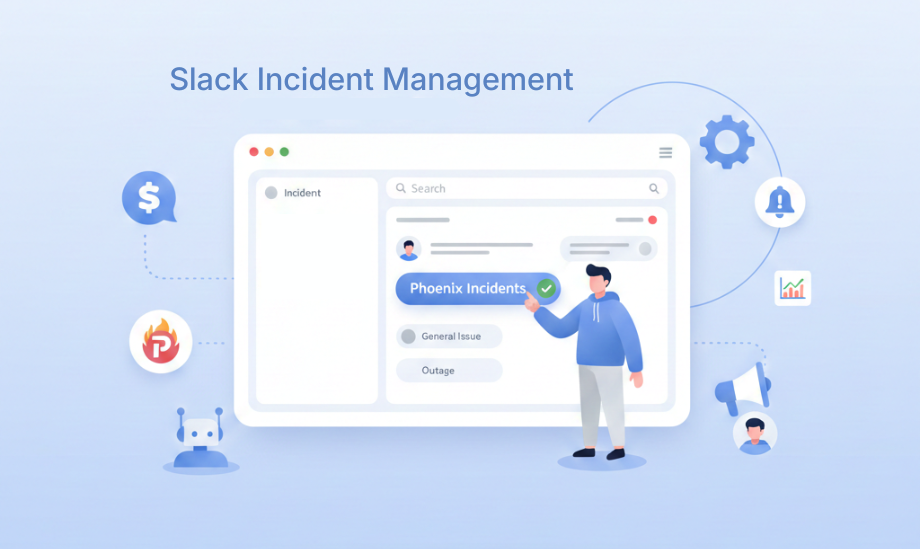
Best Slack incident management tool: Handle incidents from Slack
Slack has become the operational command center and communication tool for many organizations. However, while Slack accelerates collaboration, it can also create chaos during high-stakes incidents, such as scattered threads, missing updates, delayed decisions, and manual coordination that slows down responders from addressing the actual issue.
Efficient Slack incident management requires more than spinning up a channel and tagging the on-call engineer. It demands a clear, enforced incident process, consistent communication, and structured follow-up work, all inside the tools engineers already use every day.
This guide explores how to implement effective Slack incident response, why a dedicated platform like Phoenix Incidents, built for Slack and Jira teams, matters, and how teams can reduce Mean Time to Acknowledge (MTTA) while maintaining structured post-incident reviews that drive continuous improvement.
Why Slack for Incident Management?
ChatOps brings incident workflows into a transparent, central location where teams collaborate naturally. Instead of coordinating through email threads, conference calls, and separate status pages, engineering teams can manage the entire incident lifecycle inside Slack/Microsoft Teams.
ChatOps connects people, tools, processes, and automation into a transparent workflow that tightens the feedback loop and improves information sharing. For Slack-based incident management, this means:
- Real-time coordination: Engineers, SREs, and stakeholders see updates as they happen.
- Persistent history: Every message, decision, and action can be searched for when needed.
- Reduced tool sprawl: Teams avoid jumping between monitoring dashboards, ticketing systems, and paging platforms.
- Faster acknowledgment: When alerts route directly to Slack, responders can acknowledge issues without context-switching between tools.
Components For Effective Slack Incident Management
1. Automated incident creation and channel management
When an incident occurs, speed matters, and a Slack incident management tool should automatically:
- Create dedicated incident channels with consistent naming.
- Post initial incident details, including severity and affected services.
- Keep updating the channel on the status of the incident
This automation eliminates the manual overhead of incident kickoff, letting teams focus on resolution rather than administration.
2. Integration with Jira
For teams that use Slack for communication and manage tasks, workflows, or projects on Jira, keeping Slack and Jira in sync prevents duplicate work and information loss. Effective tools ensure this is possible:
- Updates in Slack reflect in Jira's incident timeline.
- Status changes in either system propagate to the other.
- Post-incident reviews link directly to their originating incidents.
This synchronization means project managers can track incidents in Jira while responders work in Slack. Each team uses their preferred tool without missing information.
3. Paging coordination with your existing tools
Integrations with paging platforms like PagerDuty and VictorOps let teams coordinate around who is on call and what is happening, without forcing responders to manage incidents in another interface. Teams can:
- See who is currently on call for the incident.
- Coordinate who is responding and what is happening next, without leaving Slack.
4. Real-time stakeholder communication
Beyond the technical response team, incidents require coordination with:
- Customer Success
- Support Teams
- Engineering Leadership
- Communications
Centralized Slack channels with appropriate permissions ensure all stakeholders stay informed without overwhelming the core response team.
How Phoenix Incidents Strengthens Slack Incident Management
Phoenix Incidents is purpose-built for teams who want professional incident management without leaving their existing tooling. Phoenix Incidents is not a separate tool to learn or adopt. It enforces clear processes from human-initiated incident creation through structured resolution that keeps Jira, Slack, and paging platforms updated automatically. Afterwards, teams can undergo a guided and LLM-assisted Post Incident Review (PIR).
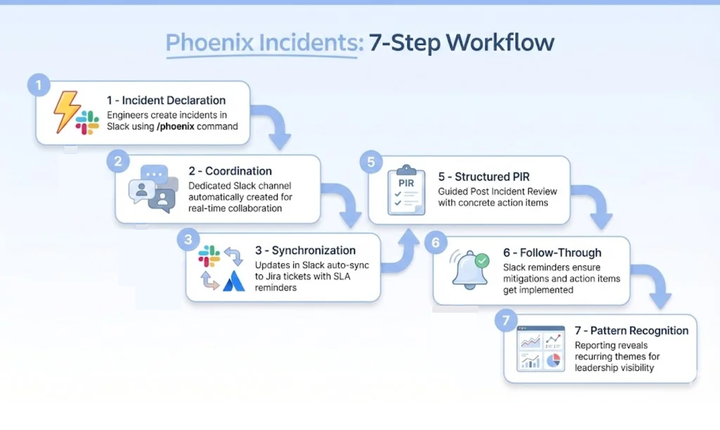
The Phoenix Incidents Workflow
- Incident Declaration: Engineers create incidents in Slack via slash commands (
/phoenixcommand) - Coordination: A dedicated Slack channel is automatically created to facilitate real-time collaboration.
- Synchronization: Updates in Slack automatically sync to Jira tickets, with reminders sent when action is needed to meet SLAs.
- Resolution: Clear status tracking in Slack and Jira through the incident response lifecycle.
- Structured PIR: Guided Post Incident Review process with concrete action items.
- Follow-Through: Slack reminders ensure mitigations and action items get implemented.
- Pattern Recognition: Reporting reveals recurring themes so leaders see what's breaking and why.
How Phoenix Incidents Compare to Manual Slack Workflows
Here’s a straightforward comparison:
| Area | Manual Slack Workflow | Slack Incident Management with Phoenix Incidents |
|---|---|---|
| Jira syncing | Easy to forget | Auto-synced with Slack |
| Paging coordination | Engineers jump tools | Integrated, centralized communication around paging events |
| Process enforcement | None | Clear, enforced steps |
| PIR | Unstructured | Guided, consistent flow |
| Action item tracking | Scattered | Time-bound with Slack reminders |
| Reporting | Patchy | Built-in MTTA/SLA metrics |
Why Your Team Should Consider Phoenix Incidents
Phoenix Incidents is a strong fit when:
- Your incident response team already works in Slack
- Jira is your system of record
- Engineers struggle with procedural overhead
- You need a consistent PIR process
- You want reporting, but don’t want another standalone tool
Even non-engineering teams like customer support and customer success would find Phoenix Incidents beneficial.
Getting Started with Phoenix Incidents in Slack
Setting up Phoenix Incidents in your Slack workspace is straightforward and takes just a few minutes. Here's how your team can start coordinating incidents directly from Slack:
Installation Steps
- Install Phoenix Incidents in Atlassian Marketplace
- Navigate to Jira Administration: Open the Apps section in your Jira Administration area (located under the ⛭ icon).
- Access Phoenix Incidents Settings: Go to Phoenix Incidents → Messaging.
- Select Slack as Your Chat Provider: Choose Slack from the available messaging options.
- Connect Your Slack Workspace: Click Connect Slack and approve the requested permissions when prompted.
That's it! Once connected, Phoenix Incidents will be ready to use in your Slack workspace.
Using Phoenix Incidents in Slack
After installation, your team can immediately start managing incidents through Slack:
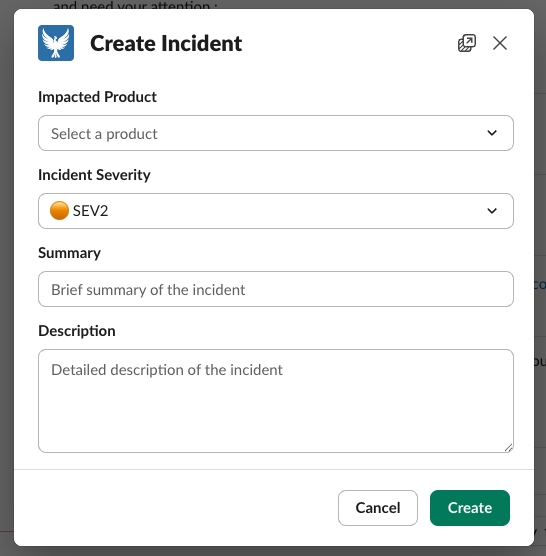
- Create incidents with a slash command: Use
/phoenix createto open a guided incident creation flow directly in Slack. - Get help anytime: Type
/phoenix helpto see available commands and usage instructions. - Interact with incident messages: Use buttons and menus in Phoenix Incidents messages to update incident severity, status, ownership, and more, all without leaving Slack.
- Receive timely reminders: Get automated notifications to acknowledge incidents, verify resolutions, and post scheduled updates according to your SLAs.
- Optional dedicated channels: Configure Phoenix Incidents to automatically create and manage dedicated incident channels for focused response coordination.
Phoenix Incidents keeps Jira as your source of record while giving your team the flexibility to respond and coordinate where they already communicate, in Slack.
Conclusion
If Slack is your real-time command center during outages, you need structure, clarity, and consistency wrapped around it, not more tools, more dashboards, or more manual overhead.
Phoenix Incidents brings a complete, guided incident process directly into Slack and Jira, helping teams reduce chaos, stay aligned, and actually learn from incidents through structured PIRs and action item follow-through.
Book a demo and see how you can coordinate incidents without leaving your workspace.