Best Site Reliability Engineering (SRE) Tool for Incident Response in 2026

Most engineering teams already run their incidents across Jira and Slack, so the last thing they need is another standalone platform to learn, staff, and pay for. What they need is the tooling they already use, orchestrated into one simple incident workflow.
This guide breaks down what to look for in an SRE incident response tool and how to pick the approach that fits a team that lives in Jira Software and Slack rather than a separate console.
What to Look for in an SRE Incident Response Tool
Before comparing specific tools, it helps to fix the criteria that actually matter during a live incident.
A strong SRE incident response tool should:
- Live where engineers already work. Slack and Jira, not a separate console that responders have to open mid-incident.
- Bring consistency to the response with just enough opinionated structure that every incident runs the same way without slowing anyone down.
- Integrate two-way with paging tools like PagerDuty and Splunk On-Call, so acknowledgments and state changes sync rather than drift.
- Cut manual coordination during the incident, from channel creation to status updates to responder paging.
- Capture post-incident review where the work happened, so the lessons stay attached to the incident record instead of scattering.
- Give leadership real visibility into MTTA, MTTR, and whether action items actually close.
These six points are the spine of the rest of this guide. Every tool category below gets measured against them.
Why SRE Teams Need a Purpose-Built Incident Response Tool
The job of an SRE team is to keep services reliable and recovery fast, and the metric that captures both is how quickly a team detects and resolves what breaks. That is where mean time to acknowledge (MTTA) and mean time to resolve (MTTR) come in, and it is where tooling earns or loses its keep.
The gap between teams that have solved this and teams that haven’t is enormous. In the 2024 DORA State of DevOps report, elite performers recovered from a failed deployment in under an hour, while the slowest teams measured recovery in days or weeks. Octopus, analyzing the same dataset, put the spread at roughly 2,293 times faster recovery for elite teams over low performers. The 2024 report was also the last to rank teams on that elite-to-low scale, so it stands as the clearest published benchmark of just how much coordinated response is worth.
Tooling does not write the fix, but it decides how much of an incident is spent fixing versus coordinating. When responders spend the first twenty minutes working out who is paged, where the channel is, and what has already been tried, that time comes straight out of MTTR.
Common Incident Response Pain Points
The friction shows up in a handful of predictable ways. Mapping each one to the capability that resolves it makes the buying criteria concrete.
| Pain point | What it looks like | What solves it |
|---|---|---|
| Fragmented communication | A Slack alert here, a Jira ticket there, a page somewhere else, and no shared picture of who is doing what | A single incident record synced across Slack, Jira, and paging |
| Inconsistent process | Every engineer runs incidents their own way, so post-incident analysis is uneven | Standardized and guided response steps |
| Manual overhead | Hand-written status updates and manual paging eat the time that should go to the fix | Automated channel creation, paging, and reminders |
| Lost knowledge | Context lives in scattered threads, half-finished comments, and people's memories | Structured post-incident review captured where the work happened |
None of these is solved by adding another tool to the stack. They are solved by connecting the tools a team already runs, which is exactly where the market starts to divide.
The Three Approaches to SRE Incident Tooling (and the Gap Between Them)
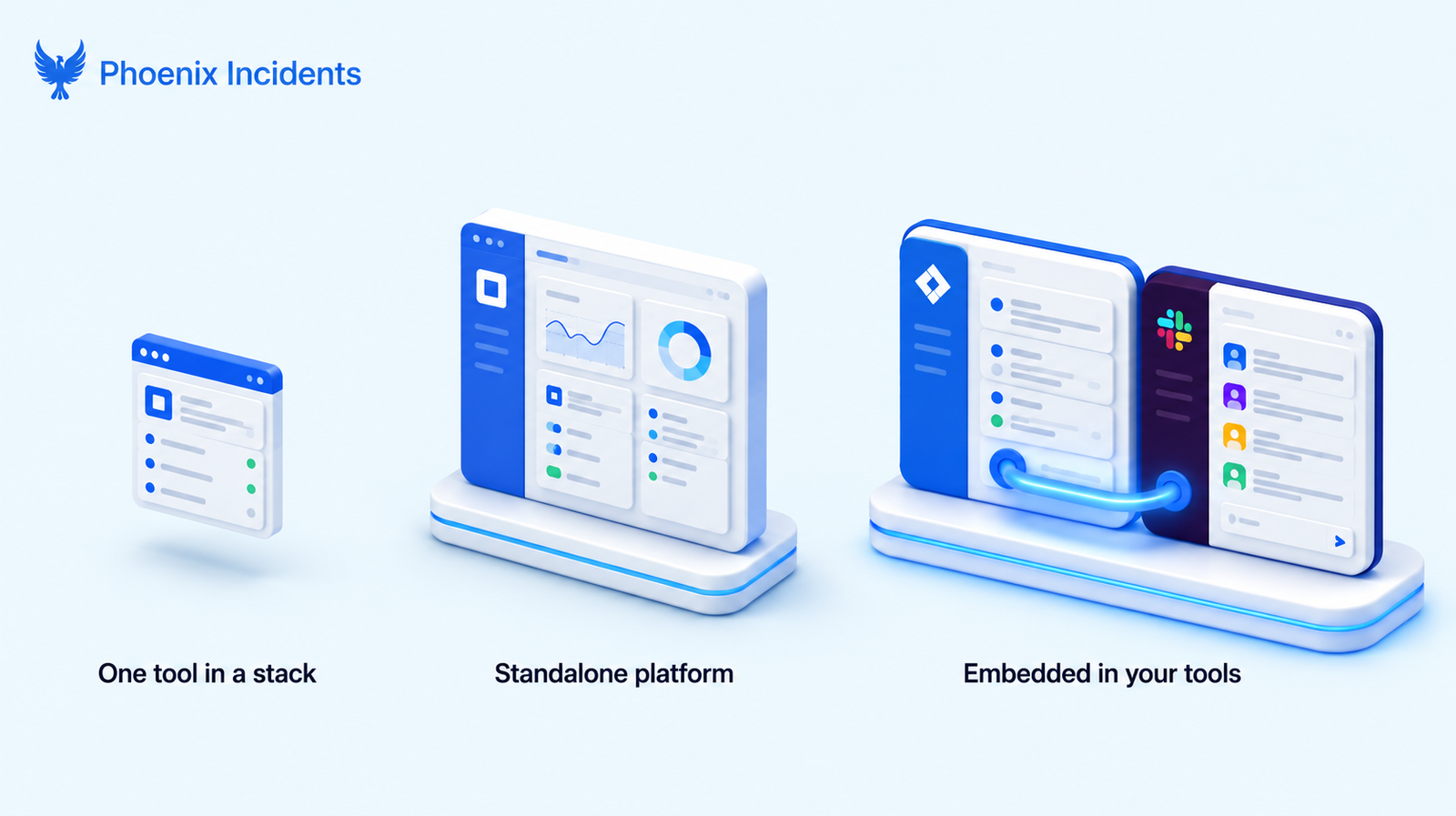
Incident tooling generally falls into one of three camps, and the differences matter more than any individual feature list.
| Approach | Examples | Best for | Limitation |
|---|---|---|---|
| Incident management as one tool in a stack | PagerDuty as the alerting layer | Teams assembling best-of-breed components themselves | No end-to-end workflow or home for RCA |
| Standalone incident platform | Rootly, incident.io, FireHydrant | Teams ready to adopt a dedicated new system | Another platform to buy, learn, and maintain |
| Embedded in existing tools | Phoenix Incidents | Engineering teams already in Jira and Slack | Assumes the team runs Jira and Slack |
The first approach treats incident management as a single component, usually paging, and leaves the workflow and the post-incident review for the team to assemble elsewhere.
The second approach offers a complete platform, which is genuinely powerful, but it asks the team to adopt, learn, and maintain a separate system that sits beside Jira and Slack rather than inside them.
The third approach is the one almost no one serves well, and it is the lane this guide cares about most.
Why "Orchestrate, Don't Replace" Matters for Engineering Teams
Look at how the standalone platforms position themselves and a pattern emerges. Their comparison pages line up against Jira Service Management, the ITSM product, because that is the ground they are fighting on. Rootly, for instance, publishes a Rootly versus Jira Service Management page. The whole conversation assumes the buyer is choosing an ITSM-flavored incident system.
That framing skips right past a large group of engineering teams:
- The ones running plain Jira Software and Slack who have no interest in ITSM
- Service portals, or change-management workflows
- And equally no interest in onboarding an entire new platform
For them the question is not "which standalone system do we migrate to," it’s "how do we run incidents properly without leaving the tools we already use every day."
Orchestrating existing tools answers that directly.
The incident lives as a Jira issue, the response happens in Slack, the paging tool stays in the loop, and nothing new needs to be learned.
One condition worth naming: Jira Software does have a native incidents feature, but it requires Jira Service Management to use. Teams that want to stay on plain Jira Software and Slack need tooling that delivers the incident workflow without pulling in that JSM requirement.
What a Complete SRE Incident Response Workflow Looks Like
Regardless of which tool a team picks, a complete incident workflow moves through the same lifecycle, from detection through to prevention. A good tool supports every stage without forcing a context switch.
- Declare the incident without leaving Slack or Jira, so the clock starts the moment someone notices, not after they have logged into something else.
- Coordinate in a dedicated channel with SLA-aligned reminders that keep acknowledgment and updates on pace during the chaos.
- Sync state across the paging tool, Slack, and Jira so the incident reads as one record with one history rather than three partial copies.
- Review with a structured, guided post-incident review that captures root cause, contributing factors, and remediation while the detail is fresh.
- Report trends to leadership in the same tools, so MTTA, MTTR, and action-item follow-through are visible to everyone.
A tool that handles detection and response but drops the review and reporting stages leaves the most valuable part of the incident, the learning, to chance.
How Phoenix Incidents Fits Engineering Teams in Jira and Slack
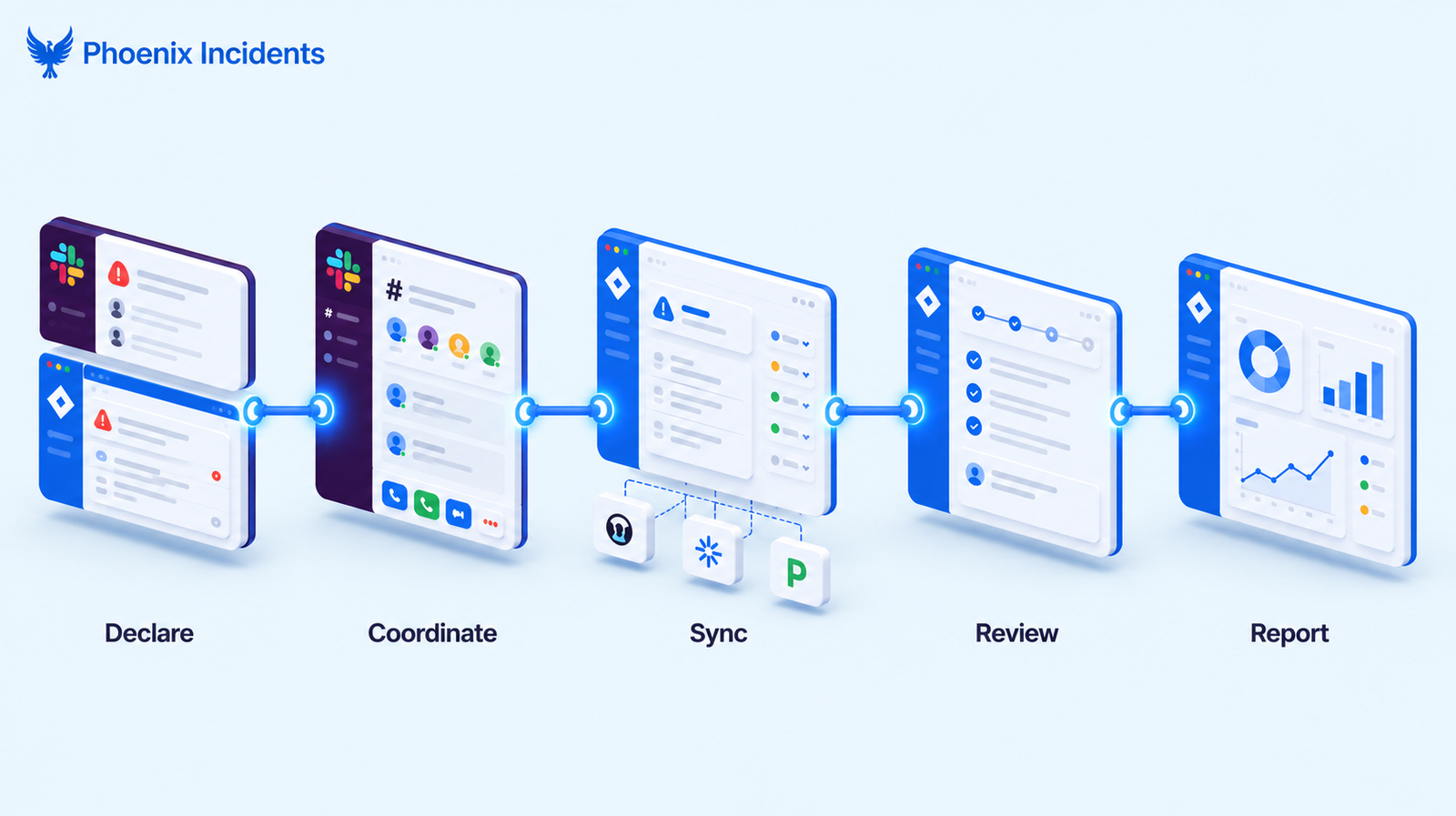
Phoenix Incidents is built for the team described above: one that already runs Jira Software and Slack and wants a real incident workflow without adopting a separate platform.
It turns Jira into the incident system of record and Slack into the response surface, and it keeps paging tools in sync rather than replacing them.
This is how that plays out across the workflow:
1. Human-initiated incident creation from Slack or Jira.
Engineers declare an incident from wherever they already are. It becomes a Jira issue immediately, with no separate tool to open and no delay between noticing and declaring.
2. Real-time Slack coordination with interactive controls.
Once an incident exists, Phoenix Incidents spins up a dedicated Slack channel where responders coordinate.
Interactive controls let engineers manage the incident, post updates, and acknowledge status changes without leaving Slack, and automatic reminders keep the team on track through acknowledgment and update intervals.
3. Centralized Jira sync across paging tools.
Every incident and RCA (root cause analysis) lives in Jira as a first-class record. Phoenix Incidents syncs with external paging systems including PagerDuty and Splunk On-Call, so acknowledgments and state changes made in the paging tool flow back into Jira and Slack automatically.
Teams still running Opsgenie should note that Atlassian closed Opsgenie to new sales on June 4, 2025, with end of support set for April 5, 2027, so it’s a migration target rather than a long-term integration.
4. Jira-native guided post-incident review.
Rather than a blank Confluence template, Phoenix Incidents runs a guided RCA process inside Jira that captures root causes, contributing factors, and remediation steps, then links them in the relevant Jira projects.
The structure keeps reviews consistent and thorough instead of dependent on whoever is writing them up.
5. In-Jira reporting for leadership.
Phoenix Incidents tracks incident trends by severity, service, and root cause, and surfaces MTTA, MTTR, and action-item SLAs, overdue, due soon, and completed, without anyone leaving Jira to build a report.
Phoenix Incidents vs. Standalone Incident Platforms
Measured against the criteria from the start of this guide, the difference between an embedded tool and a standalone platform comes into focus.
| Capability | Phoenix Incidents | Standalone platforms |
|---|---|---|
| Lives natively in Jira and Slack | Yes, no separate console | Integrates with them, but the platform is the home |
| New platform to learn | No | Yes |
| Incident record and RCA in Jira | Native | Held in the platform, synced to Jira |
| Orientation | Engineering teams in Jira Software plus Slack | Often ITSM-oriented or a dedicated system |
Honestly, a standalone platform is the better fit for a team that wants a dedicated incident system and has the budget and appetite to adopt one.
But, Phoenix Incidents is the better fit for a team that already lives in Jira and Slack and wants the workflow without the migration.
How to Choose the Right SRE Incident Response Tool
The right choice follows from where a team already is and what it is willing to take on.
- Choose a standalone platform if you want a dedicated incident system and have the budget and time to adopt and train on it.
- Choose alerting-only tooling like PagerDuty if your real need is reliable paging and you already have a home for the rest of the workflow.
- Choose an embedded tool like Phoenix Incidents if your team already runs Jira and Slack and wants a full incident workflow without onboarding anything new.
There is no universally best tool here, only the one that matches a team's existing stack and tolerance for adding to it.
Run Incidents Where Your Engineers Already Work
If your team already lives in Jira and Slack, your incident tooling should too.
Schedule a Phoenix Incidents demo to see how orchestrating the tools you already run turns incident response into one coherent workflow, without a new platform to learn.
Frequently Asked Questions
1. What is the difference between SRE incident response and ITSM incident management?
SRE incident response centers on engineering teams resolving service-affecting incidents fast, usually in the tools where they build and operate software, like Jira Software and Slack. ITSM incident management sits inside a broader IT service framework with service portals, change management, and formal ticketing, typically through a platform like Jira Service Management. The workflows overlap, but the audience and the tooling differ: SRE response is engineer-facing, ITSM is service-desk-facing.
2. Do you need a separate tool if you already use Jira and Slack?
Not necessarily. A separate platform adds a system to adopt and maintain alongside the tools you already run. An embedded tool orchestrates Jira and Slack into an incident workflow without that overhead, which is often the better fit for engineering teams that have no need for a full ITSM stack.
3. Is PagerDuty enough on its own?
PagerDuty is excellent at what it does, which is paging and on-call scheduling. It is the alerting front door for many teams. On its own, though, it does not provide the end-to-end workflow, the incident record, or the structured post-incident review, so most teams pair it with something that owns the rest of the lifecycle.
4. What happened to VictorOps and Opsgenie?
VictorOps was renamed Splunk On-Call after Splunk acquired it in 2018, so any current reference should use Splunk On-Call. It remains available, though it has seen limited investment in recent years. Opsgenie is on a clearer end-of-life path: Atlassian stopped new Opsgenie sales on June 4, 2025, and support ends on April 5, 2027, with Jira Service Management and Compass as the official migration destinations.
5. How do SRE teams measure incident response?
The two core measures are mean time to acknowledge (MTTA), how long until someone picks up the incident, and mean time to resolve (MTTR), how long until the service is restored. Teams also track action-item follow-through from post-incident reviews to confirm that the fixes identified after an incident actually get done.