Automated Incident Management in Jira: How to Eliminate Manual Coordination During Outages

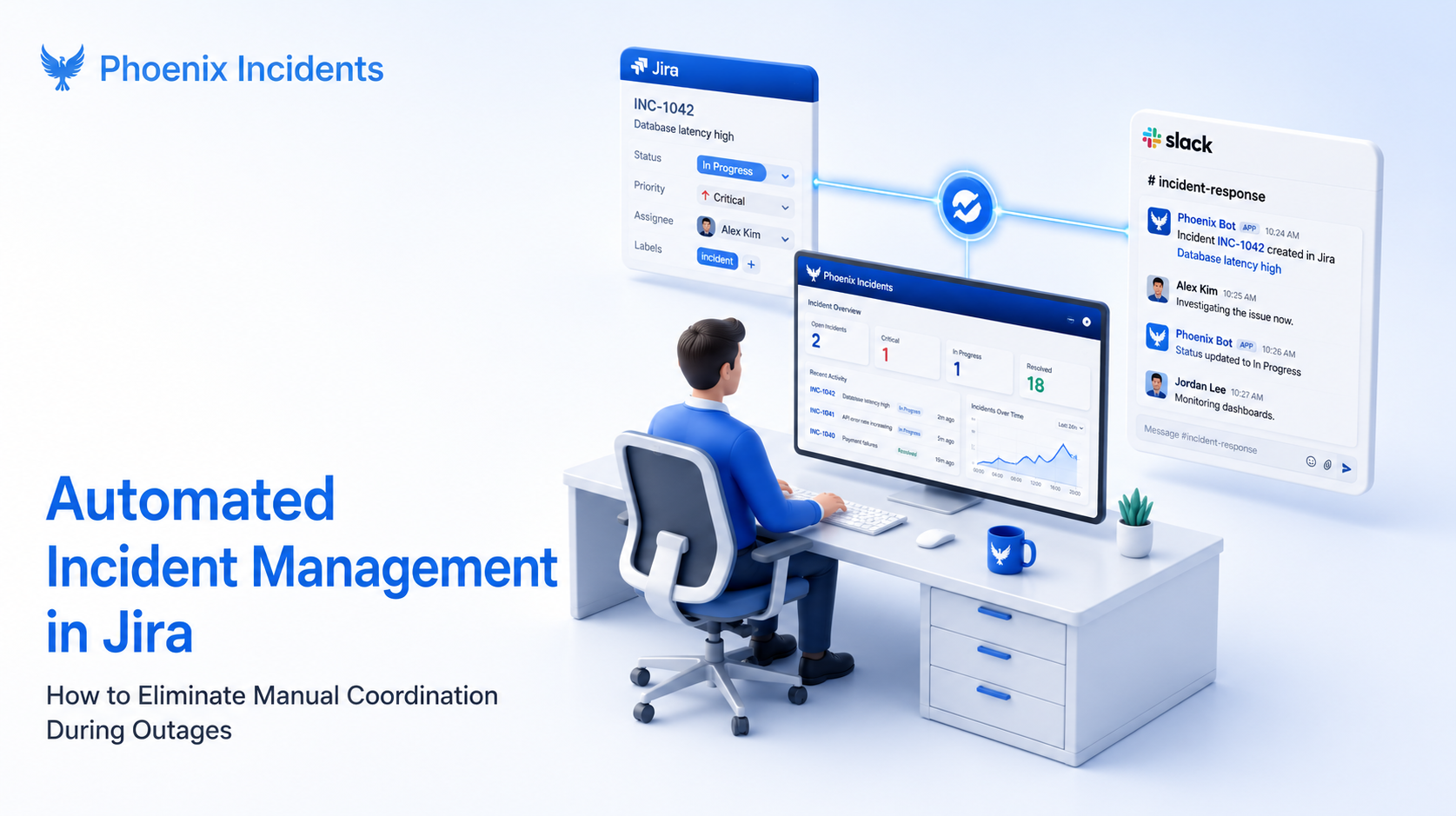
It's 5:47 AM. An alert wakes you, and you already know the fix. You have seen this failure before and you could have it patched in twenty minutes once you confirm the data.
But first you have to fight the process. You open a Jira ticket, spin up a Slack channel, and ping the data team for the third time because nobody has acknowledged the page. Forty minutes later you are finally looking at logs, except the golden hour of recovery is already gone, burned on coordination instead of diagnosis.
Automating incident management doesn’t replace engineering judgment. It absorbs the relentless manual glue work that pulls your attention away from the problem.
Key takeaways
- Manual coordination, not the technical fault, is usually what stretches an outage past the golden hour.
- Automating incident management in Jira removes the paging, channel creation, and status sync busywork so engineers can stay on diagnosis.
- The highest impact automations are automatic channel creation, bidirectional Jira and Slack sync, and enforced post-incident follow-through.
- Phoenix Incidents runs all of this natively inside standard Jira, with no separate Jira Service Management instance required.
What Is Automated Incident Management in Jira?
Automated incident management in Jira is the system of workflows, defaults, and guardrails that takes over the coordination work once an incident is declared, so paging, channel creation, status syncing, and follow-up tracking happen without a human acting as the middleman.
It’s not AI robots fixing your database. It’s the layer that kills the administrative tax that piles up the moment something breaks, and the part that keeps your project management, communication, and paging systems aligned while you actually look at a dashboard.
That distinction matters because the cost of getting it wrong is measured in real money. According to ITIC's 2024 Hourly Cost of Downtime survey, more than 90% of mid-size and large enterprises now lose over $300,000 for every hour of downtime, and 41% put a single hour between $1 million and $5 million. Every minute spent wrestling the process instead of the incident has a price attached to it.
The Coordination Tax: Why Jira Outages Feel Like Admin Work
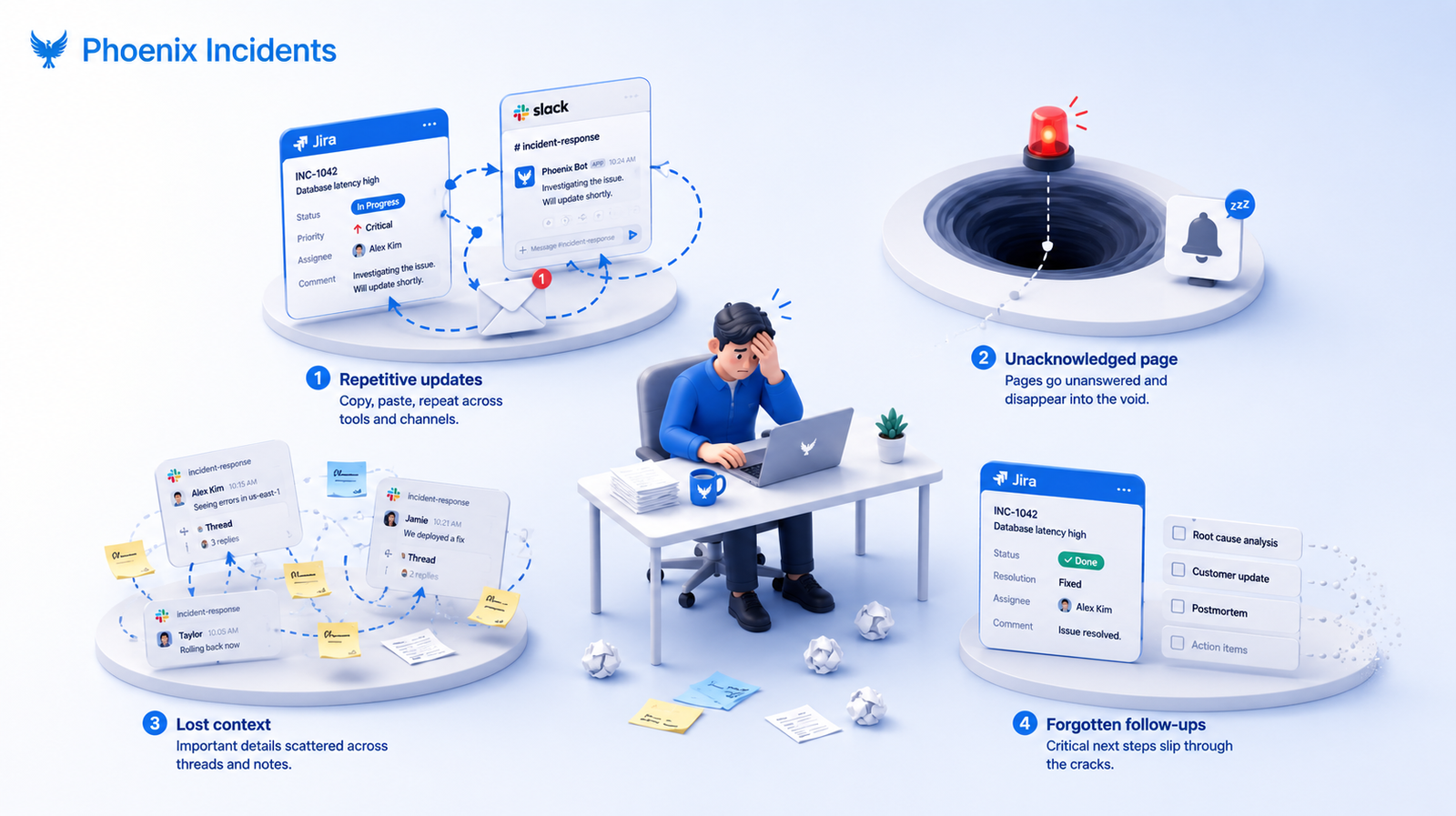
Manual coordination is the invisible work engineers do to keep an incident moving when the system will not do it for them.
In Jira specifically, the coordination tax shows up in four predictable ways:
- The Clipboard Dance: Copying status updates from Jira into Slack, then into email, then onto your status page, rewriting the same sentence four times for four audiences.
- The Paging Black Hole: Manually checking whether the data team acknowledged a page, then typing that confirmation back into the Jira ticket so the timeline stays honest.
- The Context Graveyard: Hunting through three Slack threads and a set of meeting notes to reconstruct what happened, usually right when you sit down to write the RCA (Root Cause Analysis).
- The Zombie Incident: Marking a ticket resolved and immediately forgetting the five follow-up actions that would have stopped the same outage from returning tomorrow.
Here is how each one changes once the system handles the coordination instead of an engineer.
| Coordination Task | Manual approach | Automated approach |
|---|---|---|
| Incident channel setup | Engineer creates a Jira ticket, then a Slack channel, then links them together | Channel is created and linked automatically when the incident is declared |
| Status updates | Copied by hand across Jira, Slack, email, and the status page | Updates propagate across every surface on their own |
| Paging acknowledgment | Manually checked, then re-typed into the ticket | Acknowledgments from PagerDuty or Opsgenie appear in both Jira and Slack |
| Post-incident follow-up | Forgotten the moment the ticket is marked resolved | Tracked as linked tasks until the work is actually closed |
Why context switching is the real recovery killer
Manual coordination competes directly with thinking. Every context switch pulls attention away from diagnosis, and the cost compounds when the noise around an incident is already high. Incident.io's research on alert fatigue found that teams receive over 2,000 alerts a week while only about 3% need immediate action, which means responders are already filtering hard before they even reach the work that matters.
Teams usually try to fix this with better habits: clearer runbooks, more discipline, and stronger ownership. That helps at the margins but doesn’t remove the load. Once a system takes over the glue work, engineers can focus on the incident instead of holding the process together in their heads.
That is why manual coordination is more than an efficiency problem. It shapes how teams behave during failure, and whether they raise the alarm early the next time something feels wrong.
How Automated Incident Management Works in Jira
Once an incident is declared, the system takes over the coordination instead of the people. It doesn’t detect problems and fix them. Detection lives upstream in your monitoring stack, and the fix lives with your engineers. What this layer does is remove the need for people to hold the process together while everything else is breaking.
When the system is doing its job, coordination happens without negotiation:
- Incidents get structured the same way every time, so nobody reinvents the runbook mid-outage.
- Communication stays in the communication channels instead of scattering across DMs and email.
- Updates propagate automatically rather than being rewritten for each tool.
- Reminders arrive on their own based on SLAs, so a quiet ticket doesn’t become a forgotten one.
For engineering teams the payoff is clarity. Fewer context switches, less social friction, and far less invisible labor carried by the same handful of people every rotation. Engineers stay on diagnosis, leadership gets consistent visibility, and escalation stops feeling like a personal risk.
What automation handles vs. what engineers still own
Automation earns trust by staying in its lane. It takes the procedural work and leaves the judgment where it belongs.
| The system handles | Engineers still own |
|---|---|
| Channel and ticket creation, plus stakeholder invites | Diagnosis and root-cause judgment |
| Status propagation across tools | Deciding the actual fix |
| SLA reminders and escalation prompts | The content of communication and the decisions behind it |
| Linking and tracking follow-up tasks | Doing the remediation work |
3 Steps to Eliminate Manual Coordination in Your Jira Workflow
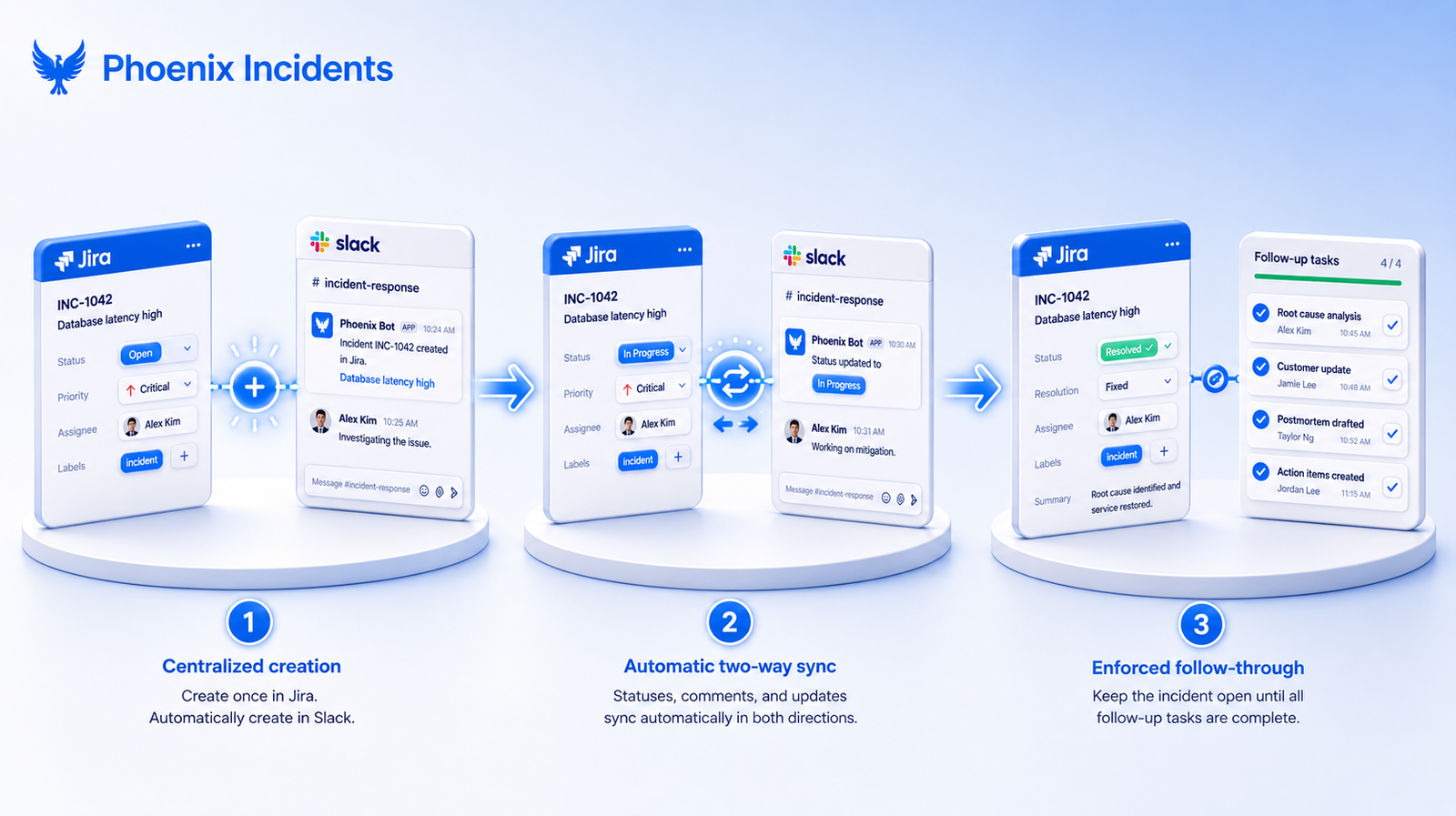
If you are tracking incidents in Jira but drowning in coordination, here is how to automate the process without adding another surface to babysit.
Step 1: Centralize incident creation in Jira with automatic Slack integration
Instead of creating a Jira ticket, then separately creating a Slack channel, then pasting links between them, set up a flow where the two systems move together:
- Engineers create an incident directly in Jira or through a Slack command, and the records sync.
- A dedicated Slack incident channel is created and linked automatically.
- Stakeholders are invited based on the impacted product and the severity of the incident.
What this eliminates: The time spent standing up communication channels and hunting down the right people to pull in.
Step 2: Automate status sync between Jira and Slack
Rather than updating Jira, copying that update into Slack, then fielding the same questions in both places, connect them so status moves on its own:
- Jira workflow transitions, from Investigating to Fixing to Monitoring, post automatically to the incident Slack channel.
- Engineers update incident status straight from Slack using buttons or commands.
- Status changes made in Slack flow back into Jira without anyone re-entering them.
- Paging acknowledgments appear in both Jira and Slack without manual entry.
What this eliminates: Repeating the same update three to five times across platforms, and the constant tool-switching that fragments your attention.
Step 3: Close the accountability gap with enforced follow-through
The most common breakdown happens after an incident is resolved. The ticket closes, the adrenaline fades, and the follow-up work that would actually prevent a repeat disappears into the backlog. That is the Zombie Incident, and it’s where most teams quietly lose their hard-won lessons.
Do not let incidents sit in resolved limbo. A native RCA workflow keeps an incident open until the last mitigation task is complete, which moves the process from checking a box to delivering real systemic improvement.
What this eliminates: The silent backlog of forgotten fixes that turn last week's outage into next week's repeat.
Native Jira vs. Jira Service Management: What's the Difference for Incident Management?
Most guides on this topic quietly assume you are running Jira Service Management, Atlassian's ITSM product. That assumption hides an important choice. JSM is built around the service desk and ITIL workflows, which is a strong fit for IT operations but a heavier setup than many engineering teams want or need for incident response.
A native Jira app takes a different path. Instead of asking you to adopt a separate product, it installs into the standard Jira your engineers already work in, where the backlog, the sprints, and the tickets already live.
| Jira Service Management | Phoenix Incidents (native Jira app) | |
|---|---|---|
| Setup | A separate JSM product or instance to stand up | Engineering incident response |
| Slack and Teams sync | Add-on capability, often on higher tiers | Native and bidirectional |
| Where engineers work | A new surface to learn and manage | Inside the Jira and Slack they already use |
The practical takeaway is that you can automate incident coordination inside standard Jira without migrating to a service desk product first.
Eliminating Manual Coordination with Phoenix Incidents
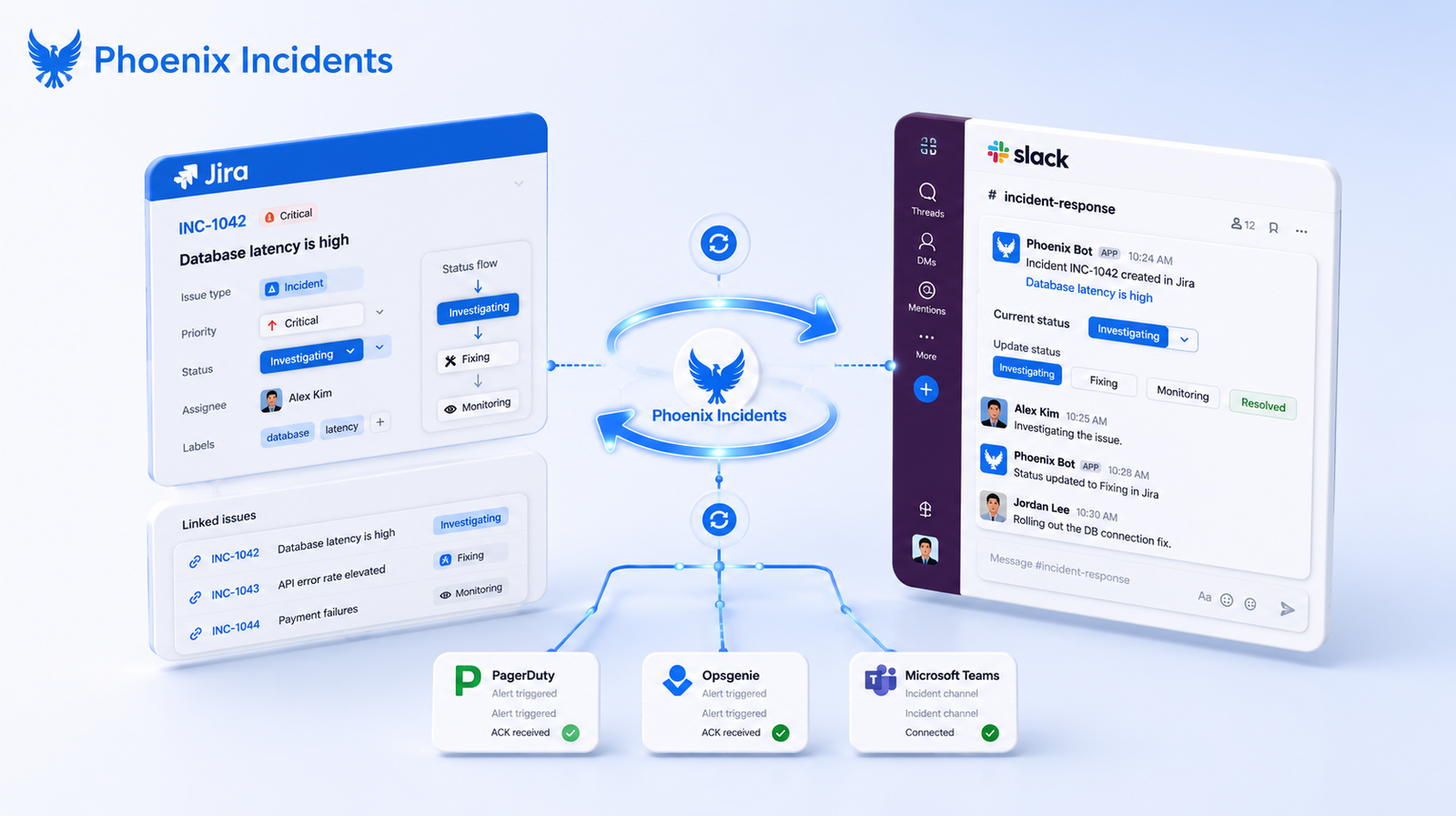
Phoenix Incidents embeds incident workflows directly into Jira and Slack rather than asking teams to manage yet another tool. The moment an incident is created, the coordination work starts running on its own.
Inside Jira
- Incidents are created using a custom Jira issue type with all the required fields in place.
- Post-incident review tickets are generated automatically as linked sub-issues.
- Action items are created and tracked across projects, each one linked back to the parent incident.
- Workflow transitions enforce the incident lifecycle so nobody has to police it by hand.
Between Jira and Slack (and Microsoft Teams)
- Every Jira incident gets a dedicated Slack channel automatically.
- Engineers transition Jira states using Slack buttons, so there is no reason to switch tools mid-incident.
- Status updates in either system sync bidirectionally.
- Paging acknowledgments from PagerDuty, Opsgenie, or your tool of choice appear in both places, and the same coordination extends to Microsoft Teams and Zoom for teams that live there instead.
The automation layer
- SLA-based reminders prompt for updates when one is overdue.
- Incidents can be canceled explicitly, which lowers the social cost of escalating early.
- All of this coordination runs in the background while engineers stay on the fix.
Phoenix Incidents takes on the coordination, updates, reminders, structure, and follow-through, so teams spend their attention on the incident rather than the choreography around it.
Measuring the Impact: MTTR and Coordination Overhead
Mean time to recovery, or MTTR, measures how long it takes to restore service after an incident begins. It’s the metric most engineering leaders are judged on, and it’s where the coordination tax does its quiet damage.
MTTR is really a chain of smaller intervals: from acknowledging the page to diagnosing the cause to shipping the fix. Manual coordination inflates the middle of that chain. Every minute spent creating a channel, chasing an acknowledgment, or rewriting a status update adds to recovery time without moving the repair forward. Automating that work closes the gap between when an incident is declared and when an engineer is actually looking at the problem.
Automation doesn’t make people debug faster. It removes the overhead sitting between them and the debugging. If you want to prove the impact on your own team, track a three coordination-specific signals alongside raw MTTR:
- Time to channel: how long from declaration to a working incident channel with the right people in it.
- Time to acknowledgment: how long a page sits before someone owns it.
- Follow-up completion rate: what share of post-incident action items actually get closed.
Give Engineers Back the Mental Space to Fix Production
Automated incident management is not about removing humans from the loop. It’s about removing the invisible work that pulls humans out of the work that matters.
When the system carries the coordination, escalation happens earlier, communication stabilizes, and engineers get back the mental space to do what they are already good at, which is fixing production.
We built a free incident management setup guide for Jira teams that you can start building with today.
Frequently Asked Questions
1. What is automated incident management in Jira?
Automated incident management uses workflows and automation to handle tasks like creating incident channels, notifying stakeholders, syncing updates, and tracking follow-up work. This lets engineers focus on resolving the incident instead of managing coordination.
2. Can you automate incident management in Jira without Jira Service Management?
Yes. Tools like Phoenix Incidents bring automated incident management directly into Jira, so engineering teams can manage incidents without setting up a separate service desk.
3. How does Jira integrate with Slack for incident management?
When an incident is declared in Jira, a linked Slack channel can be created automatically. Status updates sync between both platforms, allowing engineers to manage incidents from either Jira or Slack.
4. What is the difference between incident management and problem management in Jira?
Incident management focuses on restoring service as quickly as possible. Problem management happens afterward, identifying the root cause and preventing the same issue from happening again.
5. How does automation reduce MTTR?
Automation speeds up incident response by removing manual coordination tasks like creating channels, notifying responders, and sharing updates. This helps engineers begin troubleshooting sooner and reduces overall MTTR.