9 Steps to Improve Incident Response and Reduce MTTR

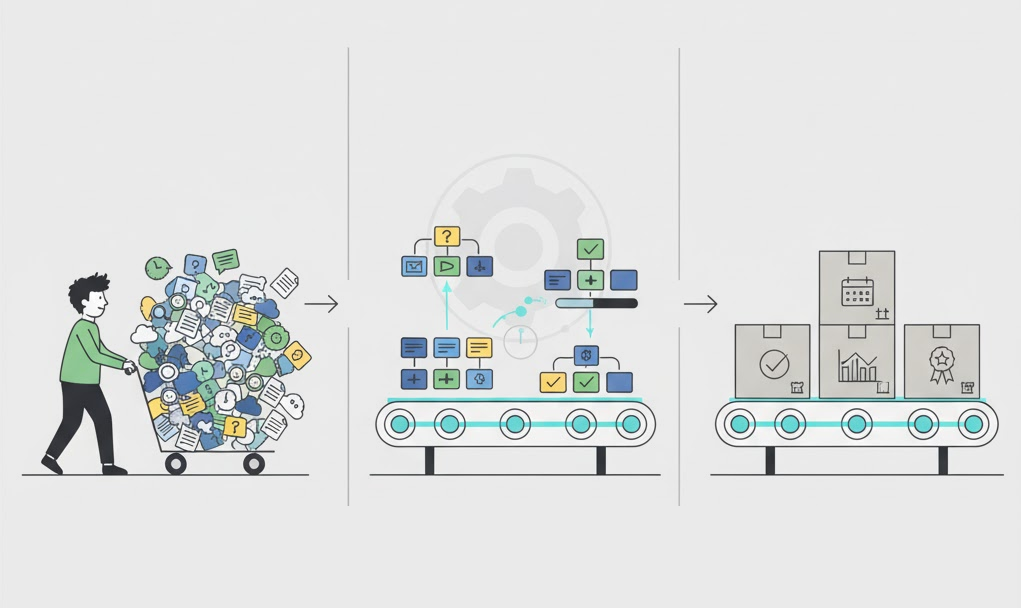
The Reason Your MTTR Keeps Climbing
Here’s a scenario that will sound familiar to most engineering leaders: a P1 fires at 2am. The on-call engineer knows the runbook exists, but it’s buried somewhere in Confluence. The escalation path is technically documented, but in practice, the engineer defaults to reaching out to a senior colleague on Slack.
Meanwhile, three different people are discussing the incident in three different channels, an important decision gets made on a Zoom call that nobody logs, and an hour later, the post-mortem will have a 40-minute gap that nobody can account for.
The incident gets resolved, but the process broke down completely and nothing in your tooling captured it. This is what’s actually driving your Mean Time to Resolve (MTTR) up. Not the quality of your engineers or even your architecture. It’s the gap between the process that exists on paper and the one that runs under pressure.
The numbers back it up. According to the 2025 Catchpoint SRE Report, operational toil rose to 30% in 2025, up from 25%, the first increase in five years, even as organizations invested heavily in AI tooling. Enterprise incidents increased 16% year-over-year according to PagerDuty’s State of Digital Operations report. For Fortune 1000 companies, the average annual cost of unplanned application downtime sits somewhere between $1.25 billion and $2.5 billion per year.
In this blog, we’ll talk about 9 steps that are practical, directly tied to the metrics that matter, and designed to close the gap between process on paper and process under pressure.
What Is MTTR, and Why Is It Important?
MTTR: Mean Time to Resolve, is the average time between when an incident is detected and when systems are fully back to normal. It’s one of the four key DORA metrics that define engineering team performance, alongside deployment frequency, lead time for changes, and change failure rate.
The formula is simple: MTTR = Total Time Spent Resolving Incidents ÷ Number of Incidents. But the insight behind it is more nuanced. MTTR is a composite metric that captures every inefficiency in your response chain: late acknowledgments, slow escalations, fragmented communication, unclear ownership, and failed follow-through on preventative action items.
When MTTR is high, it’s rarely because one thing is wrong, it’s usually because several things are slightly wrong and they compound under pressure.
Related but distinct: MTTA (Mean Time to Acknowledge) measures how quickly your team responds to an alert. Teams with a high MTTA and a low MTTR usually have a paging problem. Teams with a low MTTA and a high MTTR usually have a diagnostic or coordination problem.
Tracking both tells you where to focus. According to incident.io’s 2026 Incident Management Guide, the struggle in modern incident response is rarely detection, monitoring tools flag issues reliably. The delay is almost always in assembling the right people with the right context fast enough.
| Metric | What It Measures | High Value Signals | Typical Fix | |||
|---|---|---|---|---|---|---|
| MTTA | Time from alert to acknowledgment | Paging, rotation, or alerting problem | On-call schedule tuning, escalation policy review | |||
| MTTR | Time from detection to full resolution | Coordination, diagnostic, or escalation friction | Workflow enforcement, role clarity, runbooks | |||
| Incident Recurrence | How often same failure pattern repeats | PIR action items not completed or root cause missed | Tracked Jira action items, structured Five Whys | |||
| False Alarm Rate | Canceled incidents as % of declared | Over-sensitive thresholds, unclear escalation criteria | Systematic false alarm review, threshold tuning |
9 Steps to Improve Incident Response and Lower Your MTTR
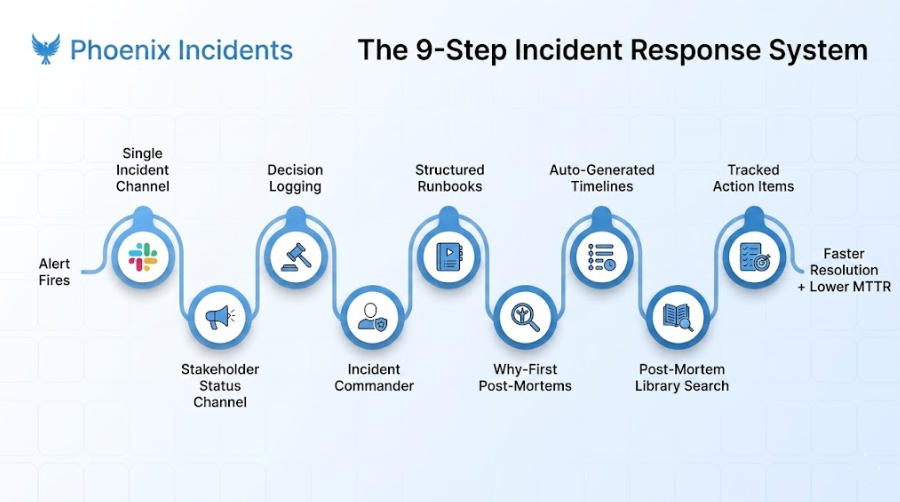
1. Keep All Communication in One Dedicated Channel
When a production incident breaks out, the fastest way to slow down resolution is communication fragmentation. This looks like side conversations in DMs, Status updates going to three different Slack channels and Important decisions made on a Zoom call that nobody could join.
All incident communication belongs in a single dedicated channel created for that specific event: no DMs, no sidebar threads that don’t get summarized back to the main channel. If it didn’t happen in the channel, it effectively doesn’t exist: you won’t be able to reconstruct it for the post-mortem, and you won’t be able to learn from it.
This is also your compliance foundation. A single channel creates the searchable, timestamped record your Incident Commander needs to hand off context, your post-mortem author needs to build the timeline, and your leadership team needs to understand impact.
Teams that enforce this single-channel rule consistently report post-mortem write times dropping from days to hours, because the timeline already exists rather than needing to be reconstructed from scattered sources.
When a P1 fires, a dedicated channel gets spun up immediately, either manually by the IC or automatically by your incident management tooling. Everything lives there from first alert to resolution.
2. Create a Separate Public Status Channel for Stakeholders
Your engineers are not the only people affected by a production outage. Customer success needs to know what to tell clients. Sales needs to know if a demo environment is down. Leadership needs visibility without reaching out to your on-call engineer directly.
Build a dedicated public status channel that anyone in the company can follow for updates, distinct from the working incident channel. The working channel is for responders while the status channel is for everyone else.
This does two things. First, it removes the constant stream of ‘any update?’ messages that interrupt your response team mid-diagnosis. Second, it builds organizational trust: transparent communication during an outage is one of the clearest signals of operational maturity, and stakeholders notice when it’s absent.
Teams that implement this separation consistently report a significant reduction in on-call interruptions during active incidents, which directly translates into faster resolution.
Automate the status channel updates wherever possible. Manually writing stakeholder summaries while simultaneously debugging a production issue is exactly the kind of cognitive overload that introduces errors and adds minutes to your MTTR.
3. Write Down Every Key Decision as It Happens
Team calls are useful for real-time coordination. They’re terrible for institutional memory. The moment your Incident Commander makes a call, what hypothesis they’re testing, what they’ve ruled out, what they’ve decided and why, all that needs to land in the incident Slack channel in writing. Not after the incident. Right now, while it’s happening.
You need a canonical, searchable log of decisions. The ‘what’ is easy to reconstruct from alert history and deployment logs. The ‘why’ is what gets lost, and it’s the why that makes your post-mortems valuable rather than compliance theatre.
According to Atlassian’s postmortem handbook, this decision log is also what protects you when there are conflicting recollections of what was discussed. Memories are unreliable under stress. Channel logs are not.
A well-maintained decision log also dramatically shortens PIR prep time, teams with clean decision logs report completing post-mortems within 24 hours rather than the 3–5 days that manual reconstruction typically requires.
Step 4: Assign an Incident Commander at the Start of Every Incident
The single most common process failure in incident response is the absence of a named owner for the process itself. Engineers default to fixing the problem, as they should. But someone needs to manage the response in parallel: taking notes, writing status updates, pulling in the right specialists, tracking what’s been tried, and ensuring nothing critical falls through the cracks. When that responsibility is unassigned, it diffuses across the team and usually doesn’t happen at all.
The Incident Commander (IC) isn’t the most senior engineer in the room. They’re the person responsible for process adherence: keeping the response organized, documented, and on track regardless of how chaotic the technical situation gets. The single most critical rule for ICs: they do not touch the keyboard.
The moment the IC starts debugging code or running queries, they lose oversight of the full incident. Assign one early, make the assignment explicit in the channel, and protect their bandwidth for process management. incident.io’s 2026 guide confirms that teams with clear ownership boundaries consistently resolve incidents faster and with less coordination overhead than those where responsibility is implied rather than assigned.
5. Build Structured Runbooks for Your Most Common Incident Types
Here’s a test worth running: identify the five most common incident types your team handled in the last quarter. Now ask: *does every on-call engineer, including your most recently hired, know exactly what to do when one of those fires? *If the answer is “they’d probably figure it out,” you have a runbook problem.
Good runbooks are checklists that answer ‘what do I do right now’: specific commands, specific dashboards, specific escalation contacts. They dramatically reduce cognitive load on on-call engineers and directly compress diagnostic time by removing the step where an engineer has to reconstruct prior knowledge from scratch at midnight.
According to DevOps.com’s reporting on on-call best practices, well-structured runbooks are especially valuable for junior engineers. Teams have cut the time it takes for new engineers to go on-call independently from two weeks down to three days.
Build runbooks for your most frequent incident types first. Treat them as living documents. Every post-mortem should include a step that asks: does the relevant runbook need updating?
6. Make Your Post-Mortems Follow the ‘Why,’ Not the Timeline
Here’s where most post-mortems go wrong. They spend 40 minutes reconstructing a minute-by-minute timeline and 10 minutes on the root cause. The meeting ends with vague action items that nobody owns and a creeping sense that you’ve just done compliance theater. Flip the ratio. The timeline is context. The work is understanding why the incident happened, what conditions made it possible, what assumptions were wrong, what structural weakness was exposed.
The Five Whys framework, developed at Toyota and now a cornerstone of SRE practice, gives you a structured method for this. Keep asking “why?” until you reach a cause that’s actionable, not just describable.
What you’re looking for isn’t a failed component. The heart of almost every incident is a broken process; a condition that made the failure possible, not just the failure itself. Finding that process gap is what makes a post-mortem worth doing.
7. Stop Rebuilding Timelines from Scratch
Manual timeline reconstruction is one of the most time-consuming parts of any post-mortem and it generates the least insight relative to the effort it consumes. If you’re combing through Slack messages, alert histories, and deployment logs to piece together exactly when something happened, you’re paying for your incident twice: once during the incident, and again during the post-mortem.
This is especially damaging when post-mortem windows are tight, and action item quality suffers when the meeting runs long on timeline debates.
Wherever possible, let your tooling auto-generate the timeline. Your incident management platform should capture the sequence of events automatically: when the alert fired, when the IC was assigned, what was deployed in the preceding window, when key decisions were logged in the channel. Save your post-mortem time for the Five Whys, not the timestamp archaeology.
8. Search Your Post-Mortem Library Before You Start Diagnosing
This step is underused to a degree that’s almost embarrassing given how much value it unlocks. Before your team starts a full diagnostic rundown on an active incident, someone should search your post-mortem archive.
There is a meaningful chance you’ve seen this pattern before: the same service, the same failure mode under load, the same upstream dependency behaving unexpectedly. A previous incident that looks similar can cut diagnostic time dramatically.
This is also why documentation quality matters more than most teams acknowledge. A post-mortem that describes what happened without capturing why, the hypotheses that were ruled out, and enough context to recognize the pattern later, is worth almost nothing as a reference at 3am six months from now. A well-written post-mortem that captures the full diagnostic path is the one that pays dividends when you need it most.
Make searching the post-mortem library a standard first step in your incident response runbook. Not a suggestion, a step.
9. Build a System That Ensures Action Items Actually Get Done
Post-mortem action items have a notoriously short half-life. They’re written with urgency on the day of the post-mortem, assigned to an owner with good intentions, and then quietly buried under deadlines and product priorities within a week. Two months later, the same incident pattern recurs, post-mortem is written again, and the same action items appear again. This is one of the most preventable sources of recurring downtime, and it requires a structural fix, not a cultural one. Good intentions don’t survive backlog grooming. Automated accountability does.
What you need is a system that automatically creates trackable work items from post-mortem action items, assigns them to a named owner in a tool they already use, surfaces them proactively before they’re forgotten, and flags overdue items for escalation.
Every post-mortem action item should be raised as a Jira work item linked directly to the post-mortem issue with a clear distinction between root cause fixes and general improvement actions. The link is what keeps preventative work visible, and visible work gets done.
The MTTR Impact of Each Step
Not all nine steps have equal leverage on your MTTR. Here’s how they map to the phases of incident response where time is most commonly lost:
| Step | Phase It Targets | Primary MTTR Lever | Expected Impact | |||
|---|---|---|---|---|---|---|
| 1. Single incident channel | During | Eliminates communication scatter | High: Prevents reconstruction gaps | |||
| 2. Separate stakeholder channel | During | Reduces responder interruptions | Medium-High: Frees responder focus | |||
| 3. Decision logging | During + After | Makes post-mortem accurate and fast | High: Halves PIR write time | |||
| 4. Assign an Incident Commander | Start | Clears coordination overhead | Very High: Fastest single intervention | |||
| 5. Structured runbooks | Diagnosis | Reduces diagnostic time for common patterns | High: Cuts MTTR for repeat incident types | |||
| 6. Why-first post-mortems | After | Produces actionable root cause, not timeline | Long-term: Prevents recurrence | |||
| 7. Auto-generated timelines | After | Cuts PIR overhead from hours to minutes | Medium: Enables faster learning cycles | |||
| 8. Post-mortem library search | Diagnosis | Shortcuts known failure patterns | Medium-High for repeat incident types | |||
| 9. Tracked action items | After | Closes the improvement loop permanently | Very High long-term: Breaks recurrence cycle |
The Pattern Across All 9 Steps
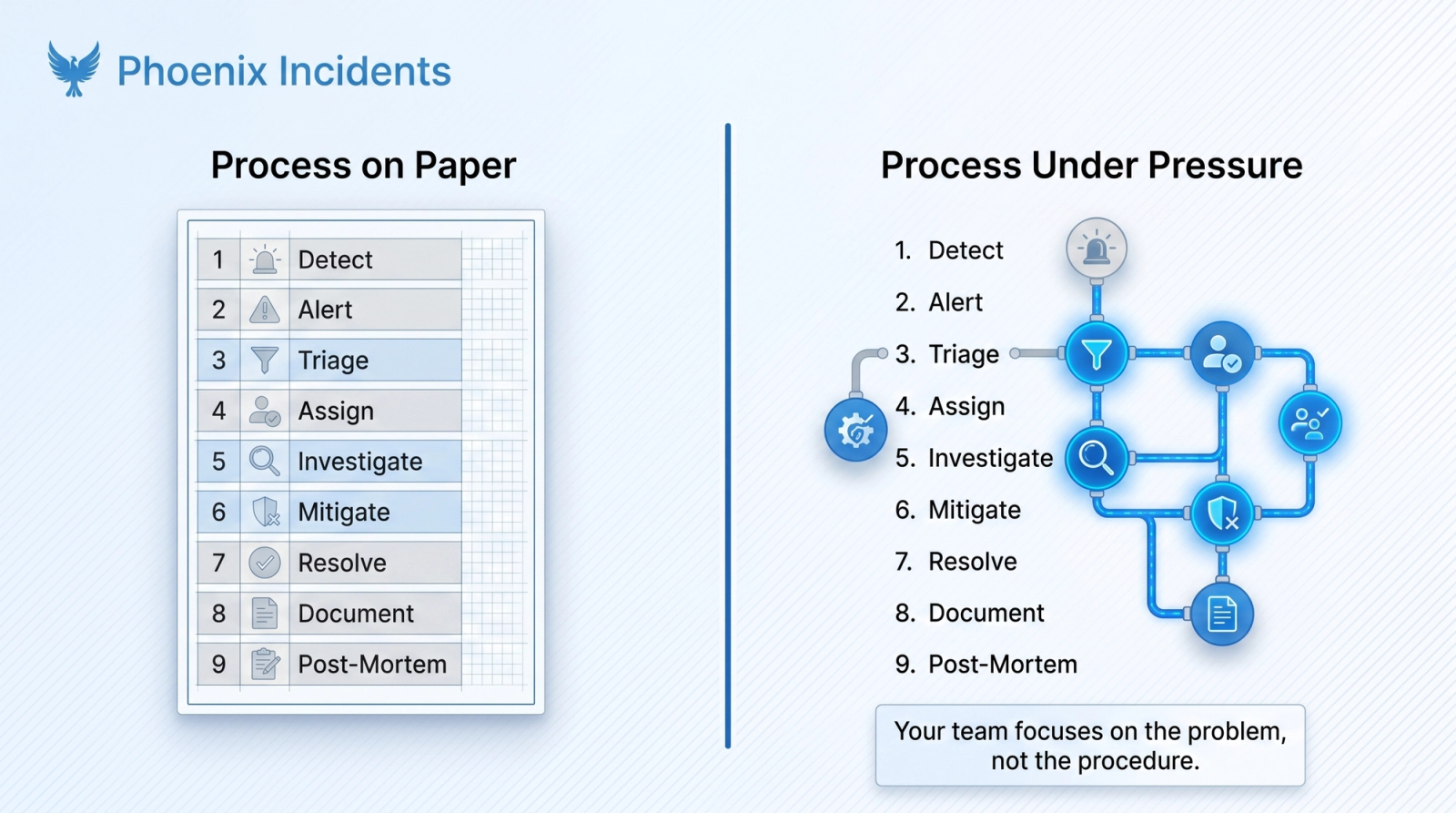
Read back through those nine steps and notice what they share: every single one closes the gap between the process that exists on paper and the one that actually runs under pressure. That gap is always widest at the worst possible time, during a live P1, when your engineers are stressed, context-switching, and relying on memory to fill in the pieces that should be automated.
According to 2025 State of Incident Management data, 78% of developers spend at least 30% of their time on manual toil. For incident response, that toil shows up as manual channel creation, manual stakeholder updates, manual timeline reconstruction, and action items that never get tracked to completion.
The teams that consistently resolve incidents faster are the ones with a process that enforces itself, so engineers can focus on the problem instead of the procedure. That’s exactly what Phoenix Incidents was built to do.
Why Phoenix Incidents Changes Everything
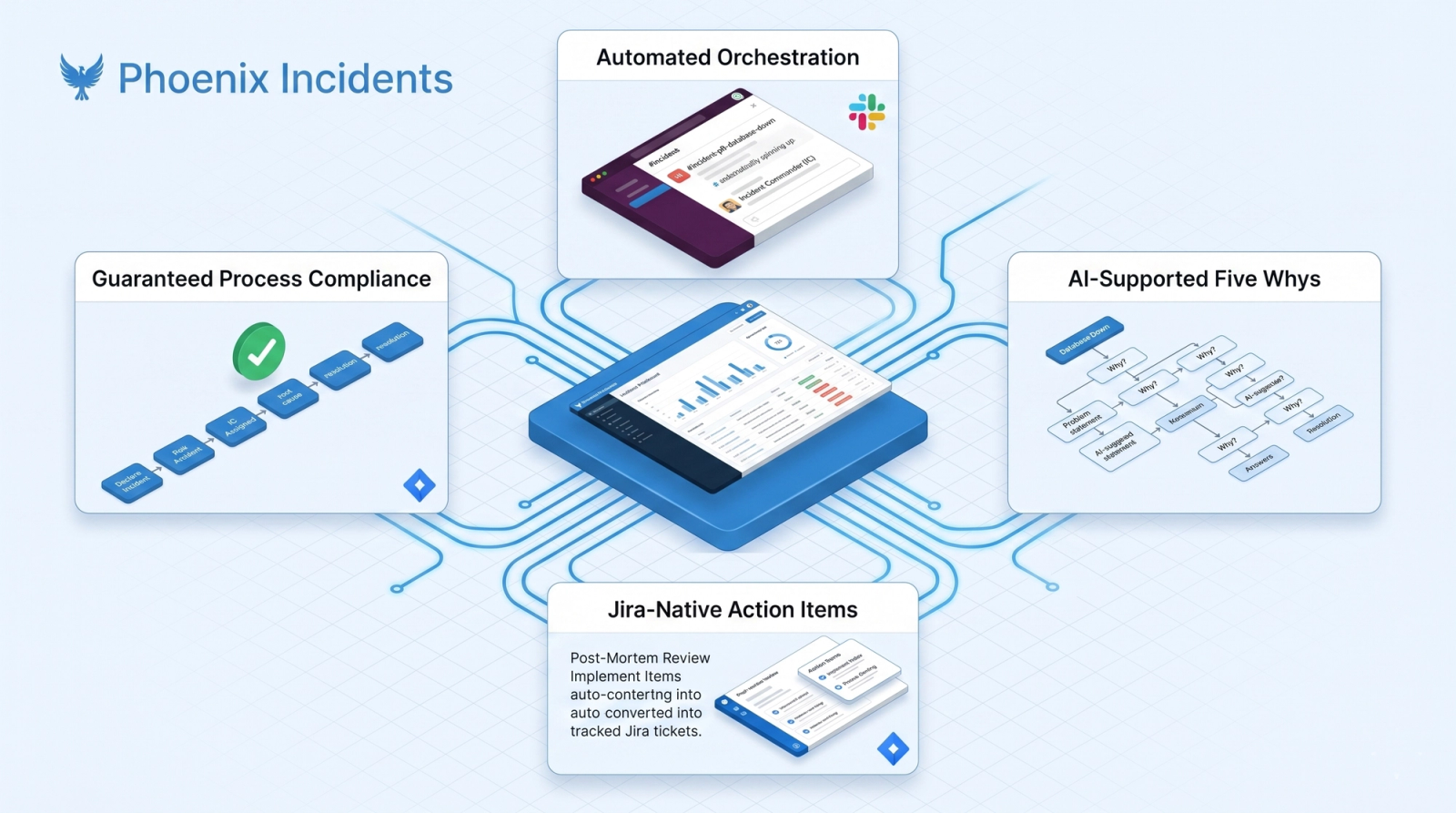
Most incident management platforms add new tools to an already-complex stack. Phoenix Incidents does the opposite. Phoenix Incidents is a truly native Jira incident management platform built to operate entirely inside the Jira and Slack environment your developers already use. No migrations. Your team stays in the tools they know while the automation layer handles the process compliance that shouldn’t require anyone to remember during a live incident.
Here’s what that looks like in practice:
- Automated incident orchestration: Dedicated channels spin up automatically, the IC is assigned, stakeholder updates are triggered, and the timeline is recorded, without anyone having to remember to do it
- AI-supported Five Whys: Structured root cause analysis built directly into the post-mortem workflow, so your team isn’t staring at a blank doc trying to remember the methodology after an exhausting incident
- Jira-native action item tracking: Every post-mortem action item becomes a tracked Jira work item with a named owner, linked directly to the post-mortem
- Guaranteed process compliance: Channel setup, IC assignment, decision logging, stakeholder updates, post-mortem scheduling, all happen automatically, every time, regardless of who’s on call
What people think: “We just need better monitoring.”
What actually happens: Most teams don’t struggle to detect incidents, monitoring tools are reliable. The delays live in coordination: who’s the IC, where are the updates going, what was decided and when. Better monitoring gets you a faster alert. Better process gets you a faster resolution.
Start Reducing Your MTTR Today
Whether you’re building an incident management process from scratch or tightening up one that’s close but not quite consistent, the best first step is seeing what a guided, Jira-native workflow looks like in your environment.
Frequently Asked Questions
1. What is a good MTTR benchmark for DevOps teams?
Top-performing DevOps teams typically recover from incidents in under an hour. However, your MTTR trend over time is often a more useful measure than industry averages.
2. What's the difference between MTTR and MTTA?
MTTA measures how quickly someone acknowledges an alert. MTTR measures how long it takes to fully resolve the incident. Tracking both helps identify where delays occur in your response process.
3. Why do post-mortem action items get abandoned?
Because they're often documented but not tracked. The most effective teams turn action items into assigned Jira tickets with owners and deadlines.
4. How does Phoenix Incidents work with our existing Jira setup?
Phoenix Incidents runs directly inside Jira and Slack, adding automation and incident workflows without requiring teams to learn a new platform or change their existing processes.
5. Do we need to change our severity levels to use Phoenix Incidents?
No. Phoenix Incidents works with your existing severity definitions and escalation policies. If you don't have a framework in place, it also provides industry-standard defaults.
6. How is Phoenix Incidents different from PagerDuty or Opsgenie?
PagerDuty and Opsgenie focus primarily on alerting and on-call management. Phoenix Incidents focuses on coordinating the entire incident lifecycle, including response, documentation, post-mortems, and action-item tracking within Jira and Slack.
7. How quickly can teams improve MTTR?
Many teams see improvements within the first few incidents after introducing structured incident workflows. Larger gains typically appear over several weeks as runbooks, post-mortems, and process improvements accumulate.