How To Build A Better Incident Documentation Workflow in Jira & Slack

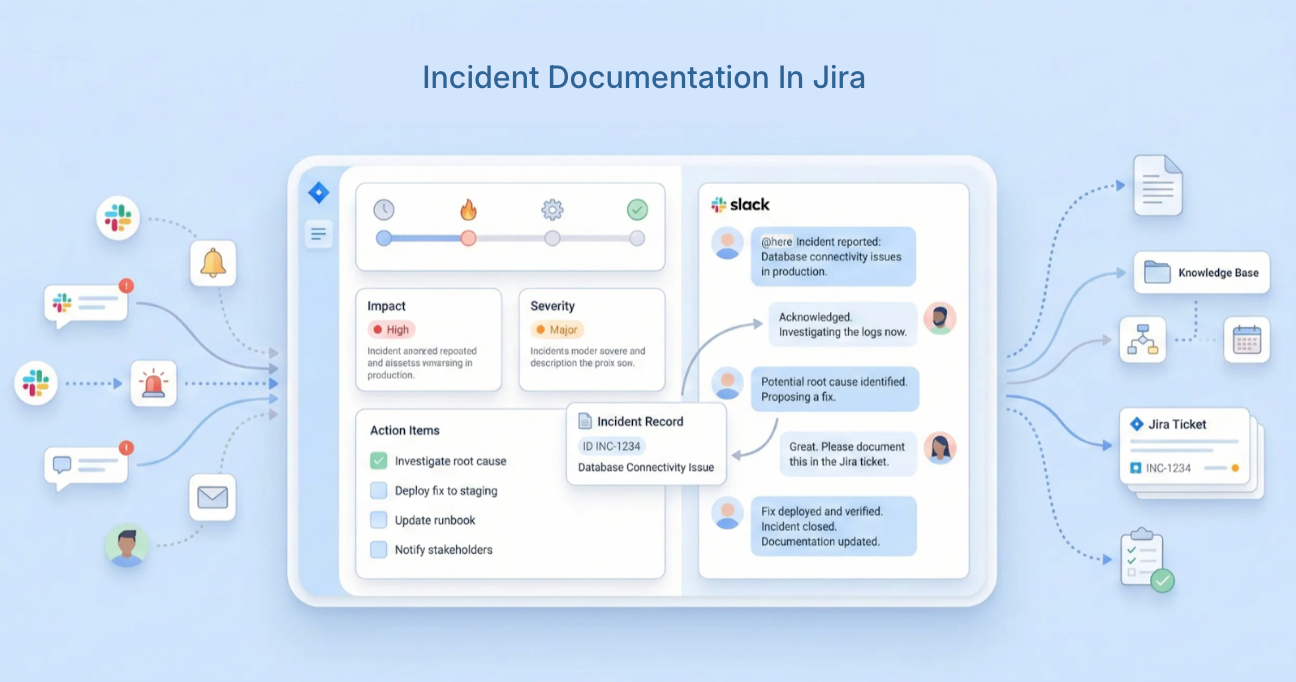
Most engineering teams track MTTR. They measure incident frequency. They review severity trends. What they rarely measure, and rarely feel the full cost of, is the quality of their incident documentation.
It’s a quiet failure. Unlike a slow MTTR or a missed SLA, poor documentation doesn’t show up in a dashboard. Its cost accumulates invisibly: in the post-mortem that takes three days to write because the timeline had to be reconstructed from memory, in the recurring incident that hits the same service for the third time because the previous fix was documented vaguely, in the compliance audit that surfaces gaps nobody knew existed.
Proper incident documentation is important for long-term improvement but it’s often neglected in the rush to move on to the next issue. Without systematic processes, valuable insights are lost. And teams that skip or shortchange documentation don’t just miss learning opportunities, they pay for the same incidents, repeatedly, at full price.
Gartner estimates the average cost of poor data quality and documentation gaps at $12.9 million per organization per year. For engineering teams specifically, the bill shows up in increased MTTR, recurring incidents, and the hidden cost of institutional knowledge that leaves when an engineer does.
This guide breaks down what great incident documentation looks like, the specific points where documentation breaks down under pressure, and how to build a workflow that captures everything automatically, without adding a new tool.
What is Incident Documentation?
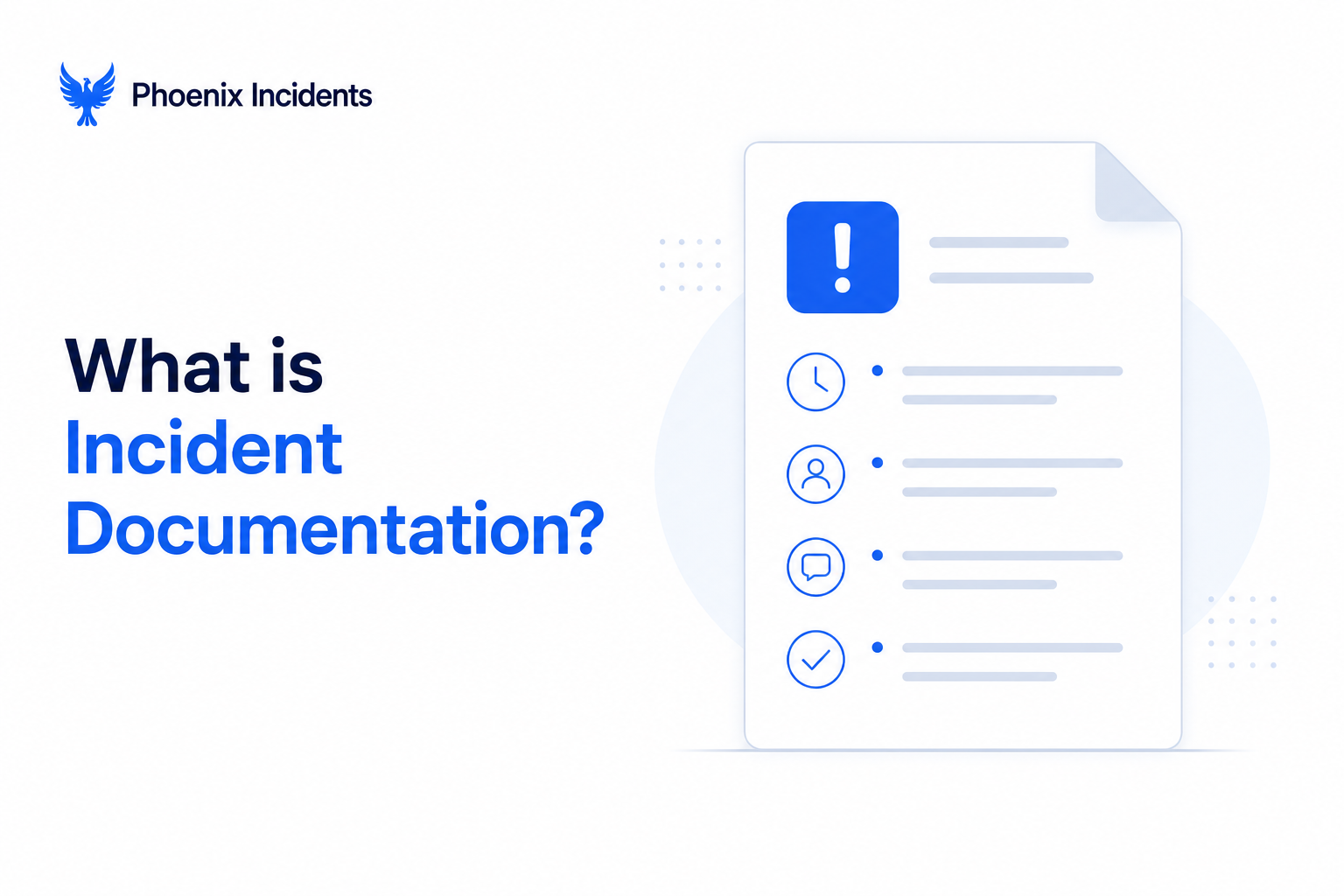
Incident documentation is the complete written record of everything that happened before, during, and after a production incident. It’s the single source of truth for:
- What broke, and the observable symptoms that indicated it
- Who responded, in what order, and in what capacity
- When actions were taken and what the decision logic was at each step
- How the team reached the resolution, including failed hypotheses
- What the measurable impact was on users and systems
- What follow-up work is required, assigned to whom, by when
That last point is worth separating out from the rest. Incident documentation is the mechanism that connects what happened to what changes. Without structured follow-up documentation, the insights produced by even an excellent post-mortem never make it into the workflow where work actually happens.
Why Incident Documentation Breaks Down in Practice
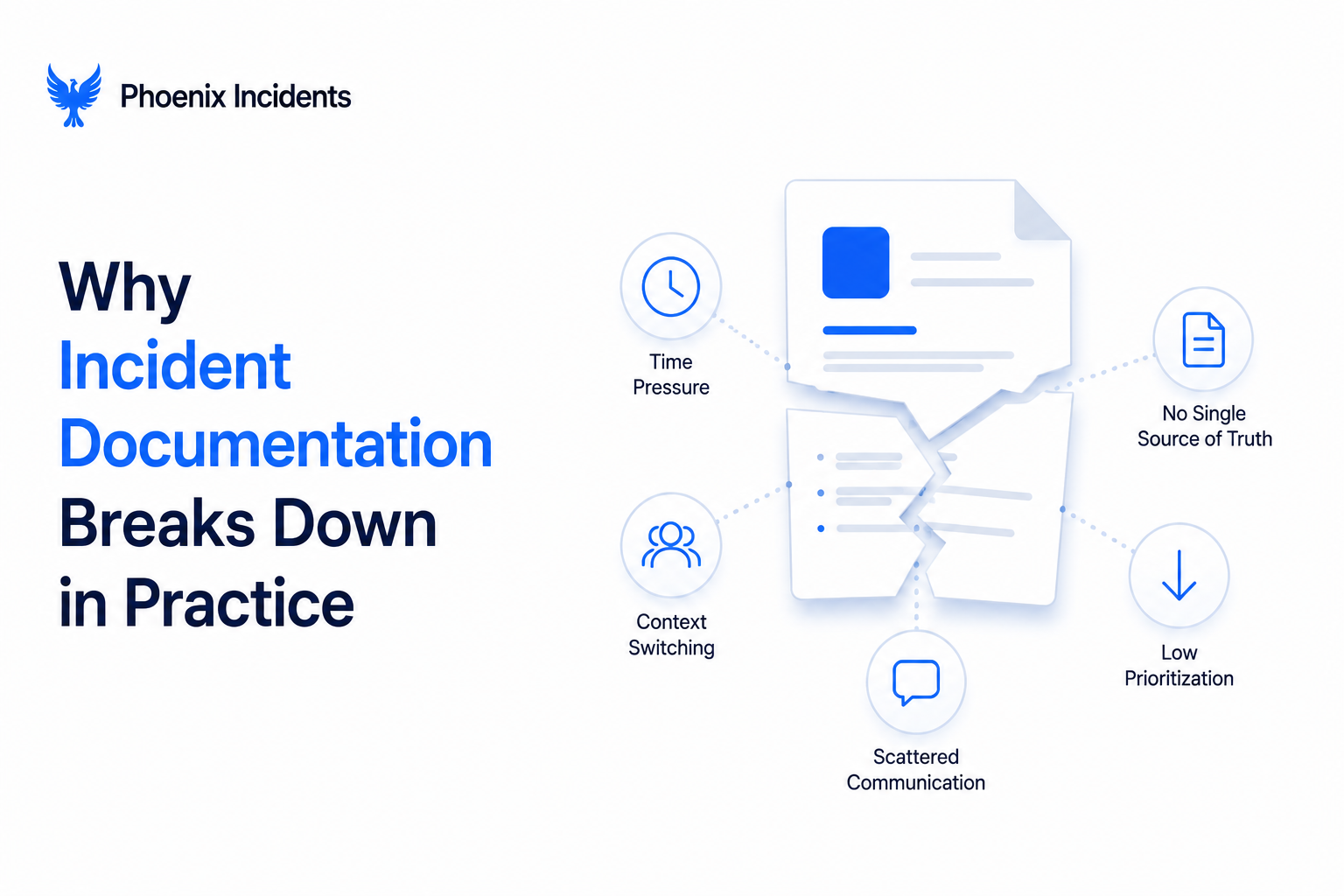
Knowing what good documentation looks like is the easy part. The hard part is capturing it under pressure, when engineers are simultaneously debugging, communicating with stakeholders, managing escalations, and fighting against the clock.
Without proper integrations connecting tools, support teams have to track and manage multiple screens for incident information, manually collect data from various sources, and notify appropriate parties, all while working toward service restoration. Every tool switch is a context switch. Every context switch costs time and creates gaps.
Here’s where documentation specifically breaks down during a live incident:
| Failure Mode | How It Happens | The Cost | |||
|---|---|---|---|---|---|
| Timeline gets scattered | Alert in monitoring tool, conversation in Slack, decision on Zoom, Jira ticket updated hours later with incomplete summary | Post-mortem archaeology takes 60–90 min; decision context is permanently lost | |||
| Documentation treated as post-incident work | Team focuses on resolution (correct) and treats documentation as clean up afterward | Detail degrades rapidly; decisions made at 2am are genuinely hard to reconstruct at 2pm two days later | |||
| Action items in the wrong place | PIR action items written into Confluence or a Google Sheet; quietly fade from view when the next sprint starts | Same incident patterns recur; action items have no owner in the tool those owners actually use | |||
| Documentation isn’t standardized | One incident has detailed timeline; next has three bullet points and a vague root cause tag | Post-mortem library becomes inconsistent and much less useful as a diagnostic tool during future incidents | |||
| Failed hypotheses not captured | Documentation records what worked but not what was ruled out | Future engineers re-investigate the same dead ends at 3am; diagnostic time doesn’t improve |
The 5 Components of Strong Incident Documentation
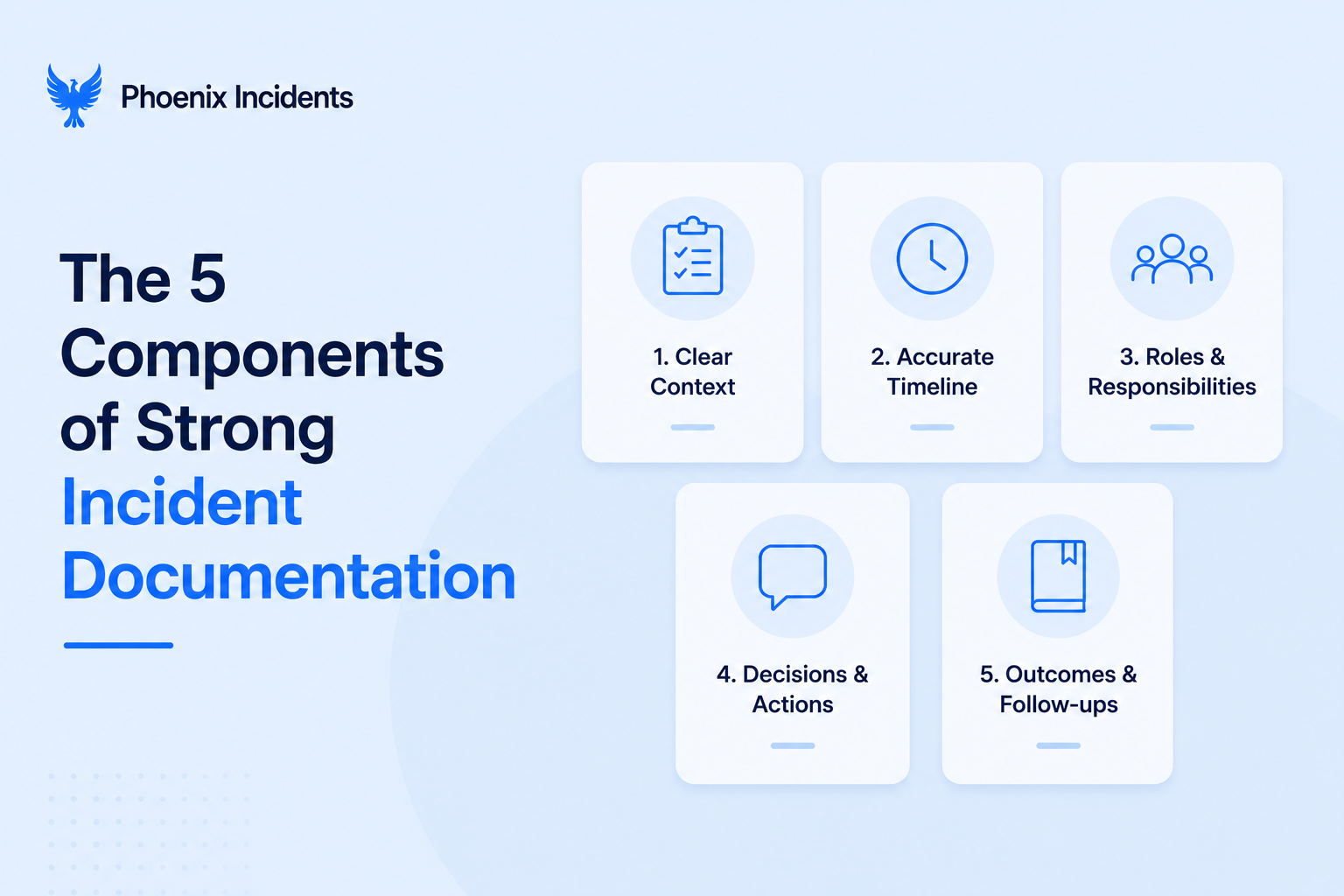
1. A Clear, Factual Incident Statement
The incident statement is the anchor for everything that follows. It should describe exactly what was observed: not hypotheses, not conclusions, not attribution. Facts only.
What to include:
- The service or feature affected
- The observable symptoms (error rates, latency spikes, specific error messages)
- The time the issue was first detected and by what means
- The current status at the time of writing
What to avoid:
- Causal language before the root cause is confirmed (“the database was overloaded because...”)
- Vague descriptions (“some users experienced issues”)
- Attribution to individuals before the post-mortem is complete
A clear incident statement prevents the post-mortem from starting with a debate about what actually happened. It also gives the Incident Commander a reference point for stakeholder updates, the facts don’t change even as the diagnosis evolves.
2. A Quantified Impact Summary
Vague impact descriptions are one of the most common documentation failures. "Some users were affected" tells you almost nothing useful. "12% of checkout requests failed for 47 minutes, affecting approximately 3,200 users across the EU region" tells you exactly what you need to understand severity, prioritize the post-mortem, and calculate business impact.
Document impact across four dimensions:
- Scope: Who was affected? What specific user segments, regions, or features? Was it a complete outage or partial degradation?
- Duration: Exact timestamps: when did the impact begin, when was it mitigated, when was full service restored? These numbers feed your MTTR calculation and should be captured from system data, not from memory.
- Severity: Was this a complete outage or degraded performance? Which specific flows were broken? What was the error rate at peak impact?
- Business impact: Transactions affected, revenue at risk, SLA implications, customer-facing communications required. This is the documentation that leadership and customer-facing teams will reference.
Good impact documentation also serves your compliance requirements. Incident reporting aids in using key risk indicators for predictive analytics and proactive risk management but only if the impact data is specific and consistent enough to be analysed across incidents over time.
3. A Detailed, Timestamped Timeline of Events
The timeline is the hardest component to produce accurately and the most valuable one to have. It's what makes the difference between a post-mortem that generates genuine insight and one that produces a sanitized version of events that nobody fully trusts.
A complete timeline includes:
- All alert triggers and monitoring signals with timestamps
- Each action taken by responders, including commands run and configurations changed
- Team communications and decisions made in the working channel
- All mitigation attempts, successful and failed (the failed ones matter as much as the successful ones for root cause analysis)
- Deploys, rollbacks, and configuration changes that preceded or occurred during the incident
- Escalation events and role assignments
The fundamental problem: building this timeline manually after the incident takes 60 to 90 minutes and produces an incomplete picture. Memories are unreliable under stress. Slack message history requires scrolling through hundreds of messages. Alert timestamps may not match the working channel conversation timestamps. And the decisions made in DMs or on a Zoom call are often entirely absent.
The solution is capturing the timeline during the incident, not reconstructing it after. When every significant action, decision, and communication flows through a single incident channel that's automatically linked to the Jira incident record, the timeline exists when the incident closes rather than needing to be rebuilt.
Phoenix Incidents captures the complete incident timeline automatically throughout the response, every status update, role assignment, and key decision, so the post-mortem starts with an 80% complete draft rather than a blank page.
4. A Structured Post-Incident Review (PIR)
The post-incident review is where raw incident data becomes organizational learning. It’s the process that transforms a timeline into a root cause understanding, and a root cause understanding into concrete actions that reduce the likelihood of recurrence.
Without a structured PIR process, teams predictably fall into one of three patterns: they rush back to feature work without reflection, they blame individuals rather than examining systems, or they produce a list of lessons learned that nobody acts on.
See why post-mortems fail for the structural reasons these patterns persist. Without systematic processes, valuable insights from incidents are lost and teams miss opportunities to drive meaningful operational improvements over time.
A structured PIR works through five questions in order:
- What happened and when? Use the auto-generated timeline rather than reconstructing it. The goal here is alignment and shared understanding.
- What was the customer impact? Pull from the impact summary, specific numbers, not general descriptions.
- What did the team do to mitigate? Walk through the timeline of response actions, including what was tried and ruled out. This is often where the most valuable learning lives.
- Why did this happen? This is the root cause analysis. Use the 5 Whys method to trace from the surface symptom to the systemic condition that made the incident possible. You're looking for a broken process, not a failed component.
- What will change? The preventative action items. Each one should be specific enough that anyone reading it understands exactly what work is being done and why it reduces incident risk.
The blameless principle is critical throughout. A PIR that creates blame shuts down honest reconstruction and produces a sanitized account that misses the real root cause. A blameless PIR assumes every responder acted with the best information they had at the time, and asks what in the system gave them incomplete or misleading information.
5. Tracked, Time-Bound Action Items
Post-mortem action items are where incident documentation either creates lasting value or dies. A well-written PIR that produces action items in a Google Doc, with no owners in a real tool, no due dates connected to sprint planning, and no visibility after the meeting is not a process.
Every action item needs four things:
- What needs to happen: Specific enough that someone who wasn't in the post-mortem can understand the task and its purpose without asking questions.
- Who owns it: A named individual, not a team. "Engineering" doesn't ship action items. Engineers do.
- When it should be completed: A realistic deadline that accounts for sprint capacity, not an aspirational date chosen under post-incident urgency.
- How completion will be tracked: A Jira issue number. Not a checkbox in a doc. An actual work item in the system where engineering work is tracked, estimated, prioritized, and reviewed.
- By capturing incidents with their root causes in detail, your team fixes the real problem instead of just treating symptoms. This keeps systems stable, prevents repeat outages, and protects the operations your business relies on.
Phoenix Incidents creates every post-mortem action item as a Jira issue automatically, linked directly to the incident record, assigned to a named owner, and visible in the team’s normal sprint workflow. The incident record isn’t marked closed until remediation work is tracked. The post-mortem doesn’t end when the document is finished. It ends when the risk is mitigated. For more on running effective PIRs, see how to run a PIR.
Where Documentation Lives vs. Where It Should
The most common documentation failure for Jira-based engineering teams isn’t a lack of effort. It’s fragmentation. Information about the same incident ends up in five places simultaneously, none of which tells the complete story.
| Where it ends up | What gets captured | What gets lost | Fix | |||
|---|---|---|---|---|---|---|
| Slack threads | Real-time discussion | Context after the incident; non-public channel decisions | Single dedicated incident channel; sync to Jira automatically | |||
| Jira ticket | Status updates; some actions | The reasoning behind decisions | IC logs key decisions in channel; channel syncs to Jira record | |||
| Confluence / Notion | Post-mortem write-up | Connection to actual work items | Action items created directly as Jira issues, not listed in a doc | |||
| Alert tools | Trigger timestamps | Everything that happened after detection | Incident management tool ingests alert context into the incident record | |||
| Engineer memory | The decisions on Zoom | Everything, eventually | No decisions should live only in memory; IC decision log in channel is mandatory |
The fix isn’t to force engineers to copy and paste between these tools while managing an active incident. It’s to design a workflow where all of this flows into the right place automatically. Every gap between tools is a gap filled by a human doing manual work, and that overhead compounds across every incident your team handles
How Phoenix Incidents Builds the Documentation Workflow Inside Jira and Slack
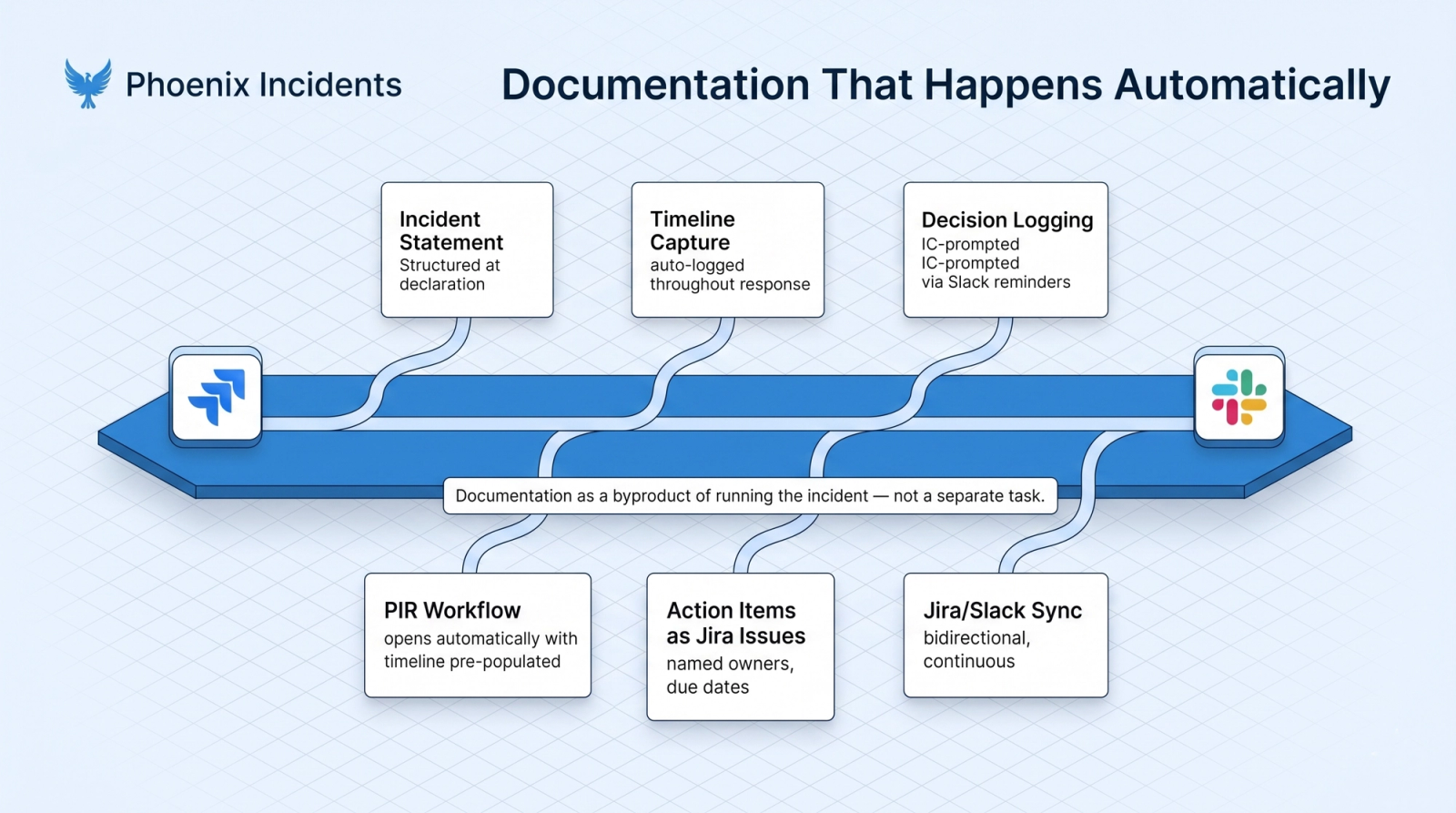
Most documentation problems aren’t knowledge problems or discipline problems. They’re infrastructure problems. Good documentation isn't rare because engineers don't know it matters; it's rare because the workflow requires capturing it manually under pressure.
Phoenix Incidents solves this at the infrastructure level by making documentation happen automatically as a by product of running the incident response.
Here’s how each documentation component gets handled:
- Incident statement and impact fields: Structured at the point of declaration inside Jira or Slack. Required fields ensure every incident starts with the same baseline information; severity, affected service, observable symptoms, rather than whatever the on-call engineer remembered to note at 3am.
- Timeline capture: Every action, update, and role assignment in the incident workflow is logged automatically to the incident record. Engineers don’t document the timeline; the system does, throughout the response.
- Decision logging: The Incident Commander is prompted to log key decisions directly in the incident Slack channel at regular intervals via SLA-based reminders. Because the channel and the Jira record are kept in sync, every logged decision is part of the incident record without any manual export.
- Post-incident review workflow: After resolution, Phoenix Incidents automatically opens the PIR workflow with the timeline pre-populated. The structured Five Whys guides root cause analysis. Teams start with context rather than a blank page, which is what allows post-mortems to be closed within 24 hours rather than days.
- Action item tracking: Every action item identified in the PIR is created as a Jira issue linked to the incident record, assigned to a named owner, with a due date. Action items are visible in sprint planning and don’t exist in a separate document.
- Jira and Slack synchronization throughout: Status changes in Jira reflect in Slack. Communications in the incident Slack channel are logged to the Jira record. Engineers never need to manually update both.
Best Practices for Improving Incident Documentation Quality
Building the right infrastructure solves the structural problem. These practices address the quality of the documentation that flows through it.
| Practice | Why It Matters | What to Do | |||
|---|---|---|---|---|---|
| Standardize fields across every incident | Vague or empty fields degrade the post-mortem library over time and prevent pattern-matching during future incidents | Every incident record requires impact summary, severity, timeline, root cause tags, and action items, enforced by tooling, not policy | |||
| Start capturing during the incident, not after | The further you get from a live incident, the more detail degrades | Design the workflow so real-time capture is the path of least resistance; IC decision logging should be prompted automatically | |||
| Document failed hypotheses, not just successful ones | The hypothesis that was ruled out often contains the diagnostic path future engineers need most | Include a ‘what we ruled out’ section in every PIR template; treat this as required, not optional | |||
| Treat action items as engineering work, not documentation | The moment a PIR action item lives in a Jira sprint, it has a chance of getting done; the moment it lives in Confluence, it doesn’t | Every action item must have a Jira issue number before the PIR meeting ends | |||
| Review your post-mortem library regularly | Consistent documentation compounds; the library becomes a diagnostic tool that pays dividends over time | Add ‘search the post-mortem library’ as a standard first step in incident response runbooks |
Building a Documentation Culture: The Compounding Effect
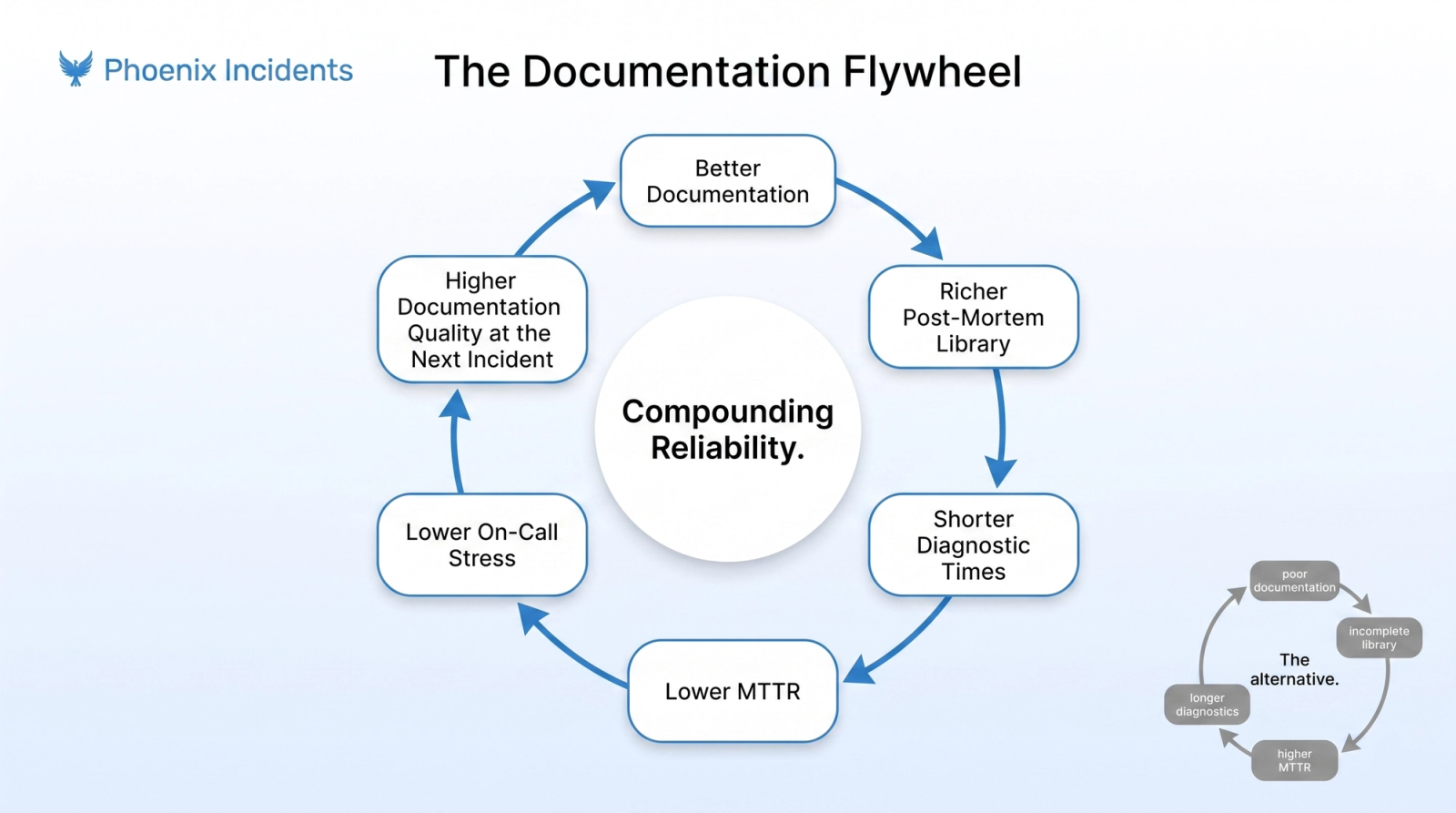
There’s a common belief that documentation quality is a discipline problem, that teams document poorly because engineers don’t care enough or don’t prioritize it. This is usually wrong. Teams document poorly because the infrastructure makes good documentation harder than bad documentation under pressure.
When the infrastructure is right, documentation quality compounds. Each well-documented incident makes the post-mortem library more valuable. A more valuable post-mortem library shortens future incident diagnostic times.
Shorter diagnostic times reduce MTTR. Lower MTTR reduces on-call stress. Lower on-call stress improves the quality of documentation at the next incident. The loop is self-reinforcing in both directions: good infrastructure accelerates it upward, poor infrastructure accelerates it downward.
Teams that invest in documentation infrastructure consistently report that their post-mortem quality, and the reliability improvements that follow, compound measurably over 6–12 months.
The investment isn’t just about any single incident. It’s about making every incident a deposit into an institutional knowledge base that makes the next one cheaper. For teams looking to quantify this, incident KPI best practices cover how to track and trend these improvements over time.
Conclusion
The teams that resolve incidents fastest aren’t just better at diagnosing technical problems. They’re better at capturing institutional knowledge during incidents, not just after them, in a form that compounds over time.
Phoenix Incidents builds that infrastructure natively inside Jira and Slack; no new tools, no context switching. The documentation workflow runs automatically so your engineering team can focus on what they’re actually there to do: resolve incidents and build more resilient systems.
Frequently Asked Questions
1. What should incident documentation include?
Good incident documentation should capture what happened, who was affected, the business impact, a timeline of events, root cause analysis, and clear action items with assigned owners and due dates.
2. How do you create a post-mortem timeline?
The most effective timelines are captured during the incident itself. Keeping all communication and updates in a central system makes it easier to review events later without relying on memory or scattered records.
3. Why do post-mortem action items never get done?
Action items often get lost when they live in documents instead of work management tools. Assigning owners, deadlines, and tracking tasks alongside regular engineering work significantly improves completion rates.
4. What's the difference between an incident report and a post-incident review?
An incident report records what happened, when it happened, and its impact. A post-incident review focuses on understanding root causes and identifying improvements to prevent similar incidents in the future.
5. How does Phoenix Incidents automate documentation?
Phoenix Incidents captures incident activity as it happens, automatically builds a timeline, guides teams through root cause analysis, and converts action items into tracked Jira issues.
6. How should incident documentation be organized?
Incident records should be stored in a central, searchable location where teams can quickly find past incidents by service, severity, root cause, or date.
7. How do you measure the quality of incident documentation?
Track metrics such as post-mortem completion rates, recurring incident frequency, and how often teams reference past incidents during investigations. Good documentation should help teams resolve future incidents faster and more effectively.