How to Set Up Jira Incident Management for Free

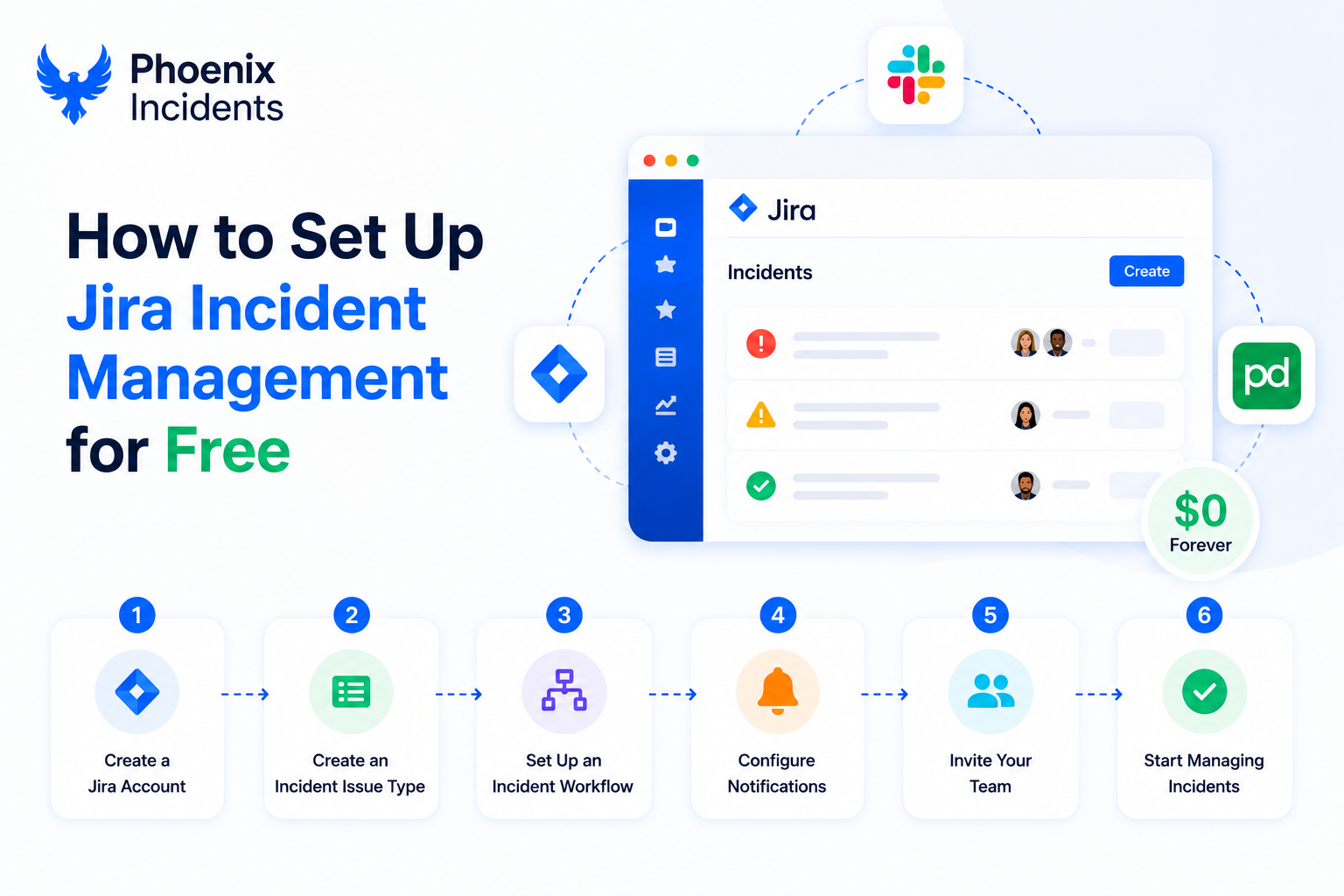
Years before we built Phoenix Incidents, I built it by hand inside Jira.
At two different companies, I went looking for an incident management app in the Atlassian Marketplace and there wasn't one. There were hundreds of ITSM add-ons and connectors to external incident tools, but nothing that actually ran incident response end to end inside Jira without adding another system to learn.
So I built it.
The idea felt obvious, because incidents are simply the most urgent kind of work. They sit alongside bugs and tasks, so pulling them into a separate tool never made sense.
You lose the context that matters:
- Linked issues
- Ownership
- Visibility
- And traceability
Alerts can live elsewhere since they're the signal, but once an alert becomes an incident, it deserves to live where work happens, which for many teams, is Jira.
What followed was a surprisingly complete system that you can still recreate today, along with a clear lesson in where Jira shines and where it needs help.
Why I Built It Inside Jira
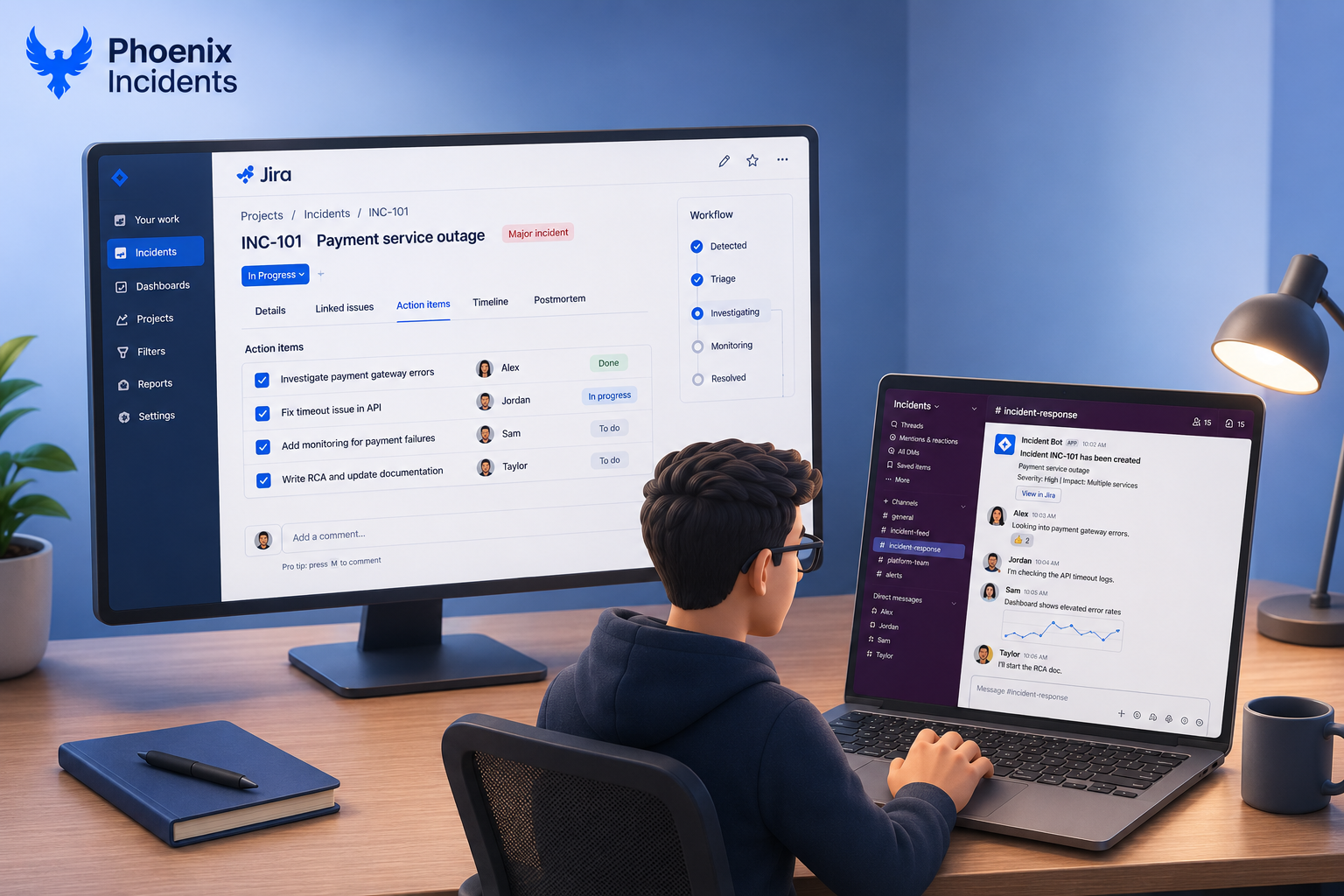
We already had everything the job needed. Jira for tracking, Slack for communication, and either Splunk On-Call or PagerDuty for paging depending on the company. It felt absurd that these couldn't work together out of the box to give a software engineering team a solid, modern incident management process. The pieces were all there, just that nobody had connected them.
So I wired them up.
The core of it came down to five moving parts, each one native to Jira or close to it.
| Component | What it did |
|---|---|
| Jira workflow | Modeled the full incident lifecycle |
| Jira Automation rules | Fired Slack messages when an incident was created or transitioned, and sent reminders to keep the team on track against our SLAs. |
| Outgoing webhooks | Posted to our paging system so the right on-call engineer got woken up. |
| Confluence RCA templates | Pre-populated a postmortem page from the Jira issue fields, so every root cause analysis auto-linked back to the incident it came from. |
| Linked action items | Tracked follow-up work as linked issues, and when all of them were resolved, the parent incident closed automatically |
It worked. It was scrappy, but the system handled hundreds and hundreds of real incidents over years. We shipped faster, closed loops more consistently, and the automation kept things moving without constant babysitting.
One of the earliest wins was transparency. The whole lifecycle was visible in a tool everyone already had open, which kept customer-facing teams in the loop without anyone chasing status, and engineering accountability went up because the work was out where people could see it.
How the Pieces Actually Worked
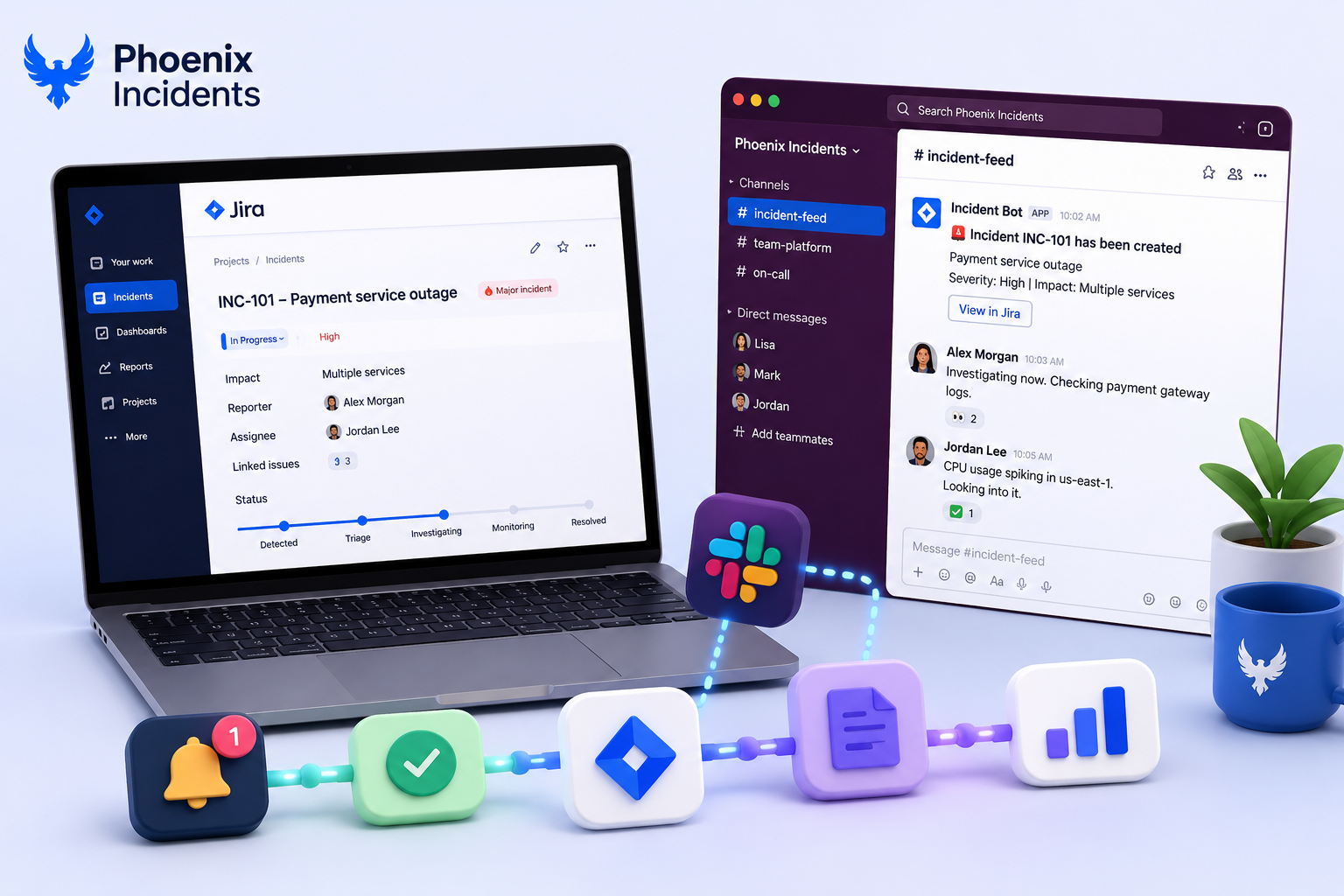
1. Slack automation: This carried the live incident. Every time an incident was created or transitioned, automation posted to two places:
- A general incident feed that gave the whole org a view
- And a team specific channel where the responders actually coordinated
People shared what they were seeing, posted graphs, and worked the problem together while Jira quietly captured the state behind them.
2. Auto-closure: When every linked action item was marked done, the parent incident resolved automatically. An incident wasn't done when someone remembered to close it. It was done when the actual remediation work was finished, every follow-up resolved, the loop genuinely closed.
3. RCA enforcement: If someone moved to close an incident without the critical data or tasks completed, we used workflow conditions, and fell back to Jira Automation to reopen the issue.
4. Confluence integration handled postmortems. A template pulled fields straight from the Jira issue, so the RCA started half-filled and already linked instead of being a blank page someone had to assemble by hand at the worst possible time.
5. Reminders: Escalation rules fired timed Slack messages when an engineer hadn't acknowledged, verified, or posted an update.
6. Reporting & Charts: We used an off the shelf charting app in the Atlassian marketplace. With significant setup we had all the requisite reporting needed for quarterly business reviews
For a single company, it was surprisingly effective. A zero-budget incident platform, built from tools we already paid for, that made Jira feel purpose-built for ops.
If you want to recreate it, the building blocks are all there. This post is just an overview. The full implementation guide is delivered by email below.
Where the Cracks Showed
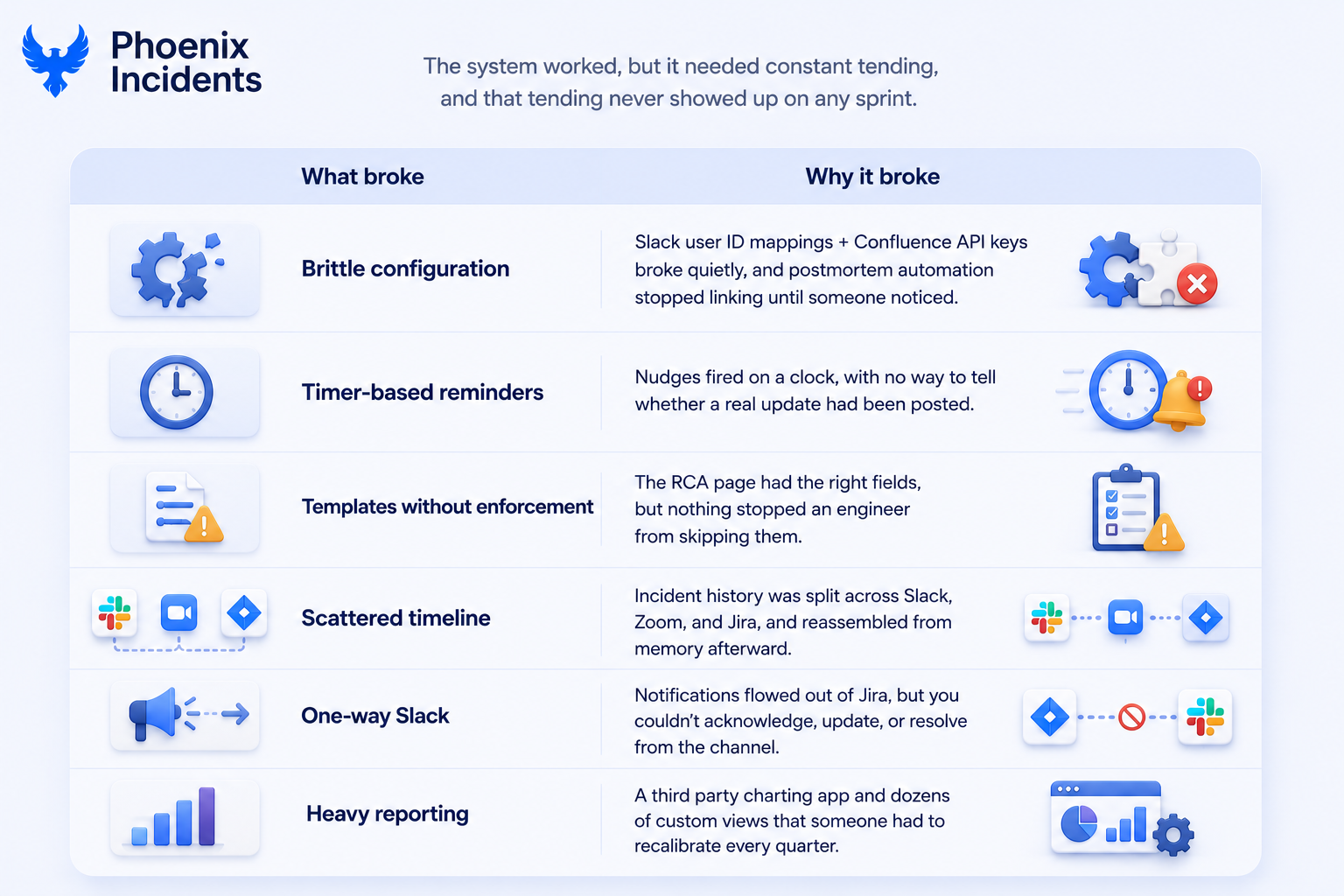
1. The configuration was brittle in specific, annoying ways. Slack notifications depended on user ID mappings that broke when someone changed their handle or a new hire wasn't mapped yet.
2. Confluence integration leaned on API keys that expired or got rotated, quietly breaking the postmortem automation until someone noticed RCAs weren't linking anymore. None of this was hard to fix. It was just a steady tax that somebody had to keep paying.
3. The reminders were timers, and timers are dumb. The update reminders couldn’t detect if an update was actually sent. Add different SLAs for different severities and the timer logic multiplied into something nobody wanted to maintain. The reminders meant to cut noise started generating their own.
4. Templates were the weakest link, because a template can shape a document but it can't enforce a process. The five whys got filled in inconsistently, so the root causes we captured ranged from genuinely insightful to almost nothing.
5. Then there was the timeline, scattered across three tools. The discussion sat in Slack, the call in Zoom, the record in Jira comments, and the actual timeline was whatever someone reconstructed from memory. Rebuilding it for the postmortem was manual every time, and details fell into the gap between what happened and what got written down.
6. One-way Slack. During a calm incident, tabbing back to Jira to acknowledge or update is a minor annoyance. During a severe one, with the responder heads down and the clock loud, every jump back is friction you feel.
7. Reporting and dashboards. The reporting technically worked, but the setup was heavy, and "someone spends a week each quarter keeping the reports honest" is not a line you want in your incident process.
It all functioned, but it required constant tending. Someone had to maintain the automation rules, chase missing data, and update Confluence templates. It was a clever system, just not a sustainable one.
What the Limits Were Telling Me
You can stretch Jira incredibly far with Automation and Confluence. Eventually, though, the work shifts from automating incidents to maintaining the automation, and that shift is the real story of everything above.
The hardest parts were human:
- Consistency: Getting engineers to document root causes the same way, every time, without anyone policing it.
- Reusability: Making sure the lessons from an incident were still findable and useful six months later, instead of buried in a Confluence page nobody reopened.
- Communication: Keeping the loops tight enough that people stayed informed, without burying them in pings until they tuned the whole thing out.
Those gaps weren't bugs to fix. They were signals that marked the places where process, structure, and guided tooling matter more than another clever automation rule.
Some of those gaps however, are exactly the kind of thing AI is now good at closing, and other gaps are the kind AI should stay away from.
Where AI Helps and Where It Shouldn't
1. A fair amount of what I built by hand can now be automated outright, and some of it should be. The tasks worth handing to AI are the ones that are pure toil:
- Reconstructing timelines automatically from Slack, Zoom, and Jira.
- Suggesting status updates or summaries.
- Recommending similar past incidents and runbooks that resolved them.
There's a line, in some places, where you’d want a human in the loop.
2. For example, take Post-mortems (RCAs), the “Five Whys” exercise is an intentional and reasoning exercise. The learning comes from the conversation:
- Engineers debating causes
- Challenging assumptions
- Uncovering the real systemic issues.
Some tools now let an LLM generate the root cause and produce a polished writeup in seconds. It looks slick, but it misses the point entirely, because nobody learned anything. The document now becomes a record of an analysis that never happened, useful later as training data and useless as understanding.
The rule I landed on is simple: automate everything that doesn't teach you something, and keep humans in the loop wherever reflection is the product. AI should support the reasoning, not replace it, prompting sharper questions, surfacing a blind spot, or pointing to a related incident from eight months ago that nobody remembered.
The future of incident management is heavily AI assisted, but the teams that get it right will be deliberate about what they automate.
My Takeaway: Build It Yourself First, So You Know What Works
You can build this inside Jira, and if you do, you'll learn a tremendous amount. You'll find out what your process actually needs, which automations earn their keep, and where the real friction sits. Those lessons are hard to get any other way: you have to build it, then you live with it.
But you'll hit the ceiling, and you'll hit it faster than you expect. Maintenance, reporting, and data quality will start to eat your weekends. At some point the work stops being incident management and becomes maintenance of your incident management. That's the signal it's time for something purpose-built.
That’s why we built Phoenix Incidents: not as a collection of scripts or automations, but as a reliable Forge app shaped by those early lessons. It takes everything that worked, the Jira native workflows, Slack coordination, RCA discipline, and rebuilds them as a mature, reliable platform.
- Slack is fully interactive with buttons, slash commands, and real-time updates.
- Reminders are precise, not timer hacks.
- Reporting is built-in, not bolted on.
Everything runs automatically; the way it should have from the start.
So yes, you can recreate what I did.
Or you can let Phoenix Incidents carry the heavy lifting, built on years of running incidents the hard way first.
Get the full setup guide via email
I documented the whole hand-built implementation, the workflows, automation rules, Confluence templates, and example reminders, so you can build your own version and learn the same lessons first hand.
It's a practical reference for teams who want to roll their own.
Frequently Asked Questions
1. Can you do incident management in Jira without Jira Service Management?
Yes. You can manage incidents using Jira Software, native workflows, Jira Automation, Confluence for postmortems, and Slack for communication. While Jira Service Management adds ITSM features like service desks and SLAs, it's not required to run an effective incident management process.
2. Do you need Jira Service Management for incident management?
No. Jira Service Management is designed for IT operations teams, but engineering teams can successfully manage incidents using Jira Software and Slack. You can build the workflow yourself or use a Jira-native app to automate the process.
3. How does Slack fit into Jira incident management?
Slack is where engineers typically coordinate an active incident, while Jira serves as the system of record. A good integration keeps Jira and Slack synchronized, allowing responders to receive updates, change incident status, and collaborate without switching between tools.
4. What's the difference between an alert and an incident?
An alert is a notification that something might be wrong, often generated by monitoring tools. An incident is a confirmed issue that requires a coordinated response. Alerts help identify potential problems, while incidents require teams to investigate, resolve, and document what happened.