Incident Management Software in Jira: A Complete Guide for Jira and Slack Teams

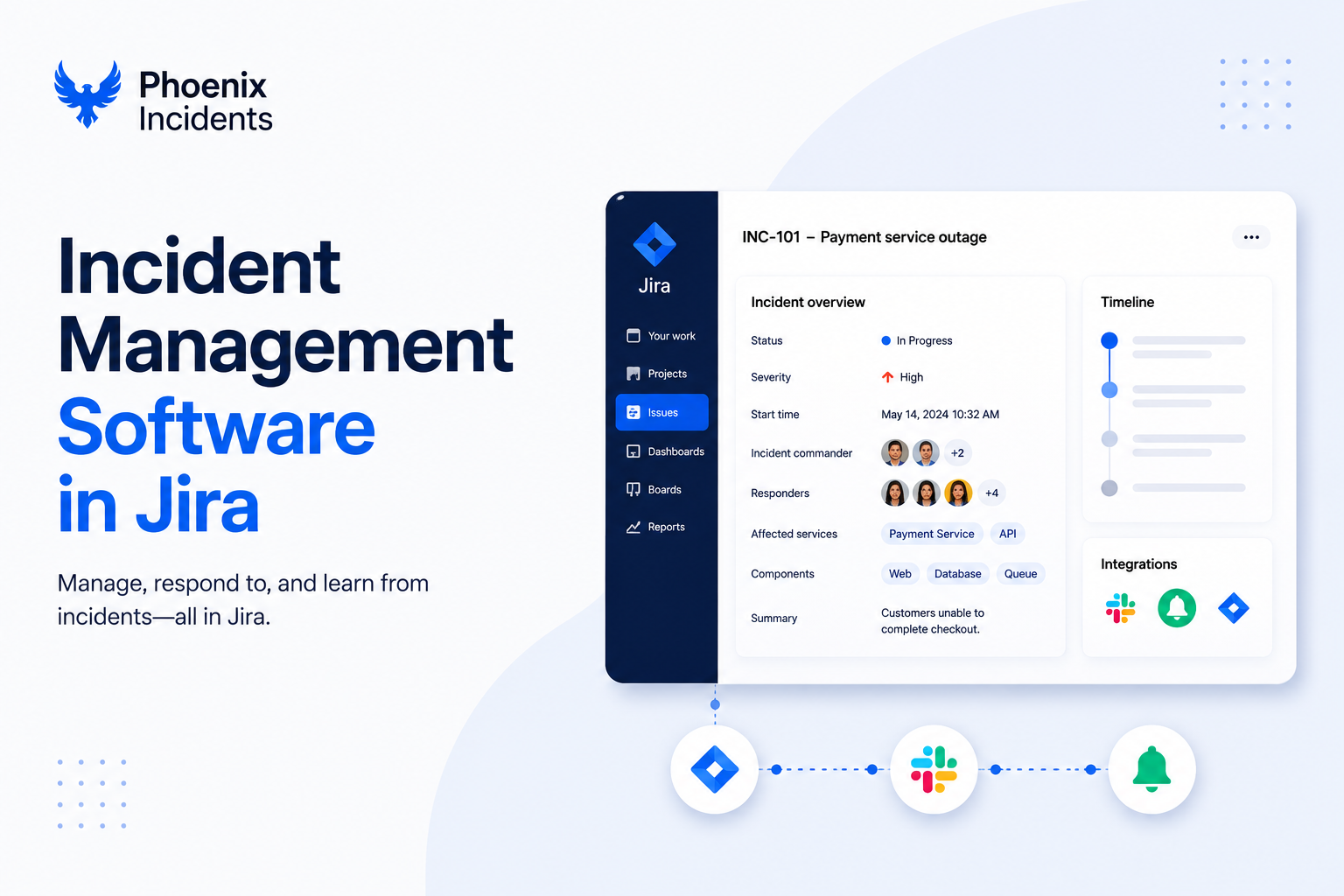
It's 3am and PagerDuty just went off. The on-call engineer is half awake, trying to figure out what broke, who else needs to be in the room, and where the conversation is supposed to happen. Before a single fix gets shipped, they're already juggling a paging app, a Slack workspace, and a Jira board that all need updating by hand. That scramble, the part before anyone touches the actual problem, is where most incident responses quietly lose time.
Engineering teams already live in Jira and Slack, planning and tracking work in one while coordinating in real time in the other. Yet most incident management software pulls them out of both, asking them to learn a separate platform and keep it in sync by hand at the worst possible moment.
This article breaks down what incident management software in Jira should actually do, where teams struggle without it, and how a Jira-
Why Engineering Teams Need Incident Management Software Inside Jira
Most incident management tools live outside the systems engineering teams touch daily. That separation looks harmless on a feature comparison sheet, but it adds real cost: another license, another integration to maintain, and a context switch right when accuracy matters most. For teams already working in Jira and Slack, staying inside those systems is how work actually gets done.
Jira incident management works best when the incident record sits next to the rest of the engineering work it relates to. The same board that tracks the sprint can track the outage, follow-up bugs, and action items that come out of the review, all linked, and visible to the people who own the services involved.
These Are The Common Pain Points Without a Jira-Native Approach
- Fragmented communication: Slack discussions, Jira tickets, docs, and pagers each may tell a different story.
- Inconsistent processes: When incidents are free-form, steps get skipped or improvised.
- Manual syncing: Engineering teams must update Jira, Slack, and paging systems by hand.
- Weak post-incident learning: Without a great structure, root-cause analysis becomes guesswork and the effects of what should have been a learning process.
How Jira-Centric Tools Solve These Problems
Incident management software for Jira and Slack teams centralizes every incident creation, updates communication flow, and follow-through without forcing engineers to adopt a separate platform. When the workflow aligns with already existing habits, teams follow the process naturally, especially during stressful outages.
What Incident Management in Jira Looks Like
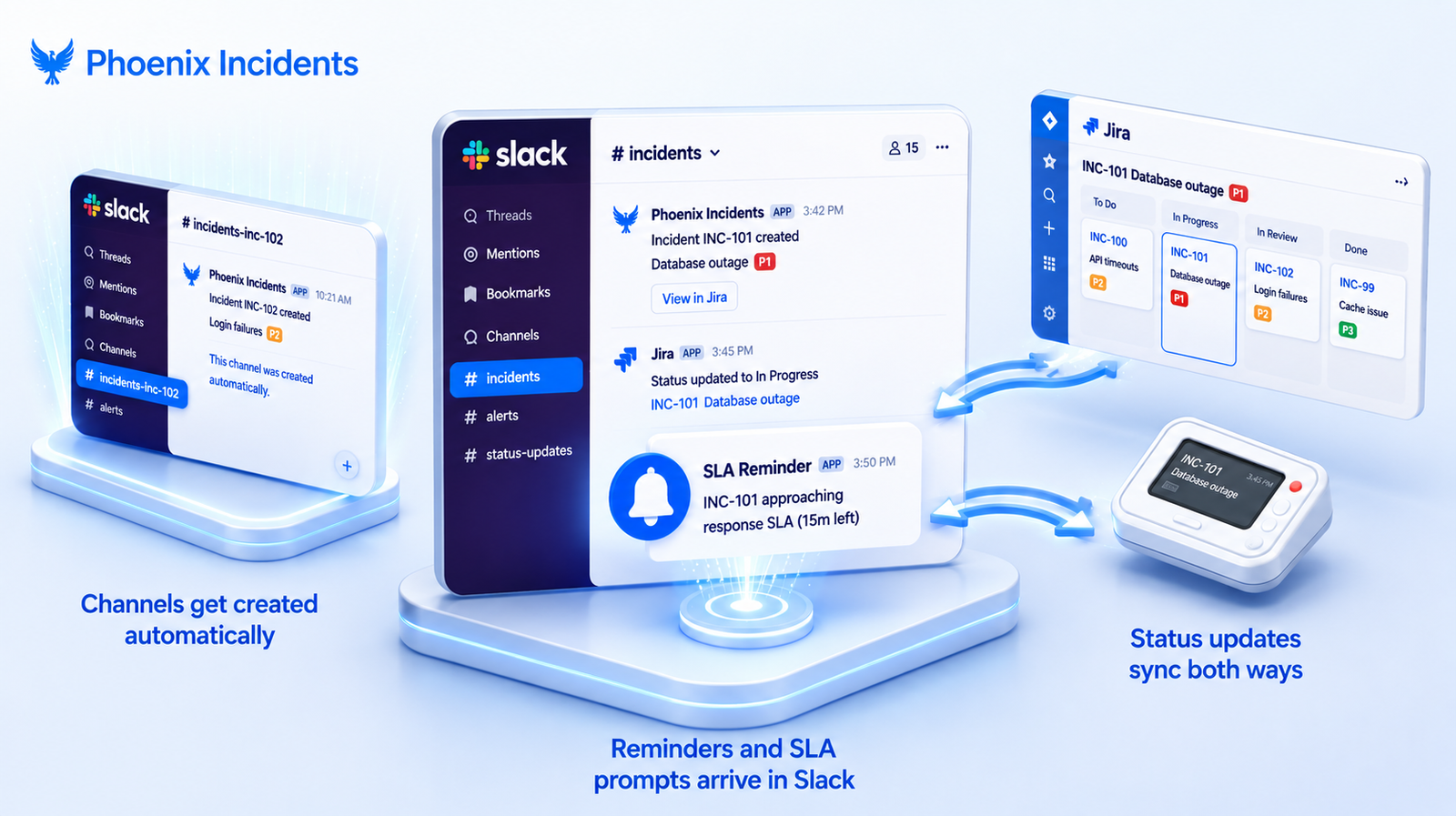
Plenty of tools claim a Jira integration but most of them mean a one-way sync that copies a ticket across tools. To qualify as genuine incident management software inside Jira, a tool has to do more than push data into a board.
It should:
- Live inside Jira as a real workflow, not a separate dashboard that just mirrors your Jira board from the outside.
- Work natively in Slack, opening and organizing incident channels so updates stay in the same place responders are already talking.
- Sync both ways with paging tools like PagerDuty and Splunk On-Call, so an acknowledgement in the pager updates the incident, and a change in the incident reaches the on-call engineer.
- Send SLA-based reminders and track status so nothing slips through while everyone assumes someone else has it covered.
- Include a structured RCA (root cause analysis), the step that turns a resolved incident into specific fixes that stop it from recurring.
That last point separates incident management from just incident logging. A tool that records what happened is useful, but a tool that drives the team toward preventing a recurrence is what actually moves the recovery-time numbers.
How Phoenix Incidents Fits the Jira + Slack Workflow
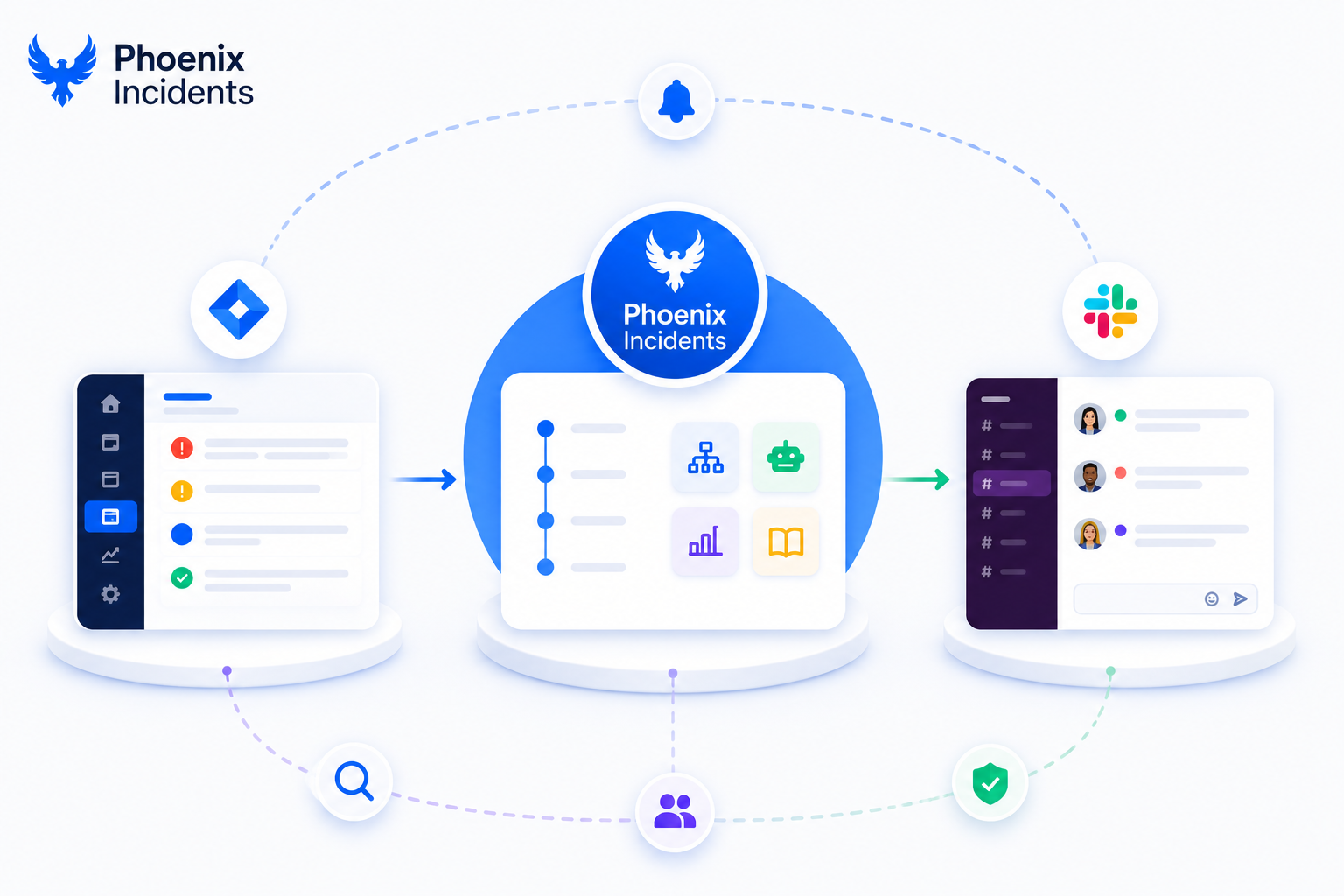
Phoenix Incidents is designed specifically for engineering teams who want seamless incident management software in Jira without adopting yet another standalone tool.
1. Human-Initiated, Structured Incident Creation
Phoenix Incidents supports a clear, enforced flow for any serious incident (whether customer-impacting or internal) created manually by teams. This approach avoids noise and ensures incidents represent real outages, such as internal service disruptions or production issues, not automated false or irrelevant alerts.
2. Real-Time Communication in Slack
Phoenix Incidents automatically coordinates:
- Shared Slack channels for visibility
- Incident-specific Slack channels for all responders
- Status updates synced across related systems
- Reminder cadences are based on the Service Level Agreements (SLA).
Engineers stay where they already communicate, while Phoenix Incidents keeps Jira and paging tools aligned.
3. Tight Jira Integration for Process Enforcement
Because Phoenix lives inside Jira, teams get:
- Jira-native incident records
- Consistent process for resolving incidents
- Minimal behavioral change from engineers
This dramatically lowers adoption friction.
4. Guided Post-Incident Analysis
After resolution, Phoenix Incidents guides responders with a detailed Root Cause Analysis, a process supported by AI, using the “Five Whys” technique and clear, time-bound action items. This way, teams stay intentional.
5. Reporting That Drives Accountability
Phoenix Incidents reporting covers:
- MTTA (Mean Time to Acknowledge) measures the average time between when an incident is detected and when a responder acknowledges it.
- MTTR (Mean Time to Resolve) measures the average time from when an incident is detected until it is fully resolved and normal service is restored.
- SLA performance
- Recurring themes
- Overdue mitigations
Leaders can see what's breaking, why it's breaking, and whether follow-up actions are actually being completed.
Key Capabilities Engineering Teams Should Look for in Jira-Native Incident Management Software
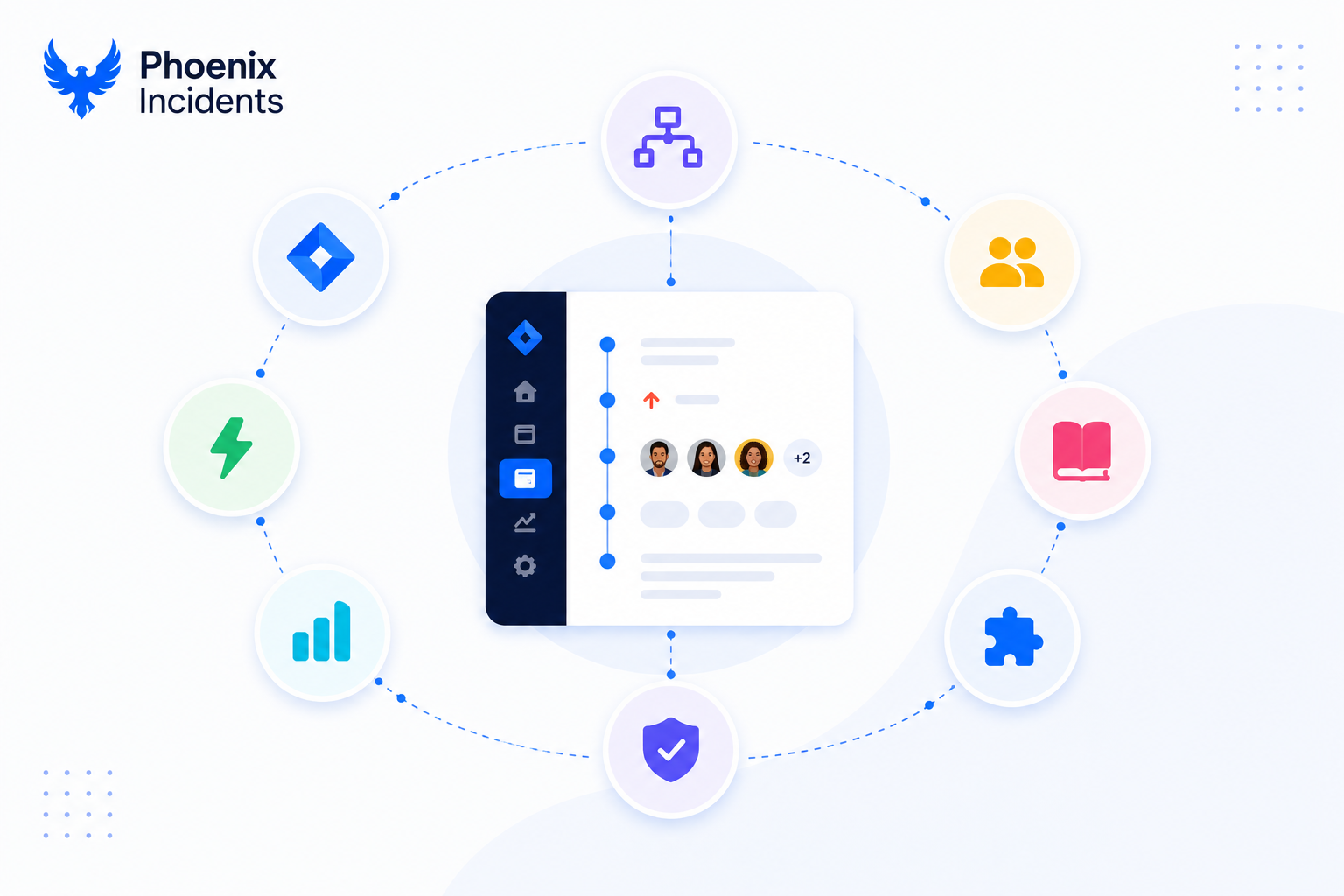
Key Capabilities to Evaluate in Jira-Native Incident Management Software
If you're choosing an incident management solution for your engineering team, focus on the capabilities that make incident response faster, more consistent, and easier to manage under pressure.
Process enforcement helps ensure every incident follows a consistent workflow. Look for features such as:
- Clearly defined incident statuses, such as Detected, Investigating, and Resolved, so everyone knows the current state of an incident.
- Guided prompts that ask questions like "Have you notified stakeholders?" or "What's the current status?" to prevent important steps from being missed.
- Automatic handoffs that route incidents to the right person or team without manual coordination.
These features keep incident response structured and repeatable, even during high-pressure situations.
Facilitation features support the way engineering teams already communicate. Look for software that includes:
- Automatic creation of dedicated incident channels.
- Real-time status synchronization across tools.
- Reminder prompts to keep responders on track.
Rather than forcing teams into a new workflow, these features improve collaboration within the tools they already use.
Paging integration should also be a priority. Ideally, your incident management software should provide:
- Two-way synchronization with platforms like PagerDuty and Splunk On-Call.
- Automatic syncing of acknowledgements and incident status between your paging tool and Jira.
This eliminates unnecessary tab switching and keeps everyone working from the same information.
Together, these capabilities create a smoother incident response process:
- Process enforcement provides a clear path for responders to follow.
- Facilitation keeps communication flowing across your existing tools.
- Paging integration ensures your incident management platform and on-call system stay synchronized.
For example, when an on-call engineer acknowledges a page, that acknowledgement should automatically appear on the incident. Likewise, when the incident status changes, responders should see the update immediately without anyone manually copying information between tools. When these capabilities work together, incident response becomes one connected workflow instead of a collection of disconnected manual tasks.
A Typical Jira + Slack Incident Managed in Phoenix Incidents
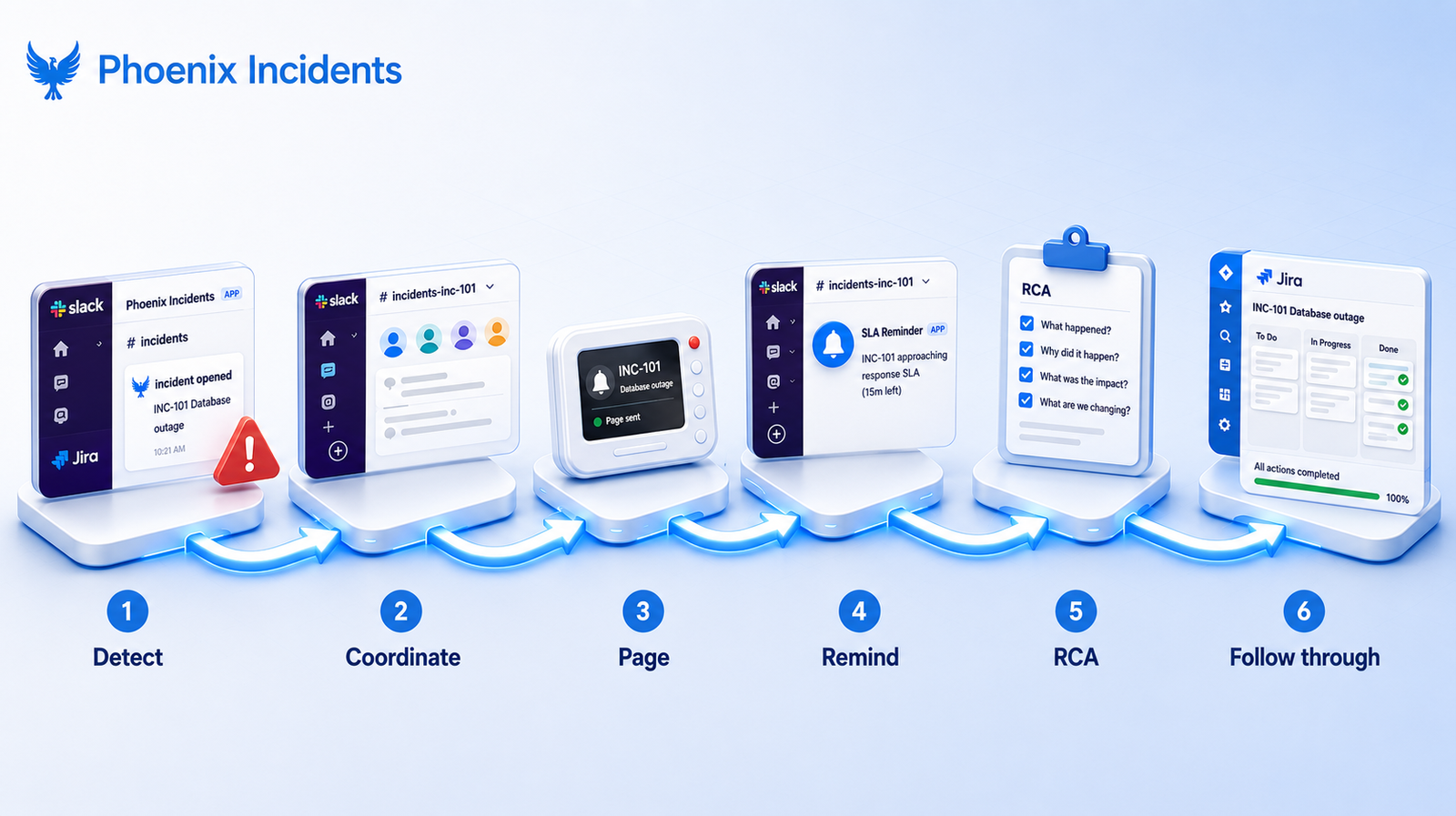
Here's what the full flow looks like when the tooling is doing its job:
Step 1: Detect. An engineer or a support agent opens an incident from Slack or Jira the moment something looks wrong.
Step 2: Coordinate. Phoenix Incidents automatically creates a dedicated Slack channel for responders and posts updates to a company-wide incident channel, so the team coordinates in one place while the rest of the org stays informed.
Step 3: Page. The paging system syncs with the incident, and the on-call engineer stays aligned with everything happening in Jira and Slack.
Step 4: Remind. Phoenix sends SLA reminders into Slack, so handoffs and status updates don't slip through the cracks while people are focused on the fix.
Step 5: RCA. Once service is restored, Phoenix guides the team through the root cause analysis, and engineers capture follow-up action items.
Step 6: Follow through. Slack reminders keep those action items moving, and Jira dashboards give leadership visibility into whether the work is actually getting closed.
Why Engineering Teams Prefer a Jira + Slack Approach Over Standalone Tools
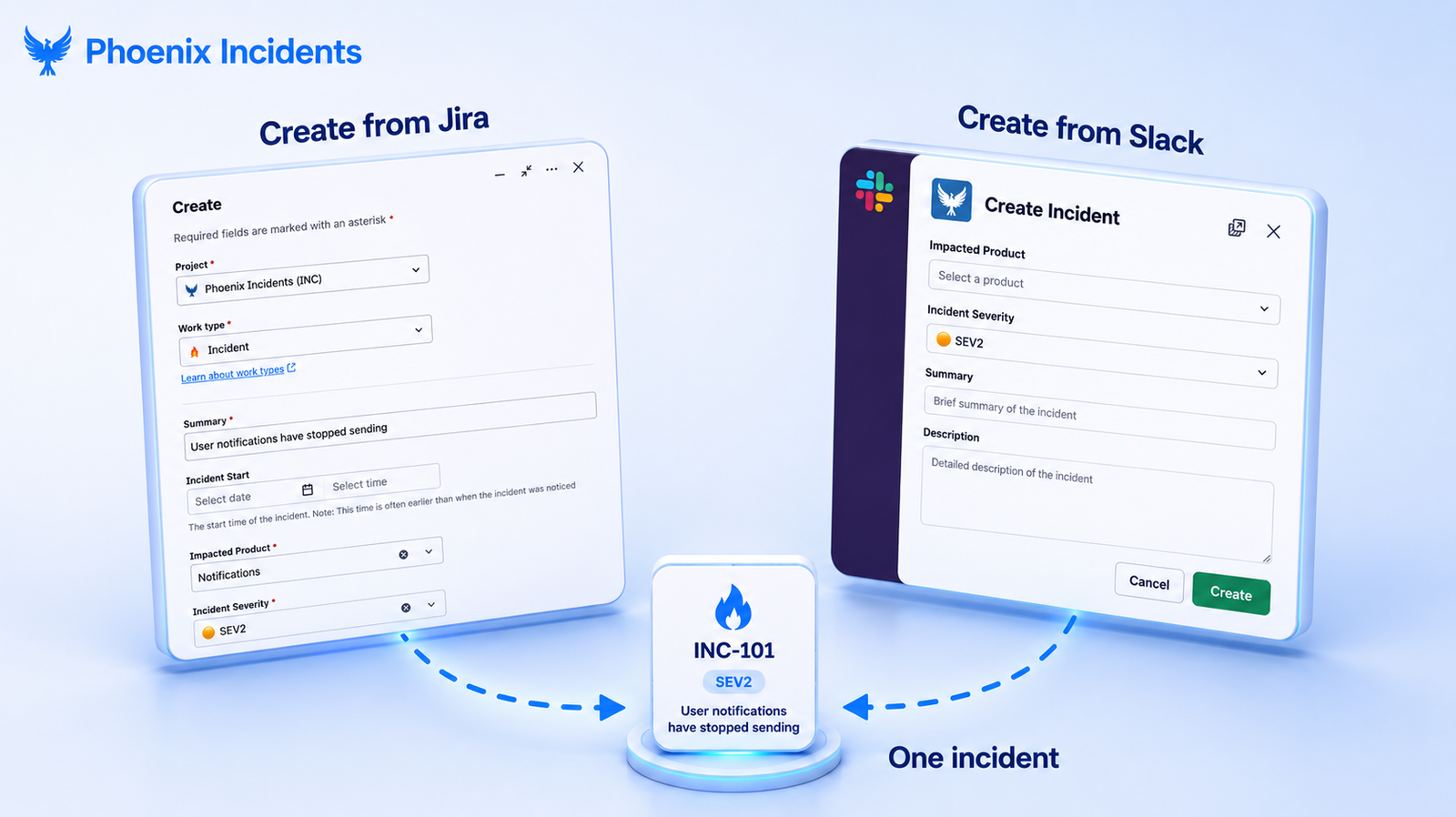
Standalone incident management platforms often require teams to change how they work and switch between multiple tools during an outage. Jira-native solutions, on the other hand, fit into the workflows engineering teams already use every day.
Here are the key differences:
Adoption
- Jira-native tools: Engineers stay in Jira and Slack, so there's no new interface to learn.
- Standalone tools: Teams must learn and adopt a separate platform, often during high-pressure incidents.
Communication and cross-team visibility
- Jira-native tools: Slack remains the central place for communication, while Jira tracks the incident, tasks, and progress.
- Standalone tools: Teams have to keep another communication platform synchronized with Jira and Slack.
Incident-time experience
- Jira-native tools: Engineers don't need to switch between multiple applications, manually copy updates, or learn a new workflow during an outage.
- Standalone tools: Context is spread across different tools, increasing the risk of missed updates and slower coordination.
Leadership reporting
- Jira-native tools: Incident data and reporting are automatically captured inside Jira, making reporting simple and accurate.
- Standalone tools: Teams often have to maintain a separate dashboard or manually consolidate incident data.
The difference comes down to reducing friction. Jira-native tools help engineering teams stay in familiar workflows, minimize context switching, and keep incident information synchronized across the tools they already rely on. During a critical outage, fewer manual steps and fewer systems to manage can make incident response faster and more reliable.
Best Use Cases for Incident Management Software Inside Jira
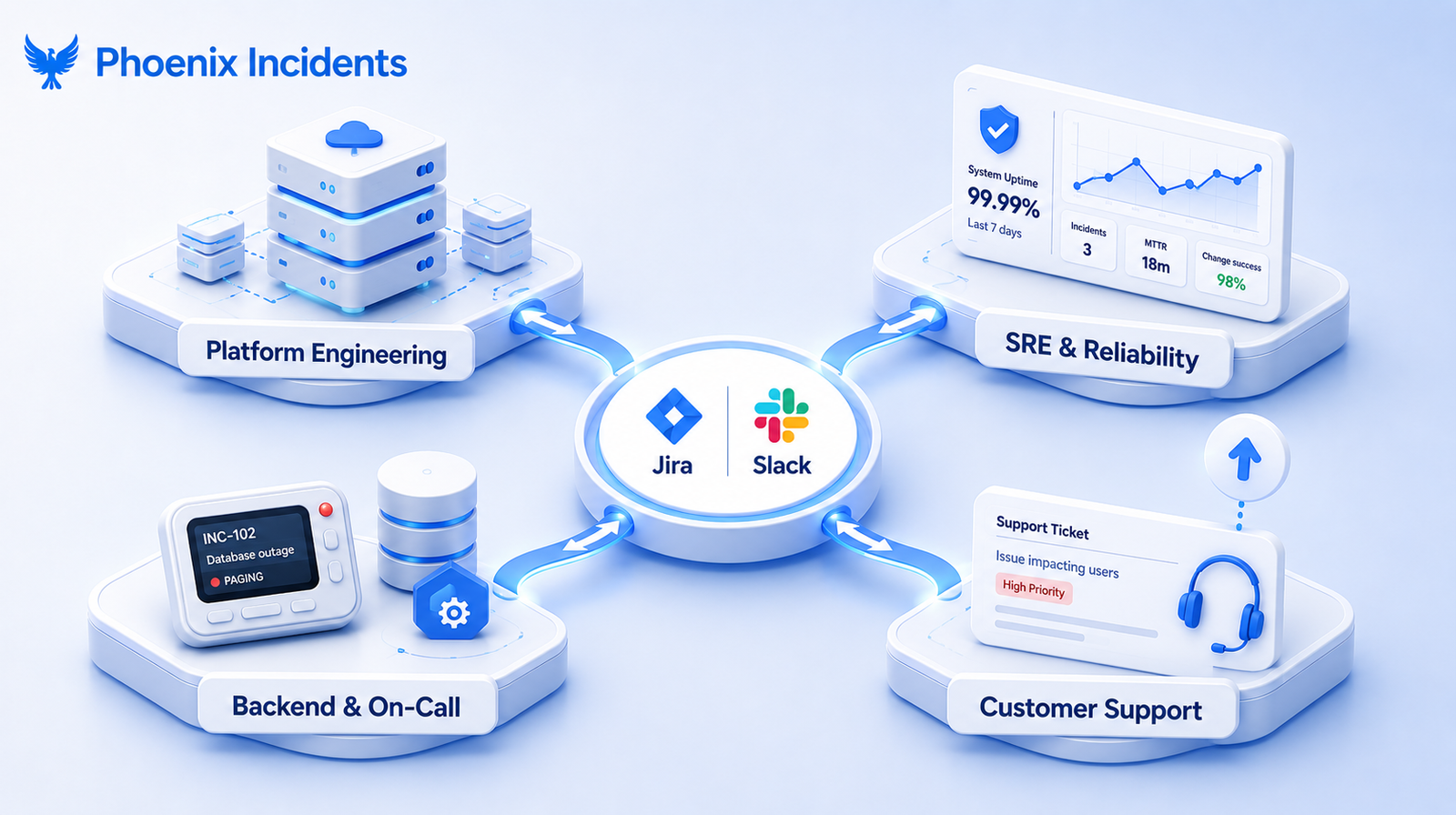
The fit is strongest for teams whose work already centers on Jira and Slack and who carry real operational responsibility:
- Platform engineering teams managing shared infrastructure and internal services.
- SRE and reliability orgs that own uptime and need clean MTTA and MTTR data.
- Backend and on-call software teams running production services day to day.
- Customer support teams that escalate high-impact issues into engineering.
Customer success teams handling high-impact issues benefit from the visibility too, though they're not usually the primary buyers. Across all of these, the value comes from the same place: Slack communication, Jira process, and paging workflows lined up in a single coherent flow.
Incident Management Software in Jira is the Best Choice For Modern Teams
Engineering teams don’t need another platform to manage. They need incident workflows that fit into the tools they already use and keep Slack, Jira, and paging systems aligned without extra overhead.
Phoenix Incidents does this by living inside Jira and coordinating Slack and paging actions in one consistent flow-from creating the incident to running the RCA to following through on action items.
If your team runs incidents in Jira and Slack today, this is built for that workflow.
Want to see what a Jira-native approach looks like in practice?
Frequently Asked Questions
1. What is incident management in Jira?
Incident management in Jira is the process of detecting, coordinating, resolving, and reviewing service disruptions using Jira as the central source of truth. It keeps incidents connected to related bugs, services, and follow-up tasks.
2. Do I need Jira Service Management to manage incidents?
No. While Jira Service Management is designed for ITSM, engineering teams can manage incidents directly in Jira and Slack using a Jira-native tool like Phoenix Incidents, without adopting a full service desk solution.
3. How does Phoenix Incidents integrate with Slack?
Phoenix Incidents automatically creates a dedicated Slack channel when an incident is declared, syncs status updates between Jira and Slack, posts company-wide updates, and sends SLA reminders to responders, all without leaving Slack.
4. What's the difference between Jira-native and standalone incident management tools?
Jira-native tools run incident workflows directly inside Jira and Slack, reducing context switching and keeping everything in one place. Standalone tools require teams to work in a separate platform and manually sync information with Jira.
5. Can Phoenix Incidents sync with PagerDuty?
Yes. Phoenix Incidents supports two-way integration with PagerDuty and Splunk On-Call, allowing teams to trigger paging from Jira while keeping acknowledgements and incident status synchronized across both systems.